18
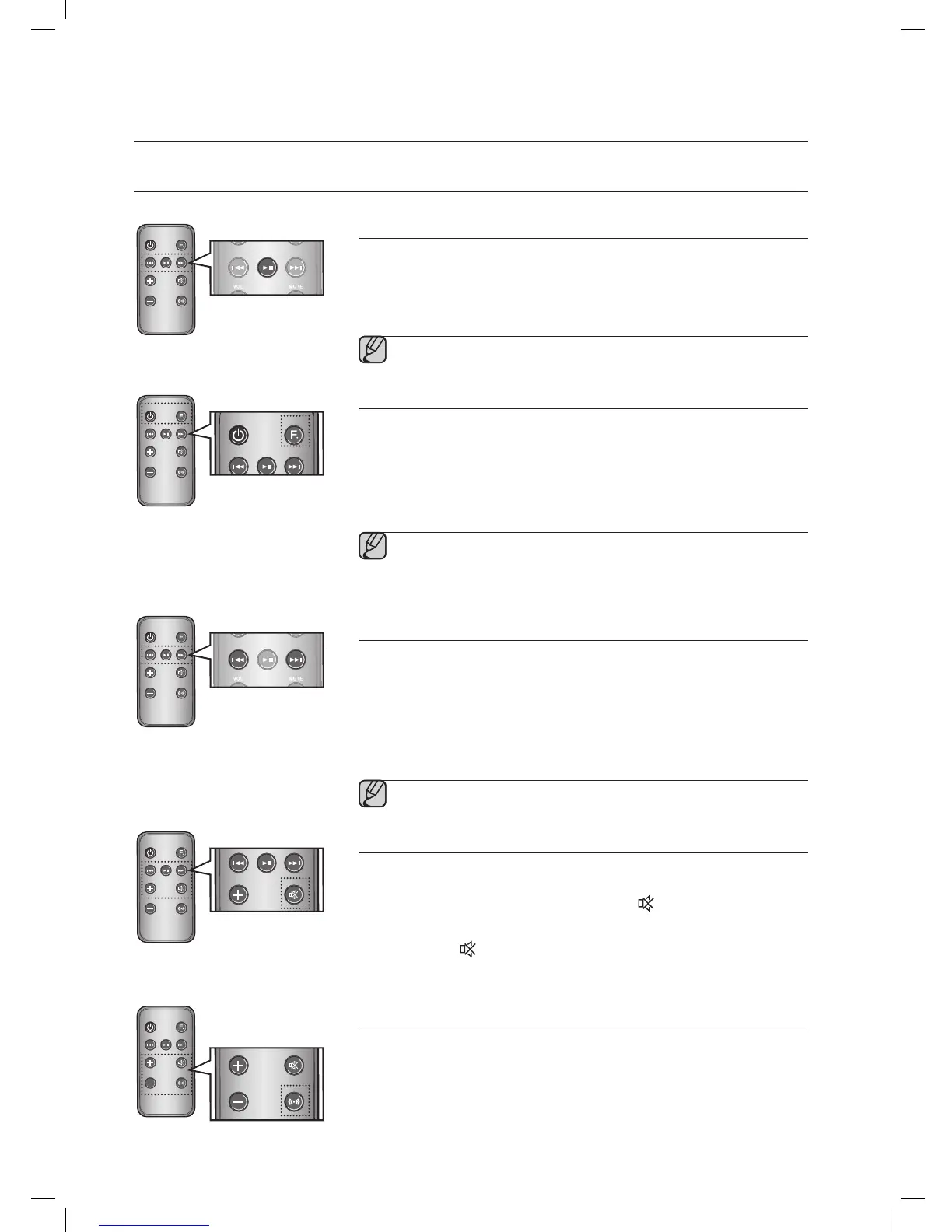
Play/Pause
During playback, press the +# button.
• Press the +# button to stop playing the file temporarily.
Press the +# button again to play the selected file.
▪ This function does not operate in AUX mode.
Using function
Change the mode to switch to Docking and AUX sources.
Press FUNCTION on the remote control of this unit.
• Each time the button is pressed, the selection changes as follows :
iPod (iPhone) ; Galaxy (Bluetooth) ; AUX mode
▪ Check the function you want to use by pressing the Function
button on the remote control when multiple devices are
connected to the product simultaneously.
Skip Forward/Back
During playback, press the [,] button.
• When there is more than one file and you press the ] button, the next file
is selected.
• When there is more than one file and you press the [ button, the
previous file is selected.
▪ This function does not operate in AUX mode.
Muting the sound
This is useful when answering a doorbell or telephone call.
1. To mute sound of this unit, press the MUTE (
) button of the remote
control.
2. Press MUTE (
) on the remote control again (or press VOLUME +/–)to
restore the sound.
Using the BASS function
Lets you optimize the bass sound according to your tastes.
Press BASS on the remote control of this unit.
• Each time the button is pressed, the selection changes as follows :
BASS ON ; OFF
MUTE
VOL
BASS
FUNCTION



 To Next Page