EasyManua.ls Logo

Samsung DA-F60 - User Manual

Samsung DA-F60
24 pages
Print Icon
To Next Page IconTo Next Page
Loading...
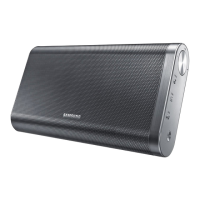
Wireless Audio Portable
user manual
Thank you for purchasing this Samsung product. To receive more
complete service, please register your product at
www.samsung.com/register
DA-F60/DA-F61
Note that the product has been fully charged when shipped, but the internal battery may self-discharge if not used for a
long period of time. If fully discharged, the product may not immediately operate even when the power adaptor is
connected. In such a case, wait for charging at least 20 minutes before using. It is recommended to fully charge
the product, charge it for more than 3 hours to see the battery indicator turns green (enough) or LED off (full).

Questions and Answers

  • C
    caroline09Aug 1, 2025
    What to do if my Samsung Portable Speakers produce no sound?
    • G
      Glenn HughesAug 1, 2025
      If your Samsung Portable Speaker isn't producing sound, ensure it's properly connected. Also, verify that the Mute function is off and the volume isn't set to the minimum.
  • T
    Thomas BaileyAug 9, 2025
    How to fix a Samsung Portable Speaker that won't turn on?
    • T
      Theresa MeyerAug 9, 2025
      If your Samsung Portable Speaker will not turn on, ensure the power plug is connected to the outlet. If that doesn't work, the battery may be completely drained. Recharge the battery and try turning the speaker on again. Also, check if the battery is discharged.
  • S
    Sandra MarshallAug 16, 2025
    Why isn't my Samsung Portable Speaker searching for or connecting to Bluetooth properly?
    • M
      melissabrownAug 16, 2025
      The Wireless Audio Portable may not search or connect properly because of a strong electrical field around it, several Bluetooth devices being simultaneously paired to it, or the Bluetooth device being turned off, out of range, or malfunctioning. If there is a strong electrical field around the Wireless Audio Portable, several Bluetooth devices are simultaneously paired to the Wireless Audio Portable, or the Bluetooth device is turned off, not in place, or malfunctioning.
  • R
    Robert MitchellAug 23, 2025
    What to do if a button on my Samsung Portable Speaker doesn't work?
    • L
      Lynn AdamsAug 23, 2025
      If a function on your Samsung Portable Speaker isn't working when you press the button, try disconnecting the power plug and connecting it again. Also, verify that the buttons correspond to the functions you want to activate.

Summary

Your Wireless Audio Portable

Checking and Charging the Battery

Checking the battery

Check the battery charge level by pressing the power button for 5 seconds.

Charge the battery

Recommendations for charging the device, including time and conditions.

Using the NFC Function

Using Bluetooth Function

Using AUX IN Function

Using the SoundShare Function

Specifications

Software Upgrade

Troubleshooting

Safety Warnings

Safety Precautions

Usage Precautions

Cleaning Precautions

Battery Usage Precautions

Contact SAMSUNG WORLD WIDE

Samsung DA-F60 Specifications

General IconGeneral
Bass adjustmentYes
Recommended usageUniversal
Magnet typeNeodymium
Speaker type2-way
Number of drivers-
Number of speakers1
Audio output channels2.0 channels
Impedance- Ω
Frequency range- Hz
RMS rated power20 W
Product typeStereo portable speaker
Product colorBlack
Connectivity technologyWired & Wireless
Battery typeBuilt-in
Battery capacity2200 mAh
Power source typeBattery
Battery life (max)12 h
Battery recharge time3 h
Power consumption (standby)0.36 W
Power consumption (typical)23 W
Package depth75 mm
Package width355 mm
Package height163 mm
Package weight1800 g
Cables includedAudio (3.5mm)
Weight and Dimensions IconWeight and Dimensions
Depth46.5 mm
Width225 mm
Height131 mm
Weight1000 g

Related product manuals
