EasyManua.ls Logo

Samsung DE68-00356H-01 - User Manual

Samsung DE68-00356H-01
28 pages
Print Icon
To Next Page IconTo Next Page
Loading...
Code No. : DE68-00356H-01
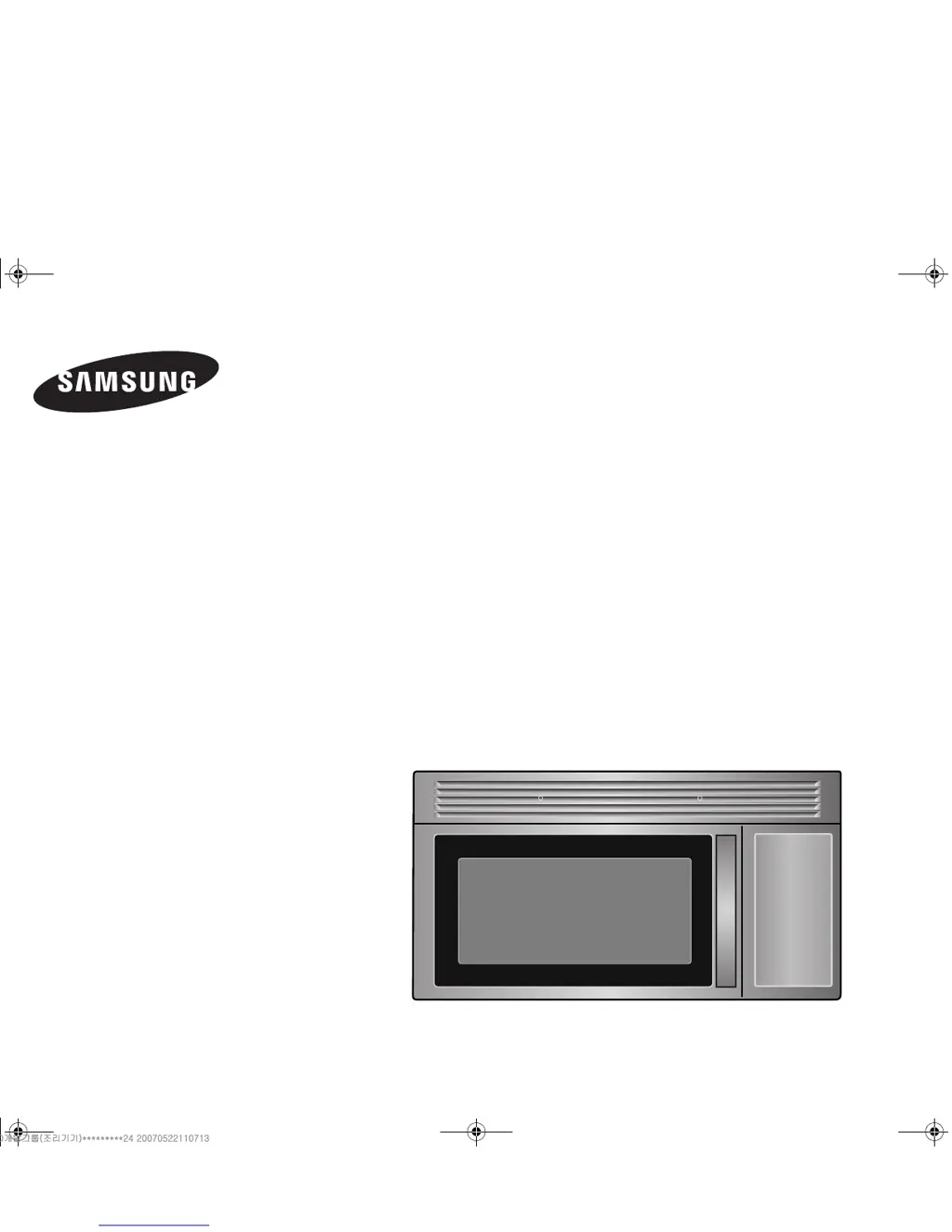
Microwave Oven
Owner’s Manual
SMH4150
zto[X\WhjniTWWZ\]oUGGwGXGG{SGtGYYSGYWW^GGXXaW^Ght

Questions and Answers

  • L
    Lisa MorganJul 29, 2025
    Why won't my Samsung DE68-00356H-01 turn on, even though the display works?
    • W
      William LeeJul 29, 2025
      If the display of your Samsung Microwave Oven is working but the power won't come on, ensure that the door is closed securely. Also, check for any packing material or other obstructions stuck to the door seal and inspect the door for any damage. If the issue persists, press the Cancel button twice and then re-enter all cooking instructions.
  • T
    Tracy JohnsonAug 2, 2025
    What to do if my Samsung Microwave Oven is not working?
    • K
      Keith LivingstonAug 2, 2025
      If neither the display nor the oven operate, ensure the plug is properly inserted into a grounded outlet. If the outlet is controlled by a wall switch, make sure the switch is turned on. Try removing the plug from the outlet, waiting ten seconds, and then plugging it back in. Also, reset the circuit breaker or replace any blown fuse. Try plugging another appliance into the outlet to verify it's working; if it isn't, have a qualified electrician repair the outlet. Finally, try plugging the oven into a different outlet.
  • M
    marksmitchellAug 6, 2025
    What to do if my Samsung DE68-00356H-01 Microwave Oven stops before the set time?
    • K
      Kim GordonAug 6, 2025
      If your Samsung Microwave Oven shuts off before the timer is done, and there hasn't been a power outage, unplug the oven, wait ten seconds, and then plug it back in. If there was a power outage, the time indicator will display blank. Reset the clock and any cooking instructions. You may also need to reset the circuit breaker or replace a blown fuse.
  • G
    gjohnsonAug 10, 2025
    Why is my Samsung DE68-00356H-01 Microwave Oven cooking food too slowly?
    • M
      matthew92Aug 11, 2025
      If your Samsung Microwave Oven is cooking food too slowly, make sure the oven is on its own 20 amp circuit line. Operating another appliance on the same circuit can cause a voltage drop. If necessary, move the oven to its own circuit.
  • V
    veronicajohnsonAug 15, 2025
    What to do if my Samsung Microwave Oven is sparking?
    • K
      Kevin BryantAug 15, 2025
      If you observe sparks or arcing inside your Samsung Microwave Oven, immediately remove any metallic utensils, cookware, or metal ties. If you are using foil, make sure to use only narrow strips and maintain at least one inch of space between the foil and the interior walls of the oven.
  • C
    Connie Miller DVMAug 19, 2025
    Why is the turntable in my Samsung DE68-00356H-01 Microwave Oven making noises?
    • R
      Roberta LambertAug 19, 2025
      If the turntable in your Samsung Microwave Oven is making noises or sticking, try cleaning the turntable, roller ring, and the oven floor. Also, ensure that the turntable and roller ring are correctly positioned.
  • Z
    Zachary MannAug 23, 2025
    How to stop my Samsung DE68-00356H-01 from causing TV interference?
    • K
      Kevin BaileyAug 23, 2025
      To minimize TV or radio interference from your Samsung Microwave Oven, try moving the microwave further away from other appliances, such as your TV or radio.

Summary

Safety Precautions

Microwave Energy Exposure

Lists precautions to avoid harmful exposure to microwave energy.

Essential Safety Instructions

Basic safety precautions for using any electrical appliance.

Continued Safety Instructions

Further Safety Guidelines

More safety instructions, including fire prevention and proper usage.

Grounding Safety Instructions

Instructions for proper grounding to reduce electric shock risk.

Electrical and Vent Fan Safety

Grounding Plug Warnings

Risks of improper grounding plug use and extension cord avoidance.

Oven Setup and Service

Initial Setup Guide

Step-by-step guide for initial setup and installation of the microwave.

Control Panel Functions

Control Panel Button Identification

Identifies and describes the function of each button on the control panel.

Basic Operation Procedures

Setting Clock and Kitchen Timer

Instructions for setting the oven's clock and using the kitchen timer.

Instant Cook Button Usage

Automatic Reheating

Using the Auto Reheat Feature

Instructions for using the Auto Reheat feature for various dishes.

Automatic Defrosting

Guide to Auto Defrost Function

How to use the Auto Defrost function based on food weight.

Advanced Cooking Settings

Manual Time and Power Level Settings

How to manually set cooking times and power levels.

Cooking Utensils and Safety

Cooking Techniques and Tips

Meat and Poultry Cooking Guide

Seafood, Egg, and Vegetable Guides

Auto Defrosting Food Guide

Appendix - Troubleshooting

Common Oven Issues and Solutions

Lists common oven problems and their solutions.

Oven Care and Cleaning Instructions

Instructions for cleaning the interior and exterior of the oven.

Appendix - Maintenance

Samsung DE68-00356H-01 Specifications

General IconGeneral
BrandSamsung
ModelDE68-00356H-01
CategoryMicrowave Oven
LanguageEnglish

Related product manuals