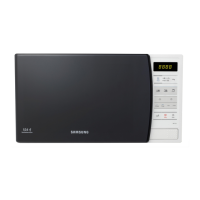
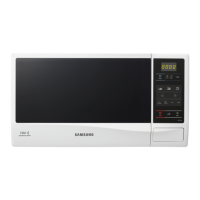
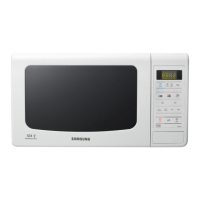
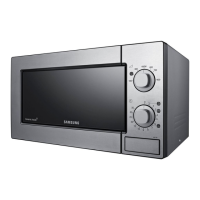
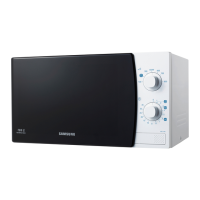
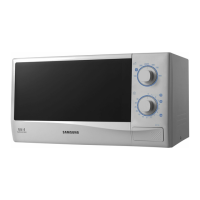
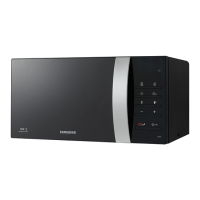
This document serves as an Owner's Instructions and Cooking Guide for the Samsung Microwave Oven models ME731K, ME732K, and ME733K. It emphasizes safety, proper usage, and maintenance to ensure optimal performance and longevity of the appliance.
Function Description
The Samsung Microwave Oven is designed primarily for heating food and beverages using microwave energy. It offers various cooking and reheating programs, as well as an auto rapid defrost feature, to simplify meal preparation. The oven operates at an output power of 800W, categorized as an "E" category oven for cooking instructions based on IEC Power Output Ratings or Reheating Categories.
Usage Features
The microwave oven features a user-friendly control panel with several buttons for different functions:
- Display: Shows the current time, cooking settings, and other relevant information.
- Microwave Button: Used to select the microwave cooking function and adjust power levels. Multiple presses cycle through different wattage options (800W, 600W, 450W, 300W, 180W, 100W).
- Time Setting Buttons (10 min, 1 min, 10 s): Used to set cooking times or the clock.
- +30s Button: Adds 30 seconds to the cooking time with each press, useful for extending cooking or for quick starts.
- Start Button: Initiates the selected cooking or defrosting program.
- Stop Button: Stops any ongoing operation or cancels settings. Pressing it twice cancels all settings.
- Clock Button: Used to set the 12-hour or 24-hour clock.
- Weight Button: Used in conjunction with the Auto Rapid Defrost feature to select the weight of the food.
- Instant Reheat/Cook Button: Provides pre-set programs for common items like "Ready Meals," "Frozen Ready Meals," and "Drinks." The number of servings can be adjusted by pressing the button multiple times.
- Auto Rapid Defrost Button: Offers automatic defrosting programs for "Meat," "Poultry," "Fish," and "Fruit/Berry" based on food type and weight.
- Energy Save Button: Activates an energy-saving mode when the oven is not in use.
Cooking/Reheating:
To cook or reheat food, users place the item on the turntable, select the desired microwave power level, set the cooking time using the time setting buttons, and press "Start." The oven light comes on, and the turntable rotates. Once cooking is complete, the oven beeps four times.
Adjusting Cooking Time:
During cooking, the "+30s" button can be pressed to add 30-second increments to the remaining cooking time.
Stopping Cooking:
Cooking can be temporarily paused by opening the door and resumed by closing the door and pressing "Start." To stop cooking completely, the "Stop" button is pressed. Pressing "Stop" twice cancels all current settings.
Setting the Energy Save Mode:
Pressing the "Energy Save" button activates this mode. To exit, open the door, and the current time will be displayed, indicating the oven is ready for use. An auto energy saving function also cancels any unselected function after 25 minutes, displaying the clock. The oven lamp turns off after 5 minutes if the door is left open.
Instant Reheat/Cook Features:
These programs simplify reheating by automatically setting cooking times. Users select the program (e.g., "Drinks") and adjust the number of servings. The oven beeps four times when finished, followed by three end reminder signals (once every minute).
Auto Rapid Defrost Feature:
This feature allows for quick defrosting of various food types. Users select the food category ("Meat," "Poultry," "Fish," or "Fruit/Berry") and the weight. The oven automatically sets the defrost time and power level. Halfway through defrosting, the oven beeps to remind the user to turn the food over.
Multistage Cooking:
The oven supports up to three stages of cooking, allowing for defrosting followed by one or two cooking stages without manual resetting. For example, a user can defrost a 500g fish, then cook it in two microwave stages at different power levels and times. The "Start" button is only pressed after all stages are set.
Cookware Guide:
The manual provides a comprehensive guide on suitable cookware for microwave use, categorizing materials as "Recommended," "Use caution," or "Unsafe." It advises against metallic containers, dinnerware with metal trimmings, skewers, and forks due to the risk of arcing. Plastic containers should be heat-resistant, and cling film should not touch the food.
Maintenance Features
Regular cleaning and proper care are essential for the microwave oven's performance and safety.
Cleaning Your Microwave Oven:
- Outside Surfaces: Clean with a soft cloth and warm, soapy water, then rinse and dry.
- Inside Surfaces: Remove splashes or stains with a soapy cloth, then rinse and dry.
- Hardened Food Particles and Smells: Place a cup of diluted lemon juice in the oven and heat for ten minutes at maximum power to loosen particles and remove odors.
- Turntable and Roller Ring: Wash these dishwasher-safe parts as needed.
- Door and Door Seals: Regularly clean to prevent grease and food particles from accumulating, ensuring the door closes properly.
- Cavity: Clean the microwave oven cavity right after each use with a mild detergent solution, allowing it to cool down first. For models with a swing heater, it can be turned downward by 45 degrees for easier cleaning.
General Maintenance Advice:
- Power Plug: Regularly clean dust and water from the power plug terminals and contact points with a dry cloth.
- Power Cord: Do not pull, excessively bend, or place heavy objects on the power cord.
- Ventilation Slots: Do not cover with cloth or paper to prevent overheating and automatic shutdown.
- Storage: If storing the oven temporarily, choose a dry, dust-free place to prevent dust and dampness from affecting internal components.
- Light Bulb: The light bulb should only be replaced by a qualified engineer from a Samsung customer care center for safety reasons.
- Repairs: Only qualified microwave service technicians should perform repairs. Never remove the outer casing. If the oven is faulty or damaged (e.g., broken door hinge, deteriorated seals, distorted casing), unplug it and contact a service center.
Safety Precautions:
The manual emphasizes numerous safety precautions, including:
- Children: Supervise children when using the oven, especially in combination mode, and ensure they understand proper use and hazards. Keep the appliance and its cord out of reach of children under 8 years old.
- Damaged Oven: Do not operate if the door or door seals are damaged.
- Suitable Utensils: Only use microwave-safe utensils.
- Sealed Containers: Do not heat liquids or other foods in sealed containers, as they may explode.
- Beverages: Be cautious with microwave heating of beverages, as delayed eruptive boiling can occur. Stir during and after heating, and allow a standing time of at least 20 seconds.
- Baby Food: Stir or shake feeding bottles and baby food jars, and check the temperature before consumption.
- Eggs: Do not heat eggs in their shell or whole hard-boiled eggs, as they may explode.
- Cleaning: Do not use harsh abrasive cleaners or sharp metal scrapers on the oven door glass. Do not spill water into vents.
- Installation: Ensure adequate ventilation (10 cm behind and sides, 20 cm above), and place on a flat, level, strong surface. The plug must be accessible.
- Power Supply: Plug into a proper AC earthed socket. Do not use multiple plug adapters or extension cords unless they meet the same standard as the oven's power cable.
- Interference: If the oven causes radio or TV interference, reposition the oven or disconnect and reconnect the power plug to reset the display.
- Empty Operation: Never switch on an empty microwave oven.
- Hot Surfaces: Accessible parts may become hot during use; avoid touching heating elements.
- Flammable Materials: Do not store flammable materials in the oven.
- Steam Cleaners: Do not use high-pressure water cleaners or steam jet cleaners.
By following these guidelines, users can safely and effectively operate and maintain their Samsung Microwave Oven.



 To Next Page


 General
 Weight and Dimensions