EasyManua.ls Logo

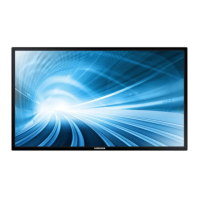
Samsung DM65D - User Manual

Samsung DM65D
174 pages
Print Icon
To Next Page IconTo Next Page
Loading...
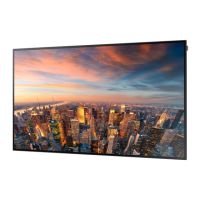
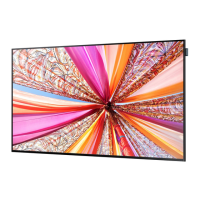
LFD DISPLAY
User Manual
The colour and the appearance may differ depending on the
product, and the specifications are subject to change without
prior notice to improve the performance.
DM65D DM75D

Other manuals for Samsung DM65D

Questions and Answers

  • D
    Diane CarterSep 23, 2025
    Why is there no sound from the speakers in HDMI mode when a DVI-HDMI cable is connected to my Samsung DM65D Monitor?
    • J
      jordansamanthaSep 23, 2025
      DVI cables do not transmit sound data. Make sure to connect the audio cable to the correct input jack to enable audio.
  • M
    Mrs. Heidi HarrisAug 23, 2025
    Why is there no sound from my Samsung DM65D Monitor?
    • M
      maykennethAug 23, 2025
      Check the connection of the audio cable or adjust the volume. You should also check the volume level.
  • D
    Donna WoodAug 25, 2025
    How to fix a blurry screen on my Samsung DM65D Monitor?
    • P
      Paul ThompsonAug 26, 2025
      To fix a blurry screen on your Samsung Monitor: * Adjust Coarse and Fine settings. * Remove any accessories like video extension cables. * Set the resolution and frequency to the recommended level.
  • J
    Jose SmithAug 27, 2025
    Why is the volume too low on my Samsung DM65D Monitor?
    • L
      Laura BlairAug 27, 2025
      Adjust the volume on your Samsung Monitor. If the volume remains low after maximizing it, adjust the volume on your PC sound card or software program.
  • M
    michaelrandolphAug 27, 2025
    Why does my Samsung DM65D display 'No Signal'?
    • M
      Michelle BoydAug 28, 2025
      If your Samsung Monitor displays 'No Signal', ensure the monitor is correctly connected with a cable and that the device connected to the monitor is powered on.
  • M
    Michael OnealSep 18, 2025
    What to do if my Samsung Monitor displays "The defined resolution is not supported"?
    • C
      colewilliamSep 18, 2025
      Change the PC resolution to a resolution supported on the Samsung Monitor.
  • P
    Paul WilliamsSep 15, 2025
    Why do the brightness and color not look normal on my Samsung DM65D Monitor?
    • K
      katie24Sep 15, 2025
      Go to Picture and adjust the screen settings such as Picture Mode, Colour, Brightness and Sharpness.
  • R
    Rachel JohnsonSep 16, 2025
    Why is the PIP menu not available on my Samsung Monitor?
    • G
      gherreraSep 16, 2025
      The PIP menu is enabled or disabled depending on the Source mode.
  • A
    alexandraalvarezSep 6, 2025
    Why is there no image on my Samsung DM65D, but the power LED blinks?
    • J
      Joyce SanchezSep 6, 2025
      The Samsung Monitor is in power-saving mode. Press any key on the keyboard or move the mouse to return to the previous screen.
  • H
    hbenitezSep 4, 2025
    Why does my Samsung DM65D Monitor have blank spaces with HDMI?
    • T
      Toni HodgesSep 4, 2025
      Adjust the screen size in the HDMI or DVI settings for the graphics card. Also, update the graphics card driver to the latest version.

Samsung DM65D Specifications

General IconGeneral
Screen Size65 inches
Resolution1920 x 1080 (Full HD)
Brightness450 cd/m²
Contrast Ratio5000:1
Response Time8 ms
Viewing Angle178°/178°
DVIYes
ComponentYes
VESA Mount400 x 400 mm
Aspect Ratio16:9
Display TypeLED
ConnectivityHDMI, USB, Component, Composite

Related product manuals