EasyManua.ls Logo

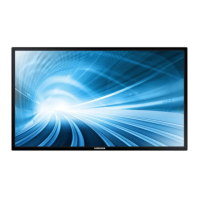
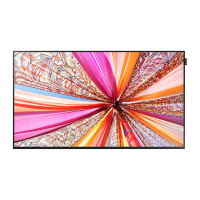
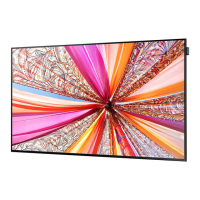
Samsung DM65D - User Manual

Samsung DM65D
174 pages
Print Icon
To Next Page IconTo Next Page
Loading...
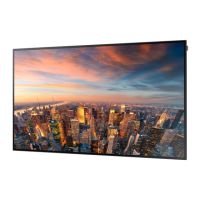
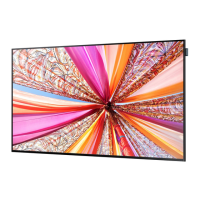
LFD DISPLAY
User Manual
The colour and the appearance may differ depending on the
product, and the specifications are subject to change without
prior notice to improve the performance.
DM65D DM75D

Other manuals for Samsung DM65D

Questions and Answers

  • A
    alexandraalvarezSep 6, 2025
    Why is there no image on my Samsung DM65D, but the power LED blinks?
    • J
      Joyce SanchezSep 6, 2025
      The Samsung Monitor is in power-saving mode. Press any key on the keyboard or move the mouse to return to the previous screen.
  • J
    jenniferbuchananAug 22, 2025
    What to do if my Samsung Monitor is too bright or too dark?
    • A
      April HernandezAug 22, 2025
      Adjust the Brightness and Contrast settings on your Samsung Monitor.
  • H
    hbenitezSep 4, 2025
    Why does my Samsung DM65D Monitor have blank spaces with HDMI?
    • T
      Toni HodgesSep 4, 2025
      Adjust the screen size in the HDMI or DVI settings for the graphics card. Also, update the graphics card driver to the latest version.
  • L
    levihillSep 2, 2025
    Why is there video but no sound on my Samsung DM65D Monitor?
    • A
      Ariana PayneSep 2, 2025
      If an HDMI cable is connected, check the audio output settings on the PC. Also, go to Sound settings on your Samsung Monitor and change Speaker Settings to Internal.
  • L
    Lori MillerAug 31, 2025
    How to fix white looking not really white on my Samsung DM65D Monitor?
    • J
      janicehuynhSep 1, 2025
      Go to Picture settings on your Samsung Monitor and adjust the White Balance settings.
  • M
    mmcgeeAug 30, 2025
    What to do if my Samsung Monitor turns off automatically?
    • J
      John RomanAug 30, 2025
      To prevent your Samsung Monitor from turning off automatically: * Go to System and make sure Sleep Timer is set to Off. * If a PC is connected, check the power status of the PC. * Ensure the power cable is properly connected to both the monitor and the power outlet.
  • A
    alfred22Aug 29, 2025
    Why does my Samsung DM65D say 'Not Optimum Mode'?
    • T
      Theresa BassAug 29, 2025
      The 'Not Optimum Mode' message appears when the signal from the graphics card exceeds the Samsung Monitor's maximum resolution and frequency. Refer to the Standard Signal Mode Table and set the maximum resolution and frequency according to the monitor's specifications.
  • M
    michaelrandolphAug 27, 2025
    Why does my Samsung DM65D display 'No Signal'?
    • M
      Michelle BoydAug 28, 2025
      If your Samsung Monitor displays 'No Signal', ensure the monitor is correctly connected with a cable and that the device connected to the monitor is powered on.
  • J
    Jose SmithAug 27, 2025
    Why is the volume too low on my Samsung DM65D Monitor?
    • L
      Laura BlairAug 27, 2025
      Adjust the volume on your Samsung Monitor. If the volume remains low after maximizing it, adjust the volume on your PC sound card or software program.
  • D
    Donna WoodAug 25, 2025
    How to fix a blurry screen on my Samsung DM65D Monitor?
    • P
      Paul ThompsonAug 26, 2025
      To fix a blurry screen on your Samsung Monitor: * Adjust Coarse and Fine settings. * Remove any accessories like video extension cables. * Set the resolution and frequency to the recommended level.

Samsung DM65D Specifications

General IconGeneral
Screen Size65 inches
Resolution1920 x 1080 (Full HD)
Brightness450 cd/m²
Contrast Ratio5000:1
Response Time8 ms
Viewing Angle178°/178°
DVIYes
ComponentYes
VESA Mount400 x 400 mm
Aspect Ratio16:9
Display TypeLED
ConnectivityHDMI, USB, Component, Composite

Related product manuals