Log In To DMS 2.5
9
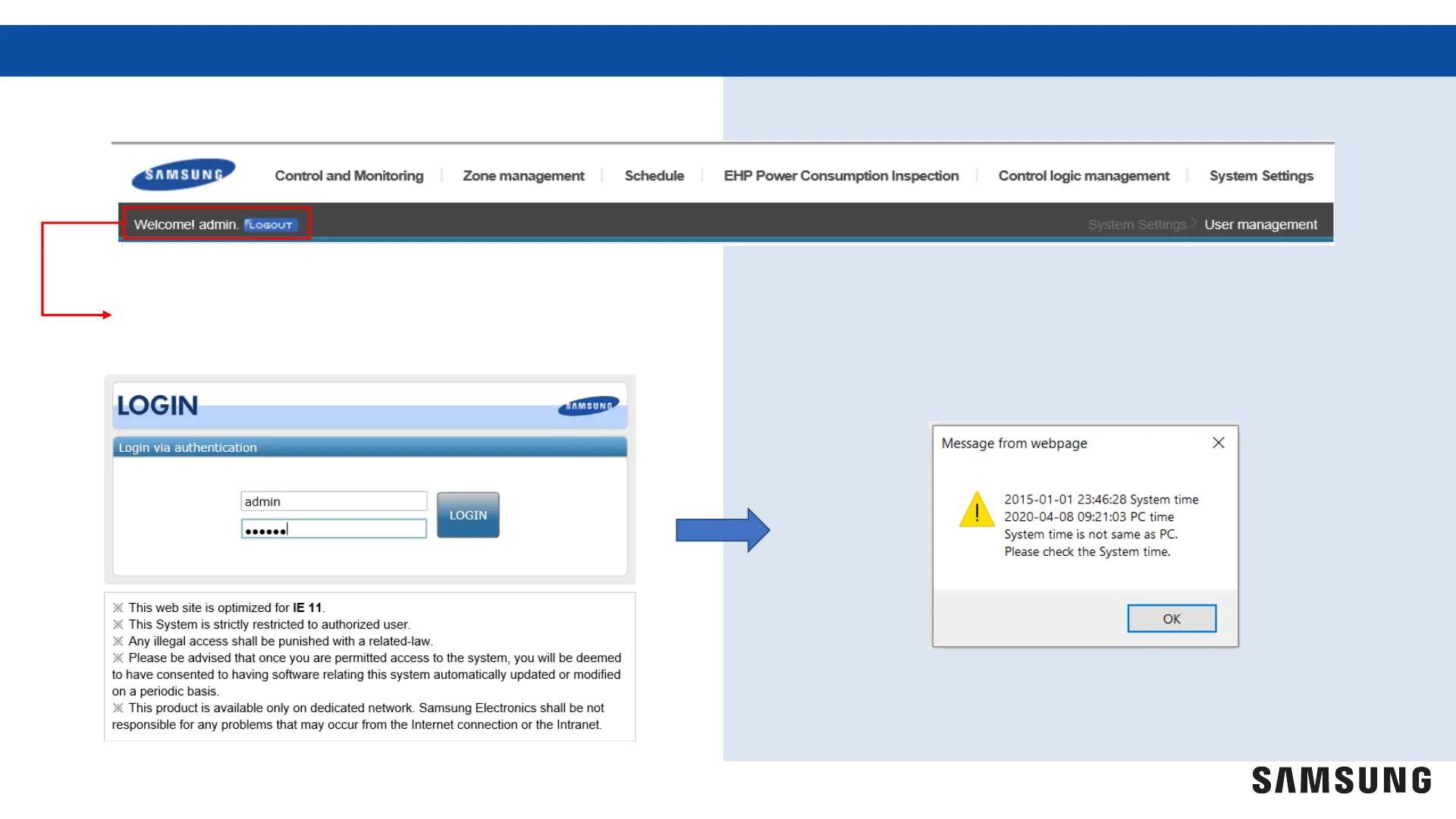
Once you have changed the password you will need to log out of the DMS 2.5
Repeat the steps from page 6, then enter the new user
name and password to log back into the DMS 2.5.
A message window will appear if the DMS 2.5 and
your PC time/date are not synced. This can be
completed at a later time. Select "OK" to continue



 To Next Page