EasyManua.ls Logo

Samsung DMS 2.5 - User Manual

Samsung DMS 2.5
20 pages
Print Icon
To Next Page IconTo Next Page
Loading...
© 2020 Samsung HVAC
SHA-DVMS-06262020
DMS 2.5 (MIM-D01AUN)
Quick Reference Guide
Important Notice
For full details of setup and configuration, please refer to the installation and user manuals found at www.samsunghvac.com.
Samsung HVAC maintains a policy of ongoing development, specifications are subject to change without notice.
Question and Answer IconNeed help?

Do you have a question about the Samsung DMS 2.5 and is the answer not in the manual?

Summary

DMS 2.5 Terminal Block Overview

Digital Input Channels

Describes the 10 fixed address digital input channels for the DMS 2.5 unit.

Digital Output Channels

Details the 8 fixed address digital output channels, including voltage and current ratings.

Reserved Terminal Blocks

Indicates terminal block pins reserved for future use or specific purposes, not for end-users.

Power Supply Connection

Provides specifications for the power supply required for the DMS 2.5 unit.

Reset Button Functionality

Explains the function of the reset button for restarting the DMS 2.5 device.

R&D Reserved Terminals

Terminal block pins exclusively reserved for research and development purposes, not for general use.

SD Card Slot Usage

Describes the SD card slot used for data storage and software updates on the DMS 2.5.

LAN Port for Connectivity

Details the Ethernet connection port for network integration and communication.

RS485 Communication Port

Explains the RS485 connection for communication between the DMS 2.5 and system devices.

DMS 2.5 Communication Setup

Connecting DVM Systems to R1;R2

Illustrates how various Samsung HVAC systems connect to the R1/R2 communication lines.

Interface Module for Specific Models

Explains the requirement for an interface module for specific non-NASA RAC/FJM models.

Connecting DMS 2.5 to PC via Ethernet

Ethernet Connection Procedure

Provides instructions on connecting the DMS 2.5 to a PC using an Ethernet cable.

PC Network Configuration: Accessing Settings

Navigate to Network Settings

Steps to navigate to the Network and Sharing Center via the PC's Control Panel.

Identify Ethernet Connection

Guide to locating and selecting the Ethernet connection within the Network Settings.

Open Ethernet Properties

Instructions on how to access the properties of the identified Ethernet connection.

PC Network Configuration: Setting IP Address

Select Internet Protocol Version 4

Steps to select and configure Internet Protocol Version 4 (TCP/IPv4) properties.

Manually Enter IP Details

How to manually input the IP address, subnet mask, and default gateway.

Accessing DMS 2.5 Web Interface

Open Internet Explorer

Instructions to open Internet Explorer, version 11 or newer, for accessing the web interface.

Navigate to DMS IP Address

How to enter the DMS 2.5 IP address into the browser using HTTPS.

Handle Security Certificate Warning

Steps to proceed past the 'not secure' website warning using 'More information'.

Download Silverlight Prompt

Instructions if prompted to download Microsoft Silverlight to load the DMS 2.5 web page.

DMS 2.5 Login: Default Credentials

Use Default Username and Password

Provides the default username 'admin' and password 'ac0530' for initial DMS 2.5 login.

Prompt to Change Password

Explains the prompt to change the default password for enhanced security and management.

DMS 2.5 Login: Changing Password

Update User Information

Steps to change the admin password and nickname within the User Management section.

New Password Requirements

Details the requirements for the new password: minimum 8 digits, including at least one number.

DMS 2.5 Login: Re-login and Time Sync

Log Out and Log Back In

Instructions to log out of the DMS 2.5 and then log back in with the new password.

Handle Time Synchronization Warning

Explains the message regarding unsynced PC and DMS 2.5 system time and how to proceed.

DMS 2.5 System Tracking: Navigation

Access System Settings and Tracking

Navigating to 'System Settings' in the toolbar and selecting the 'Tracking' option.

Initial Tracking Status Message

Describes the 'Tracking failed now' message that may appear on first-time system tracking.

DMS 2.5 System Tracking: Initiation

Select DVM Tracking Option

How to select the 'DVM Tracking' option from the System Tracking menu.

Enter Admin Password for Tracking

Prompt to enter the administrator password to authenticate and proceed with system tracking.

DMS 2.5 System Tracking: Execution & Troubleshooting

Execute Tracking Command

Steps to execute the tracking command, initiating system configuration and initialization.

Troubleshoot Tracking Failures

Guidance on checking R1/R2 wiring, unit power, and commissioning status if tracking fails.

Correct Issues Before Proceeding

Instructions to fix identified issues before clicking 'OK' or exit tracking using 'Cancel'.

DMS 2.5 System Tracking: Completion

Confirm Tracking Execution and Initialization

Steps to confirm tracking execution and system initialization, and the subsequent page refresh.

Select Zone Initialization Type

Choosing between No, Individual, or Group initialization for system zones after tracking.

Tracking Complete Confirmation

Message indicating that the system tracking process is now complete.

DMS 2.5 System Tracking: Results Confirmation

Verify Connected Device Quantities

Ensuring the number of found devices matches the actual connected devices after tracking.

Confirm Device Addresses

Verifying that the device addresses are correctly displayed in the tracking results.

Program Device Names

Adding device names by editing, useful if not programmed during initial commissioning.

DMS 2.5 System Environment: Accessing Settings

Navigate to System Environment Settings

Steps to navigate to 'System Settings' and select 'System environment setting'.

DMS 2.5 System Environment: Network & Time Setup

Configure DMS Network Information

Configuring IP, Subnet mask, and Default gateway for DMS 2.5 non-BACnet control.

Set System Time and Sync

Instructions for setting the date and time and syncing with the PC for accuracy.

DMS 2.5 System Environment: Controller & Alert Config

Configure Wired Remote Time Sync

Setting time synchronization for wired remote controllers and using RMS.

Set Up Error Email Forwarding

Configuring email recipients for error alerts, including ID, PW, and SMTP server details.

Set Wired Remote Temperature Scale

Setting the temperature scale (Celsius or Fahrenheit) for supported wired controllers.

DMS 2.5 System Environment: Advanced Settings

Enable Public IP Access

Configuration option to enable or disable public IP address for remote system accessing.

Select Contact Control Patterns

Setting contact patterns for the 2 dedicated digital inputs (DI1 and DI2).

Download Security Certificate

Option to download security certificates to an assigned server or the user's PC.

DMS Network Definitions and Concepts

Static IP Definition

Definition of a static IP address: manually set, not automatically reassigned.

DHCP Definition

Definition of DHCP server: assigns IP addresses and network parameters automatically.

Default Gateway Definition

Definition of a default gateway: a router for directing traffic to other networks.

DNS Server Definition

Definition of DNS server: translates domain names into IP addresses.

Overview

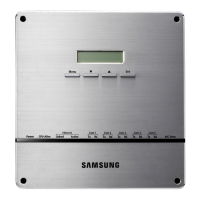
The Samsung DMS 2.5 (MIM-D01AUN) is a comprehensive system management device designed for HVAC systems, offering advanced control, monitoring, and maintenance capabilities. It acts as a central hub for managing various Samsung HVAC units, including DVM Chiller, DVM S HP/HR, DVM S Eco, CAC, FJM, and RAC models.

Function Description:

The DMS 2.5 serves as an interface for managing and monitoring Samsung HVAC systems. Its primary functions include:

  • Digital Input/Output Control: Provides dedicated digital inputs for emergency start/stop and digital outputs for operation on/off and error status, allowing for integration with external control systems.
  • System Communication: Facilitates communication with up to 5 channels of HVAC systems via RS485 (R1/R2) for system devices. It supports a maximum of 16 systems per channel, totaling up to 80 systems. Each channel can manage up to 128 indoor units and mode control units (MCUs), with a grand total of 256 indoor units per DMS 2.5.
  • Data Storage and Software Updates: Equipped with an SD card slot for data storage and updating software, which must be FAT32 formatted.
  • Network Connectivity: Features a LAN port for Ethernet connection to a building network, enabling upper-layer devices to interact with the HVAC system.
  • Web-Based Interface: The device is accessible via a web browser (Internet Explorer 11 or newer is recommended) through its IP address, providing a graphical user interface for configuration, monitoring, and management.
  • System Tracking and Initialization: Automatically tracks connected devices and allows for individual or group initialization of zones, configuring addresses and ensuring proper system setup.
  • System Environment Settings: Offers extensive settings for configuring network parameters (IP address, subnet mask, default gateway, DNS server), system time, error email forwarding, wired remote controller settings (temperature scale), public IP enablement for remote access, and contact control patterns for digital inputs.
  • User Management: Supports user authentication and management, allowing for secure access and control over the system.
  • Monitoring and Control: Provides capabilities for control and monitoring, zone management, scheduling, EHP power consumption inspection, and control logic management.

Important Technical Specifications:

  • Digital Input: 10 channels, fixed addresses.
  • Digital Output: 8 channels, fixed addresses, output voltage = 12VDC, 200mA.
  • Power Supply: 12VDC, 3.0A (120VAC power adapter provided).
  • Communication Channels: 5 RS485 (R1/R2) channels.
  • System Capacity:
    • Maximum 5 channels.
    • Maximum 16 systems per channel.
    • Maximum 80 systems total.
    • Maximum 128 indoor units and mode control units (MCUs) per channel.
    • Maximum 256 indoor units per DMS 2.5.
  • SD Card Slot: Supports FAT32 formatted SD cards for data storage and software updates.
  • LAN Port: Ethernet connection.
  • Recommended Wiring: 16/2 stranded shielded wire for R1/R2 communication.
  • Web Interface Compatibility: Internet Explorer 11 or newer.
  • Default Login Credentials: Username: admin, Password: ac0530 (case sensitive).

Usage Features:

  • Manual IP Address Setting: When multiple systems are connected to a single channel, it is recommended to manually set each outdoor unit address via the main unit of each system.
  • Interface Module for Non-DVM Systems: For Non-NASA RAC/FJM and 2020 NASA RAC models, an interface module (MIM-R10UN for 2020 RAC Models or MIM-N01 for older models) is required for R1/R2 connection.
  • PC Connection: Connects to a PC via an Ethernet cable (a crossover cable may be required) for initial setup and configuration.
  • Network Configuration: Users can configure the PC's IP/Network settings to establish communication with the DMS 2.5, including setting static IP addresses, subnet masks, and default gateways. The last three digits of the PC's IP address must be different from the DMS 2.5's IP address.
  • Secure Web Access: Access to the DMS 2.5 web interface requires using https:// in the browser and may involve downloading Microsoft Silverlight.
  • Password Management: Users are prompted to change the default password upon first login for security purposes. Passwords must be at least 8 digits long and include at least one number.
  • System Tracking Process: The system tracking feature initializes the system configuration, identifies connected devices, and allows for address configuration. It's crucial to ensure proper R1/R2 wiring and that all outdoor units are powered and commissioned before tracking.
  • Device Naming: After tracking, devices are displayed, and users can add custom names (up to 32 characters) for easier identification.
  • Time Synchronization: The DMS 2.5 allows for setting and synchronizing the system time, with a recommendation to sync with the computer's time.
  • Error Email Forwarding: Configurable to send error notifications to a specified email address.
  • Remote Access: Supports enabling a public IP for remote accessing the system.

Maintenance Features:

  • Reset Button: A physical reset button is available to restart the DMS 2.5.
  • Software Updates: Software can be updated via the SD card slot.
  • Data Backup & Restoration: The web interface provides options for data backup and restoration.
  • Event History Management: Allows users to view and manage system event logs.
  • Security Certificate Download: Users can download security certificates, which can be saved to a server or PC.
  • User Manual Access: The web interface typically provides access to the user manual for detailed information and troubleshooting.
  • Ongoing Development Policy: Samsung HVAC maintains a policy of ongoing development, meaning specifications are subject to change without notice, implying regular updates and improvements.
  • Troubleshooting Guidance: The system provides messages and prompts to guide users through troubleshooting common issues, such as tracking failures due to wiring or power problems.

Samsung DMS 2.5 Specifications

General IconGeneral
BrandSamsung
ModelDMS 2.5
CategoryVentilation Hood
LanguageEnglish

Related product manuals