DMS 2.5 System Environment
15
1.
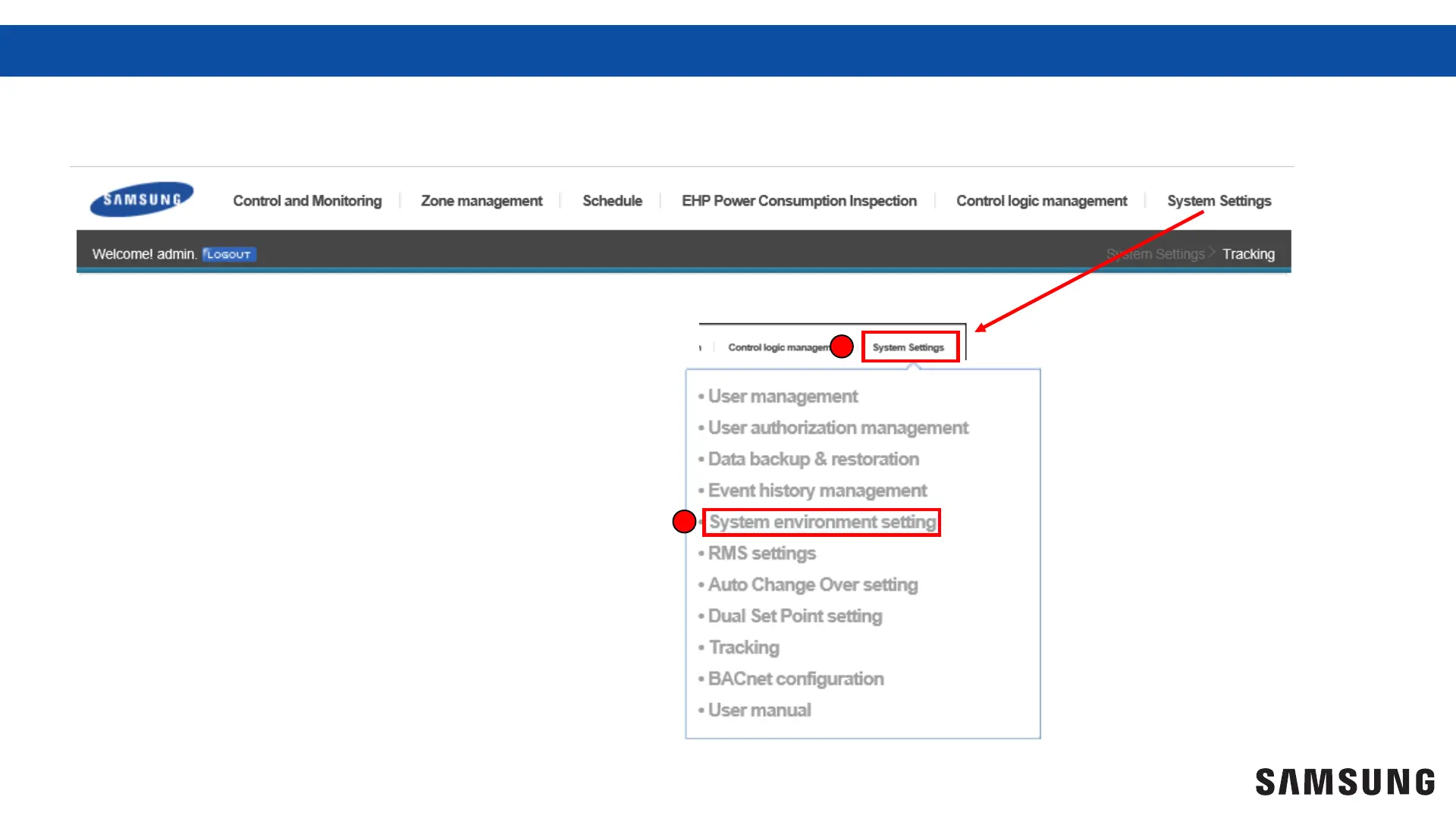
Scroll your curser over “System
Settings” located in the upper
tool bar
2.
Select “System environment” to
access environment settings
window.
1
2
You must enter “System environment settings” to edit and save setting adjustments in the DMS 2.5



 To Next Page