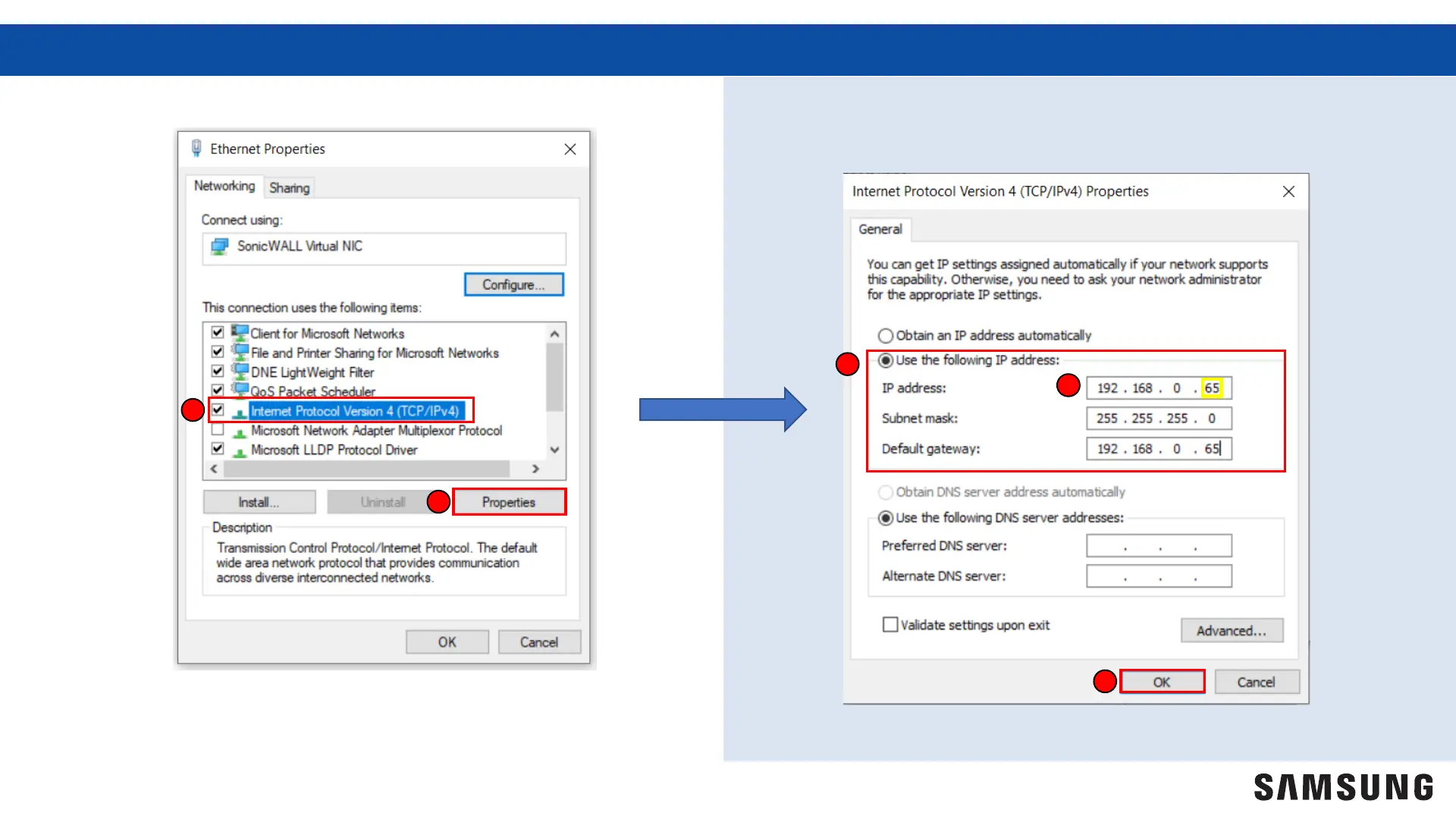
5. Select “Internet Protocol Version 4”
5
6
6. Select “Properties”
7
9. Select “OK”
7. Select “Use the following IP address”
8.
Enter the IP address, Subnet mask, and Default g
ateway
8
9
Setting The PC’s IP/Network Continued
5
Note: Ensure the last 3 digits of the IP address entered are
different than those displayed on the DMS2.5.



 To Next Page