Setting The PC’s IP/Network Continued
6
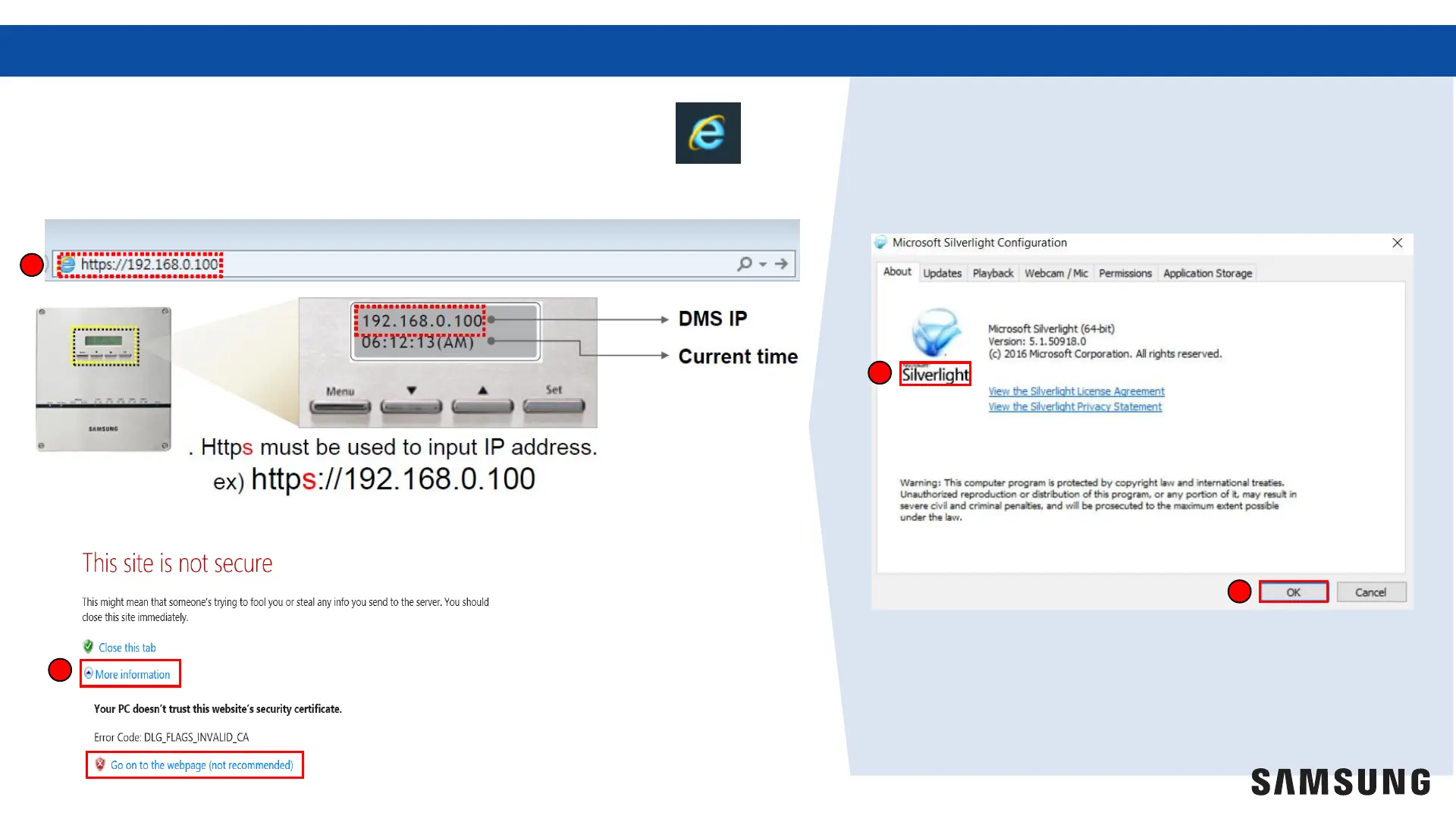
10. Open “Internet Explorer” (version 11 or newer).
11. Type the IP address found on the DMS 2.5 into the web browser.*
12. Select “More information” Then click “Go on to the webpage”
11
12
13.
You may be directed to download
Silverlight prior to being able to load the
DMS 2.5 web page
13
14
14. Select “OK”
* The default IP address can be changed to match project requirements



 To Next Page