EasyManua.ls Logo

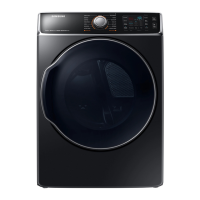
Samsung DV56H9000G - User Manual

Samsung DV56H9000G
24 pages
Print Icon
To Next Page IconTo Next Page
Loading...
1
CLOTHES DRYER
Technical Information
CAUTION
All safety information must be followed as provided in Service Manual of
DV56H9000E(G)*.
WARNING
To avoid risk of electrical shock, personal injury or death, disconnect power to dryer
before servicing, unless testing requires power.
Code No. : DC68-03171F_EN
IMPORTANT SAFETY NOTICE – “For Technicians only” This service data sheet is intended for
use by persons having electrical, electronic, and mechanical experience and knowledge at a level
generally considered acceptable in the appliance repair trade. Any attempt to repair a major
appliance may result in personal injury and property damage. The manufacturer or seller cannot
be responsible, nor assume any liability for injury or damage of any kind arising from the use of
this data sheet.
• Duetopossibilityofpersonalinjuryorpropertydamage,alwayscontactanauthorized
technician for servicing or repair of this unit.
• RefertoServiceManual(DV56H9000E(G)*)fordetailedinstallation,operating,testing,
troubleshooting, and disassembly instructions.
DV9000HA DRY_TECH MANUAL_DC68-03171F_EN.indd 1 2014-1-17 14:00:25

Questions and Answers

  • S
    Susan FullerAug 17, 2025
    Why is my Samsung DV56H9000G Dryer not drying properly?
    • E
      ecolemanAug 17, 2025
      Several factors can cause improper drying. Make sure the lint filter is clean and there isn't any restriction in the exhaust. Check if the outside exhaust hood damper door is stuck closed or if the exhaust is too long, has too many elbows, or uses flex ductwork. Ensure the dryer has adequate intake air and the tumbler speed is correct, checking for a slipping tumbler belt. Also, look for obstructions in the blower area and avoid overloading the dryer. Consider the clothing labels for fabric content and the selected cycle. Finally, ensure clothes aren't too wet from the washer.
  • W
    william63Aug 19, 2025
    How to fix a noisy Samsung DV56H9000G Dryer?
    • C
      Christopher SmithAug 19, 2025
      To address noise and vibration in your Samsung dryer, consider these checks: - Thumping sounds may indicate a loose tumbler baffle, worn or misaligned rear tumbler rollers, an out-of-round tumbler, or a high weld seam on the tumbler. - Ticking sounds could be due to a loose wire harness or an object caught in the blower wheel area. - Scraping sounds might mean the front or rear bulkhead felt seal is out of position or the tumbler front bearings are worn. - Roaring sounds can occur if the blower wheel is rubbing on the blower housing or the motor bearings are bad. - Popping or squealing sounds may indicate a sticky or frayed belt.
  • J
    Jennifer MckinneyAug 22, 2025
    Why is my Samsung DV56H9000G running but not heating?
    • J
      Jason PattersonAug 22, 2025
      If your Samsung dryer motor runs but doesn't heat, check for an open heating element. Also, check if the Hi-Limit trips easily or is open, and verify the regulating thermostat similarly. Inspect the membrane switch for being open and check the thermistor.
  • M
    Michael MartinAug 25, 2025
    What to do if Samsung DV56H9000G Dryer will not start?
    • M
      Mindy JohnsonAug 26, 2025
      If your Samsung dryer won't start, begin by confirming that all wires are properly connected to their terminals and that the dryer is plugged in. Check for a blown fuse or a tripped circuit breaker. If the door switch is functional and the door is closed, check for error code 3. Also, verify if the Start/Pause rotary selector dial and the Control Board are working. Inspect the belt to ensure it's not off or broken and that the Belt Cut-off Switch operates correctly. Finally, check if the drive motor is functional and verify the motor winding resistance: it should be 2.88ohms between pin #3 and 4, and 3.5ohms between pin #4 and 5.
  • W
    Wendy CrawfordAug 28, 2025
    What to do if Samsung Dryer runs a few minutes and then stops?
    • S
      Sheila ClarkAug 28, 2025
      If your Samsung dryer runs for only a few minutes before stopping, check for lint buildup around the drive motor. Also, verify that there is adequate voltage present. Inspect the blower impeller to ensure it's not blocked within the blower housing. Finally, check if the drive motor's start switch contacts are stuck closed.
  • N
    Nicholas RichardAug 30, 2025
    What causes the motor to run but the tumbler not to turn on a Samsung DV56H9000G?
    • D
      Denise DillonAug 30, 2025
      If the motor runs but the tumbler won't turn, check if the belt is off, broken, or damaged. Also, inspect the idler tension spring to see if it's too weak or stretched. Finally, check if the idler pulley is jammed or stuck.
  • S
    Steven HernandezSep 2, 2025
    What to check if the igniter does not glow on a Samsung DV56H9000G Dryer?
    • X
      xblakeSep 2, 2025
      If the igniter doesn't heat up, remove power and check for an open flame sensor, an open igniter, or a shorted booster coil using an ohmmeter. Also, check for open wiring, a bad motor switch (Neutral supply), or no power from the control (L1 supply).
  • A
    Amanda CummingsSep 5, 2025
    Why does my Samsung DV56H9000G keep blowing fuses?
    • R
      Ryan AguirreSep 5, 2025
      If your Samsung dryer is blowing fuses or tripping the circuit breaker, check the following: Is the belt connected well? Is the winding of the motor continuous (rotor winding, stator winding, generator)? Is the motor protector normal? If these items are not the cause, the PCB assembly may be defective and require replacement.
  • L
    Lori HopkinsSep 8, 2025
    Why does my gas Samsung Dryer blow fuses or trip the circuit breaker?
    • E
      Eric VazquezSep 8, 2025
      During ignition, the dryer will draw X amps, and with the burner on, it will draw X amps. If the dryer is drawing amperages above this, suspect the house wiring, fuse box, or circuit breaker is at fault. Also, check for a loose igniter harness shorted to the base, incorrect wiring or a wire shorted to the ground, or a drive motor winding shorting to ground.
  • A
    Amy JacksonSep 12, 2025
    Why does the flame go out after ignition in my Samsung DV56H9000G Dryer?
    • D
      David PhillipsSep 12, 2025
      If a normal ignition occurs but the flame goes out shortly after, check for radiant sensor contacts opening prematurely, a weak gas valve coil that may open when stressed by higher temperatures, or a weak Hi-Limit. Poor venting and bad drum seals can also cause this issue.

Summary

Important Safety Notice for Technicians

Alignment and Adjustments Guide

Error Items and Diagnostic Codes

Lists error codes, triggers, and recommended actions for dryer malfunctions.

Test Mode Operations

Instructions for entering and using continuous run mode for dryer testing.

Service Mode Entry and Functions

Details on accessing Service Mode, including sensor data and cycle count.

Software Version Identification

Procedure to display and understand the dryer's software version.

Data Display Mode Navigation

How to enter and cycle through temperature and sensor data display modes.

System Check Mode Procedure

Steps to activate System Check Mode and its operational sequence.

Trouble Diagnosis Guidelines

Precautions and general steps for diagnosing and repairing electronic components.

Trouble Shooting and Repair

Component Electrical Testing

Electrical testing procedures and resistance values for key dryer components.

Gas Model Specific Checks

Resistance values for gas dryer components like sensors, igniter, and gas valve.

Sensor and Thermistor Checks

Testing methods and expected resistance for sensor bars and thermistors.

3-Wire System Electrical Connections

Instructions for properly connecting a 3-wire power cord to the dryer.

4-Wire System Electrical Connections

Instructions for properly connecting a 4-wire power cord to the dryer.

Wiring Diagrams

Samsung DV56H9000G Specifications

General IconGeneral
BrandSamsung
ModelDV56H9000G
CategoryDryer
LanguageEnglish

Related product manuals