EasyManua.ls Logo

Samsung DV90T Series - User Manual

Samsung DV90T Series
364 pages
Print Icon
To Next Page IconTo Next Page
Loading...
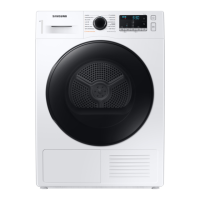
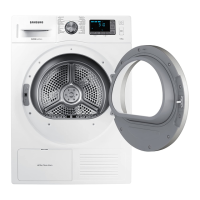
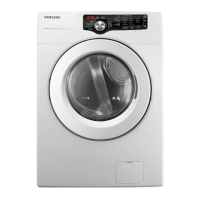
Heat Pump Dryer
Models: DV90T******, DV80T******
Congratulations on your new Samsung dryer. This manual contains important information on
the installation, use, and care of your appliance. Please take some time to read this manual to
take full advantage of your dryer’s many benets and features.
For detailed instructions on installation and cleaning of the dryer, visit the Samsung website
(http://www.samsung.com), go to Support > Support Home, and then enter the model name.
To check the product’s model name, see the label enclosed with the product or attached to the
product.
What’s included
Carefully unpack the dryer. Keep all packaging materials away from children. The parts and
location of parts shown below may differ from your dryer. Before installation, make sure the
dryer has all the parts listed here. If the dryer and/or parts are damaged or missing, contact the
nearest Samsung customer service center.
Dryer at a glance
01
02
03
04
05
06
07
01 Top cover 02 Water tank
03 Door 04 Heat exchanger
05 Control panel 06 Lint lter
07 Levelling feet
DV6000T_DV5000T_MANUAL_DC68-04169G-00_EN.indd 1 2020-06-30  10:08:45

Table of Contents

Questions and Answers

  • M
    Matthew SmithAug 16, 2025
    Why is my Samsung DV90T Dryer not heating up?
    • M
      marcushernandezAug 16, 2025
      If your Samsung dryer is not heating, check the following: * Check the home’s circuit breaker and fuses. * Ensure you've selected a heat setting other than 'Cool Air'. * Inspect the lint filter and heat exchanger, and clean them if necessary. * The dryer might be in the cool-down phase of its cycle; allow it to complete.
  • J
    joshuahernandezAug 22, 2025
    How to fix a noisy Samsung DV90T Dryer?
    • A
      Andrew CampbellAug 22, 2025
      To address a noisy Samsung dryer, consider the following: * Check the drum for any foreign objects like coins, buttons, or lighters. * Ensure the dryer is level and standing firmly on the floor. Note: A humming sound may occur due to air moving through the drum and fan, which is normal.
  • P
    Patricia WardAug 25, 2025
    Why does my Samsung DV90T Dryer turn off before clothes are dry?
    • W
      woodjoyceAug 26, 2025
      If your Samsung dryer turns off before the load is dry, it might be due to the load size. Try adding more items if the load is too small, or remove some items if the load is too large, then restart the cycle.
  • C
    Christopher LopezAug 28, 2025
    How to troubleshoot a Samsung Dryer that does not run?
    • A
      Amanda WilliamsAug 28, 2025
      If your Samsung dryer isn't running, try these solutions: * Ensure the door is completely closed. * Make sure the power cord is properly plugged in. * Check your home's circuit breaker and fuses. * Empty the water tank. * Clean the lint filter.
  • T
    Tina JacksonAug 31, 2025
    Why does my Samsung DV90T Dryer dry unevenly?
    • K
      Kara LarsonAug 31, 2025
      If your Samsung dryer dries clothes unevenly: * Remember that seams, pockets and other parts of clothing dry slower than the rest of the garment, and this is normal. * Sort heavy and light items separately for more consistent drying.
  • H
    Heather DyerSep 3, 2025
    How to prevent lint on clothes in Samsung Dryer?
    • A
      Austin WalkerSep 3, 2025
      If you notice lint on your clothes after drying in your Samsung dryer: * Ensure the lint filter is clean before every load. * Dry lint-producing items (like fuzzy towels) separately from lint-trapping items (like black linen pants). * Divide larger loads into smaller ones.
  • R
    robin78Sep 6, 2025
    Why are items still wrinkled after Wrinkle Prevent on my Samsung DV90T Dryer?
    • J
      Jessica MorganSep 6, 2025
      If items are still wrinkled after using the Wrinkle Prevent option on your Samsung dryer, note that small loads of 1-4 items work best. Try loading fewer items or loading similar types of items.
  • S
    Sarah BennettSep 9, 2025
    Why does my Samsung Dryer emit an odor?
    • J
      Jesus BrooksSep 9, 2025
      A Samsung dryer may emit an odor because it draws household odors from the surrounding air and exhausts them. This is normal.
  • R
    Ronnie AdamsSep 10, 2025
    What to do if Samsung Dryer does not dry clothes?
    • P
      Patricia KentSep 12, 2025
      If your Samsung dryer isn't drying clothes effectively, consider these steps: * Avoid overloading the dryer. * Sort light and heavy items separately. * Reposition large, bulky items for even drying. * Ensure the dryer is draining correctly. * Add a few dry towels for small loads. * Clean the lint filter and heat exchanger.
  • R
    Ryan MillerSep 12, 2025
    What to do if odors remain after using Cool Air in Samsung DV90T Dryer?
    • D
      Douglas CamachoSep 12, 2025
      To address odors remaining in items after using the Cool Air setting on your Samsung dryer, ensure you thoroughly wash items that have strong odors before drying.

Summary

Accessories

Supplied Accessories

Lists items included with the dryer for operation and installation.

Optional Accessories

Lists items available for purchase separately, like stacking kits.

Safety Information

Safety Symbols and Instructions

Explains the meaning of warning symbols and basic safety instructions for reading.

Fire Safety Warning

Highlights critical warnings related to fire hazards during installation and use.

General Safety Precautions

Appliance Usage Restrictions

Details who should not use the appliance and specific conditions for safe operation.

Installation Warnings

Critical Electrical Warnings

Emphasizes proper grounding, plug usage, and cord safety to prevent shock and fire.

Usage Warnings

Critical Usage Safety

Outlines essential safety rules for operating the dryer to prevent injury or damage.

Usage Cautions

Safe Operation Cautions

Provides specific advice on what not to do to avoid burns, electric shock, or appliance damage.

Cleaning and Maintenance

Cleaning Precautions

Warns against improper cleaning methods that can damage the dryer or cause hazards.

Freezing Prevention

Advises on how to protect the dryer from freezing in cold environments.

Product Information

WEEE Disposal

Instructions for the correct disposal of waste electrical and electronic equipment.

Declaration of Conformity

States compliance with relevant EU and UK directives for radio equipment.

Wi-Fi Setup Guide

Step-by-step instructions for enabling and connecting the dryer to Wi-Fi.

Installation Requirements

Electrical and Grounding

Details the necessary electrical supply specifications and grounding procedures.

Alcove Installation Clearances

Specifies the minimum space required around the dryer for proper ventilation and operation.

Step-by-Step Installation

Location and Leveling

Guides on selecting a suitable location and adjusting the dryer's feet for stability.

Drain Hose Setup

Connecting the Drain Hose

Illustrates how to connect the drain hose to a drainage system or water tank.

Operation and Power

Drain Hose Routing Options

Provides methods for routing the drain hose over a basin or into a wash basin drain pipe.

Powering On the Dryer

Instructions on how to plug in the dryer and turn it on for the first time.

Drying Operations

Cycle Overview

Lists available drying cycles and their primary uses for different fabric types.

Rack Dry Operation

Drying Suggestions for Rack

Offers guidance on how to place items on the drying rack for optimal results.

Maintenance - Lint Filter

Cleaning the Lint Filter

Step-by-step instructions for cleaning the lint filter after each use.

Maintenance - Water Tank

Emptying the Water Tank

Guides on how to safely remove, empty, and reinsert the water tank.

Maintenance - Heat Exchanger

Cleaning the Heat Exchanger

Provides instructions for cleaning the heat exchanger to maintain drying efficiency.

Troubleshooting Guide

Common Issues and Solutions

Lists common dryer problems and suggested actions to resolve them.

Product Specifications

Environmental Protection

Information regarding the appliance's materials and environmentally responsible disposal.

Technical Data Sheet

Presents detailed technical specifications and energy efficiency ratings.

Energy Consumption Data

Cycle Energy Usage

Details energy consumption for various drying cycles and load sizes.

Network Standby Power

Information on power consumption when the dryer is in network standby mode.

Samsung DV90T Series Specifications

General IconGeneral
Dryer TypeHeat Pump
Capacity9 kg
Energy Efficiency ClassA+++
SmartThings App SupportYes
AI ControlYes
Wrinkle PreventYes
Delay StartYes
Child LockYes
Quick DryYes
Dimensions (H x W x D)850 x 600 x 600 mm

Related product manuals