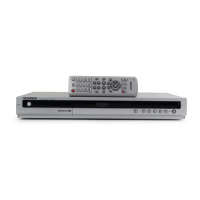
Is it possible to change a subtitle and an audio signal on a recorded disc using Samsung DVD Player?
- DdevinsullivanSep 18, 2025
A recorded disc is played with only the subtitle and the audio signal which were selected during recording.
Is it possible to change a subtitle and an audio signal on a recorded disc using Samsung DVD Player?
A recorded disc is played with only the subtitle and the audio signal which were selected during recording.
Why is my Samsung DVD Player remote control not working?
Make sure to point the remote control at the remote control sensor on your DVD recorder from an appropriate distance, removing any obstacles. Also, check if the batteries are empty and verify the TV/DVD selection button.
What to do if my Samsung DVD Player cannot play the disc?
Ensure the disc is inserted correctly with the label facing up. Check the regional code of the DVD disc. Note that this DVD recorder cannot play some types of discs.
What to do if Samsung DVD Player cannot play the disc?
If your Samsung DVD Player isn't playing a disc, first, ensure the disc is inserted correctly with the label facing up. Next, verify the regional code of the DVD disc to ensure it's compatible with your player. Note that the DVD recorder cannot play some types of discs.
Why are play mode settings different from the settings configured in the Settings menu on my Samsung DVD Player?
If the disc does not support all selected functions, some settings configured in the settings menu may not work properly.
What to do for other problems with my Samsung DVD Player?
Read the table of contents and then find and read the section describing your problem, follow the instructions given. Also, try turning your DVD recorder off and on.
What to do if my Samsung DVD Player timer recording does not work?
Double-check the recording start and end time settings. Note that recording will be cancelled if the power is interrupted due to a power failure or another similar reason.
What to do if I press the REC button on my Samsung DVD Player but there is no response?
Recording is possible for DVD-RAM/DVD-RW/DVD-R discs only. If a programme is copy protected, it cannot be recorded.
Why I cannot change the aspect ratio on Samsung DVD Player?
You cannot change the aspect ratio on your Samsung DVD Player because the aspect ratio is fixed for DVD discs.
Why play mode settings are different from the settings configured in the Settings menu on Samsung DVD Player?
If the play mode settings on your Samsung DVD Player differ from those in the Settings menu, it's likely because the disc does not support all selected functions. In this case, some settings configured in the settings menu may not work properly.
Reduce risk of electric shock by not removing the cover. Refer servicing to qualified personnel.
Read instructions carefully, heed all warnings, do not use near water, clean with dry cloth.
Read instructions, heed warnings, follow instructions, avoid water, clean with dry cloth.
Turn off components before connecting, do not move while disc plays, avoid water vases.
Instructions for connecting the power cord and initial power-on sequence.
Guide on inserting batteries and initial setup for the remote control.
Guides through the essential initial setup steps for the DVD recorder.
Instructions for setting the current time, essential for timer recording.
How to automatically set up TV channels via antenna or cable.
Important information to read before recording, including disc compatibility.
Lists the types of discs (DVD-RAM, DVD-RW, DVD-R) that can be used for recording.
Step-by-step guide to record live TV programs directly.
Instructions for recording content from external sources like VCRs or camcorders.
How to copy video from a camcorder using the DV interface.
Simple one-touch recording function for 30-minute increments.
Guide to schedule recordings for future dates and times.
Essential information to read before playing discs, including region codes.
Explanation of regional coding for DVD-Video discs and the recorder.
Step-by-step guide on how to insert, play, and stop discs.
General introduction to playing audio CDs and MP3 discs.
Instructions for playing CDs containing JPEG files or mixed JPEG/MP3 files.
How to view and play recorded titles from a list.
Overview of the setup menu and its various categories for configuration.
General system options including clock, channel, skip time, and chapter creation.
Setting up controls to restrict access to content based on ratings.
Core editing functions for recorded titles, including renaming.
Advanced editing features related to creating and managing playlists.
Menu for managing disc properties like name, protection, format, and deleting lists.
Process to make recorded discs playable on other devices.
Guide to diagnose and resolve product malfunctions before contacting support.
Checks and solutions for power-related issues like initialization or no display.
Troubleshooting steps for issues like not being able to record TV programs.
Solutions for playback problems such as discs not playing or angle operations not working.
Troubleshooting for video issues like no image or poor quality images displayed.
Solutions for audio problems like no sound or no audio output.
Troubleshooting steps for timer recording failures or flickering timer lamps.
Solutions for issues where the remote control is not working.
Explanations and solutions for common error messages displayed by the device.
Technical details and features of the DVD recorder, including power, input/output, and recording specs.
Information regarding the limited warranty terms and conditions for the product.
| Audio formats supported | MP3 |
|---|---|
| I/O ports | 2x SCART Composite in DV in |
| DVD read speed | 2 x |
| Zoom capability | x2, x4 |
| Dimensions (WxDxH) | 430 x 280 x 55 mm |
| Power requirements | AC 220V-240V; 50Hz |
| Optical disc recording | DVD-RAM, DVD-R, DVD-RW |
| Composite video out | 1 |
| Number of optical discs | 1 discs |
| Channels quantity | 99 channels |
| Device type | DVD recorder |
| Power consumption (standby) | 6 W |
| Power consumption (typical) | 35 W |
| Package weight | 4200 g |
| Weight | 2900 g |
|---|