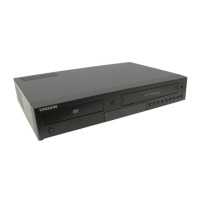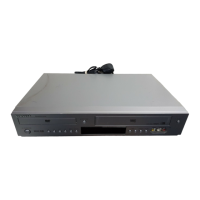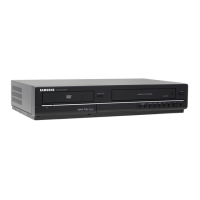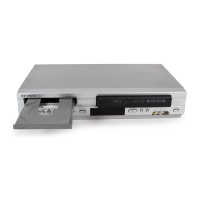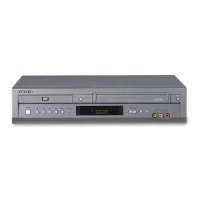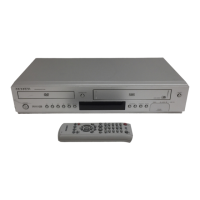
How to fix a Samsung DVD VCR Combo remote control that is not working?
Y
yaguirreAug 19, 2025
If your Samsung DVD VCR Combo remote control isn't working, try these steps: First, check and replace the batteries. Then, ensure you're within 20 feet of the unit. If problems persist, remove the batteries, press and hold any button(s) for a few minutes to reset the remote's microprocessor, reinstall the batteries, and try again.
C
Cynthia LopezAug 21, 2025
Why my Samsung DVD-V6500 DVD VCR Combo disc does not play?
F
foxbrandyAug 21, 2025
If your Samsung DVD VCR Combo isn't playing a disc, make sure the disc is inserted correctly with the label side facing up. Also, verify the DVD's region code is compatible with your player.
N
Nicole BaileyAug 23, 2025
How to reset forgotten password on Samsung DVD VCR Combo?
E
Emily WoodAug 23, 2025
To reset a forgotten password on your Samsung DVD VCR Combo, start with no disc in the unit. Then, press the / button on the front panel simultaneously for 5 seconds. This will revert all settings, including the password, to factory defaults. Use this method only when absolutely necessary.
H
hernandezalexanderAug 26, 2025
How to unblock the screen on a Samsung DVD VCR Combo?
J
Jason ThompsonAug 26, 2025
If the screen of your Samsung DVD VCR Combo is blocked, press the / button for more than 5 seconds when there is no disc in the unit. This will revert all settings to the factory defaults.
L
Lisa LaneAug 28, 2025
Why is 5.1 channel sound not working on my Samsung DVD VCR Combo?
J
jamessheppardAug 28, 2025
If you're not getting 5.1 channel sound from your Samsung DVD VCR Combo, ensure that:
1. The DVD-VCR is connected to a compatible amplifier.
2. The disc is recorded with 5.1 channel sound.
Also, check if the disc has the “5.1 ch” mark and if your audio system is properly connected and working. Finally, verify that the Audio Output in the DVD Setup Menu is set to Bitstream.
J
Joann TranAug 30, 2025
Why I cannot insert a video cassette into my Samsung DVD-V6500?
R
Ryan PerezAug 30, 2025
If you cannot insert a video cassette into your Samsung DVD VCR Combo, ensure the cassette is oriented with the window side up and the safety tab facing you.
C
Christine TurnerSep 1, 2025
Why was my Samsung DVD VCR Combo timer recording unsuccessful?
R
Rebecca ThompsonSep 2, 2025
If your Samsung DVD VCR Combo timer recording was unsuccessful, double-check the recording start and stop time settings. Also, be aware that a power failure or interruption during timer recording will cancel the recording.
N
navarroronaldSep 4, 2025
What does the icon on my Samsung DVD-V6500 screen mean?
M
Mrs. Ashley FisherSep 4, 2025
If you see a specific icon on the screen of your Samsung DVD VCR Combo, it means the current action or feature cannot be completed because:
1. The DVD’s software restricts it.
2. The DVD’s software doesn’t support the feature (e.g., angles).
3. The feature is not available at the moment.
4. You’ve requested a title or chapter number or search time that is out of range.
B
Brian PachecoSep 6, 2025
Why doesn't the disc menu appear on my Samsung DVD-V6500 DVD VCR Combo?
T
Teresa MccallSep 6, 2025
If the Disc Menu doesn’t appear on your Samsung DVD VCR Combo, check if the disc actually has a Menu.
D
davidvasquezSep 8, 2025
How to remove noise bars or streaks on Samsung DVD VCR Combo playback?
A
Alexis WrightSep 8, 2025
If you observe noise bars or streaks during playback on your Samsung DVD VCR Combo, press the TRK buttons to minimize this effect.