EasyManua.ls Logo

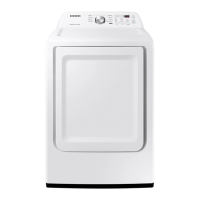
Samsung DVE45N6300 Series - User Manual

Samsung DVE45N6300 Series
228 pages
Print Icon
To Next Page IconTo Next Page
Loading...
Dryer
User manual
DV50K7500E(G)*, DV45K6500E(G)*, DV45K6200E(G)*,
DVE45N6300*
DV7500K_DC68-03381C-09_EN.indd 1 2019-06-03  12:41:09

Table of Contents

Questions and Answers

  • H
    Hannah HamiltonSep 19, 2025
    What does code tC5 mean on my Samsung Dryer?
    • S
      shawn76Sep 22, 2025
      The tC5 code on your Samsung Dryer indicates that the Thermistor2 resistance is very low or high. Check for a clogged lint screen and ensure the vent system is not restricted.
  • T
    Timothy FisherAug 25, 2025
    What to do if my Samsung Dryer does not heat?
    • Z
      Zachary EatonAug 25, 2025
      If your Samsung Dryer isn't heating, first check your home's circuit breakers or fuses. Some cycles don't require heat, so double-check your selected cycle. If you have a gas dryer, ensure the gas supply is turned on. Clean the lint filter and exhaust duct. The dryer might also be in the cool-down phase of the cycle.
  • M
    Margaret CaseAug 26, 2025
    Why is my Samsung DVE45N6300 Dryer not running?
    • M
      Mary StaffordAug 26, 2025
      Your Samsung Dryer might not be running due to several reasons. First, ensure that the door is fully latched. Check that the power cord is properly plugged into a working electrical outlet and inspect your home's circuit breakers or fuses. If the door was opened mid-cycle, press START/PAUSE again. Also, a clogged lint filter can prevent the dryer from starting, so make sure it's clean.
  • S
    Stephen LongAug 27, 2025
    What to do if my Samsung DVE45N6300 does not dry clothes properly?
    • M
      melissa14Aug 27, 2025
      If your Samsung Dryer isn't drying clothes effectively, several factors could be the cause. Begin by ensuring the exhaust hood outside your home can open and close without obstruction. Inspect the exhaust system for lint buildup, and ideally, have the ducting professionally cleaned annually. Use a 4” rigid metal exhaust duct for optimal airflow. Avoid overloading the dryer; aim for a 1:1 ratio between wash and dryer loads. Separate heavy and lightweight items for drying. Large, bulky items may need repositioning during the cycle. Confirm that your washing machine is properly draining and extracting sufficient water from the load before transferring clothes to the dryer. If the load is too small, add a few towels to help with tumbling. Clean the lint filter.
  • B
    Barbara MilesSep 23, 2025
    What does code dF mean on my Samsung DVE45N6300?
    • K
      Kimberly GibbsSep 23, 2025
      The dF code on your Samsung Dryer indicates an incorrect door switch.
  • A
    allenrobinSep 23, 2025
    How to troubleshoot a Samsung DVE45N6300 that does not run?
    • M
      Michelle MezaSep 23, 2025
      If your Samsung Dryer isn't running, ensure the door is fully latched shut. Also, verify that the power cord is properly plugged into a working electrical outlet. Check the home's circuit breakers or fuses. If the door was opened mid-cycle, press the START/PAUSE button again. Finally, make sure that the lint filter is clean.
  • W
    William WilliamsSep 10, 2025
    What to do if the Samsung Smart Home app is installed but not connected to my dryer?
    • S
      Steven RobbinsSep 10, 2025
      To connect the Samsung Smart Home app to your dryer, ensure you are logged into your Samsung account. Verify that your router is functioning correctly and that the Smart Home Adapter is properly inserted. If the Smart Control (Smart Monitor) indicator on the dryer’s display is off, use the Samsung Smart Home app to connect and register the dryer with your home network access point (AP).
  • T
    Thomas WilsonSep 12, 2025
    What to do if an error message appears when I try to register my Samsung DVE45N6300 Dryer in the app?
    • N
      Natalie PalmerSep 12, 2025
      If you encounter an error message while registering your Samsung Dryer, it could be due to the distance from your access point (AP) or electrical interference. Wait a moment and try the connection again.
  • M
    Marie AdamsSep 4, 2025
    What to do if Samsung Dryer does not dry clothes properly?
    • D
      Daniel JohnsonSep 4, 2025
      If your Samsung Dryer isn't drying clothes, check that the exhaust hood outside your home can open and close without any problems. Inspect the exhaust system for any lint buildup and clean the lint filter. It's also recommended to inspect and clean the ducting annually and use a 4” rigid metal exhaust duct. Avoid overloading the dryer, ensuring that one wash load equals one dryer load. Separate heavy and lightweight items, and reposition large, bulky items for even drying. Ensure your washer is draining properly. If the load is too small, add a few towels; if it's too large, remove some items.
  • O
    olsonpatrickSep 1, 2025
    What does the DC code mean on my Samsung DVE45N6300 Dryer?
    • J
      jennagillSep 2, 2025
      The DC code on your Samsung Dryer indicates that the dryer is operating with the door open. Ensure the door is properly closed and that no laundry is caught in the door.

Samsung DVE45N6300 Series Specifications

General IconGeneral
BrandSamsung
ModelDVE45N6300 Series
CategoryDryer
LanguageEnglish

Related product manuals