EasyManua.ls Logo

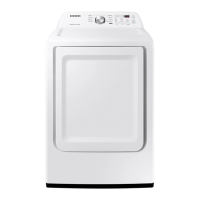
Samsung DVE45R6100 Series - User Manual

Samsung DVE45R6100 Series
212 pages
Print Icon
To Next Page IconTo Next Page
Loading...
Dryer
User manual
DVE(G)45R6300*/DVE(G)45R6100*
Untitled-5 1 2020-12-15  3:16:24

Table of Contents

Questions and Answers

  • K
    Kevin CraigAug 19, 2025
    How to fix a Samsung Dryer that does not run?
    • C
      Christopher HoltAug 19, 2025
      If your Samsung dryer isn't running, try these solutions: First, ensure the door is fully latched. Second, verify that the power cord is securely plugged into a working electrical outlet. Third, check the circuit breakers or fuses in your home. Fourth, if you opened the door during a cycle, press or tap Start/Pause (Hold to Start) again. Finally, clean the lint filter.
  • E
    Erik BrownAug 21, 2025
    Why is my Samsung Dryer not drying clothes properly?
    • A
      Adam CoxAug 21, 2025
      If your Samsung dryer isn't drying clothes adequately, consider the following: Ensure the exhaust hood outside your home can open and close freely. Check the exhaust system for lint buildup. Use a 4” rigid metal exhaust duct. Avoid overloading the dryer, aiming for 1 wash load = 1 dryer load. Separate heavy and lightweight items. Reposition large, bulky items like blankets for even drying. Make sure your washer is draining properly. If the load is too small, add a few towels. If it’s too large, remove some items. Also, clean the lint filter.
  • S
    Sheri HartAug 23, 2025
    Samsung DVE45R6100 Dryer not heating, what to do?
    • R
      Randy BennettAug 25, 2025
      If your Samsung dryer isn't heating, check the following: First, inspect your home’s circuit breakers or fuses. Some cycles don't require heat, so double-check the cycle you selected. For gas dryers, ensure the gas supply is turned on. Also, clean both the lint filter and the exhaust duct. The dryer might be in the cool-down phase, or the Eco Dry option might be enabled for NORMAL or TIME DRY cycles, so turn it off.
  • A
    Angela AlvarezAug 26, 2025
    Why is my Samsung DVE45R6100 Dryer so noisy?
    • C
      Charles CurtisAug 27, 2025
      If your Samsung dryer is making unusual noises, check the load for objects like coins or buttons and remove them. It's normal to hear the gas valve or heating element cycle on and off. Ensure the dryer is properly leveled according to the installation instructions. A humming sound can also be normal due to the airflow through the dryer drum, fan, or exhaust system.
  • G
    gabriellopezAug 28, 2025
    Why is my Samsung DVE45R6100 Dryer not heating up?
    • J
      Johnny WaltersAug 28, 2025
      If your Samsung Dryer is not heating, here are some things to check: * Examine your home's circuit breakers or fuses. * Confirm the selected cycle requires heat. * For gas dryers, ensure the gas supply is turned on. * Clean the lint filter and exhaust duct. * The dryer may be in the cool-down phase. * Turn off the Eco Dry option for the NORMAL or TIME DRY cycles. When Eco Dry is on, the dryer uses an air dry process at the start to save energy, which doesn't use heat.
  • E
    Evan HamptonAug 30, 2025
    Why is my Samsung Dryer not heating?
    • E
      Elizabeth HickmanAug 30, 2025
      If your Samsung Dryer doesn't heat, first check your home's circuit breakers or fuses. Some cycles don't require heat, so verify the selected cycle. For gas dryers, ensure the gas supply is on. Clean the lint filter and exhaust duct. The dryer might be in the cool-down phase. Also, turn off the Eco Dry option for the NORMAL or TIME DRY cycles, as it uses an air dry process initially to save energy, which may feel like no heat.
  • T
    Taylor ZimmermanSep 1, 2025
    How to prevent lint on clothes in my Samsung DVE45R6100 Dryer?
    • D
      David EdwardsSep 1, 2025
      To minimize lint on clothes when using your Samsung dryer: Clean the lint filter before every load and, for lint-producing clothes, clean it during the cycle as well. Separate lint producers (like cotton towels) from lint trappers (like linen pants). Divide large loads into smaller ones. Check pockets before drying. Remove any lint inside the drum before starting a load.
  • K
    Kimberly BaileySep 4, 2025
    Why does my Samsung DVE45R6100 dry clothes unevenly?
    • C
      Cindy RossSep 4, 2025
      Uneven drying in your Samsung dryer can occur because seams, pockets, and heavy areas may dry slower than the rest of the load. Also, drying a single heavy item with lightweight items can cause unevenness. For best results, dry heavy and lightweight items separately.
  • J
    Jordan JohnsonSep 6, 2025
    Samsung Dryer: Items still wrinkled after Wrinkle Prevent, why?
    • J
      Julie DunnSep 6, 2025
      If items are still wrinkled after using the Wrinkle Prevent feature on your Samsung dryer, small loads of 1 to 4 items work best. Try loading fewer items, and ensure they are of similar type. Remove the items immediately after drying is complete.
  • S
    Susan StewartSep 8, 2025
    Why does my Samsung DVE45R6100 have odors?
    • K
      Kayla ThomasSep 9, 2025
      Odors in your Samsung dryer may come from household sources like paint or strong cleaners entering with the room air. Ventilate the room completely before using the dryer. You can also use the REFRESH cycle. If odors persist, wash and dry the items again.

Summary

Safety Information

Important Safety Precautions

Essential precautions to prevent fire, electric shock, and injury.

Installation Requirements

Key Installation Requirements

Essential requirements for electrical, gas, and venting systems.

Ducting Requirements

Specifications for dryer exhaust ducting, including material and length.

Exhausting Requirements

Guidelines on proper dryer venting to the exterior.

Gas Requirements

Specifics for connecting gas dryers, including gas type and safety.

Electrical Requirements

Requirements for power supply, grounding, and wiring.

Grounding

Detailed instructions for proper electrical grounding of the dryer.

Electrical Connections

Specifics on connecting electrical power, including voltage and amperage.

Installation

Step-by-Step Installation

Comprehensive guide for installing the dryer.

Install the Exhaust System

First step in installation: setting up the exhaust.

Connect the Gas Line

Second step: connecting the gas line for gas dryers.

Connect the Electrical Wiring

Third step: connecting electrical wiring for electric models.

Connect the Water Hose

Fourth step: connecting the water hose.

Level the Dryer

Procedure to ensure the dryer is properly leveled.

Final Check

Seventh step: final checks before operating the dryer.

Vent Blockage Test

Test to verify proper installation of the dryer vent system.

Running the Vent Blockage Test

Detailed steps for performing the vent blockage test.

Installation Check Codes

Troubleshooting codes related to vent installation issues.

Exhaust Ducting Guide

Best practices for dryer exhaust ducting and cleaning.

Before You Start

Lint Filter Maintenance

Instructions for cleaning the lint filter before/after each load.

Operations

Control Panel Overview

Explanation of the dryer's control panel and buttons.

Maintenance

Troubleshooting

Information Codes

Explanation of error codes and how to resolve them.

Specifications

Samsung DVE45R6100 Series Specifications

General IconGeneral
BrandSamsung
ModelDVE45R6100
Capacity7.5 cu. ft.
ColorWhite
Dryer VentingVented
VentlessNo
Sensor DryYes
Steam DryingYes
Steam FunctionYes
Energy Star CertifiedYes
Width27 inches
Depth31.5 inches
Drying RackYes
Reversible DoorYes
SmartYes
Wrinkle Prevention OptionYes
TypeElectric

Related product manuals