Basic System Commissioning
46
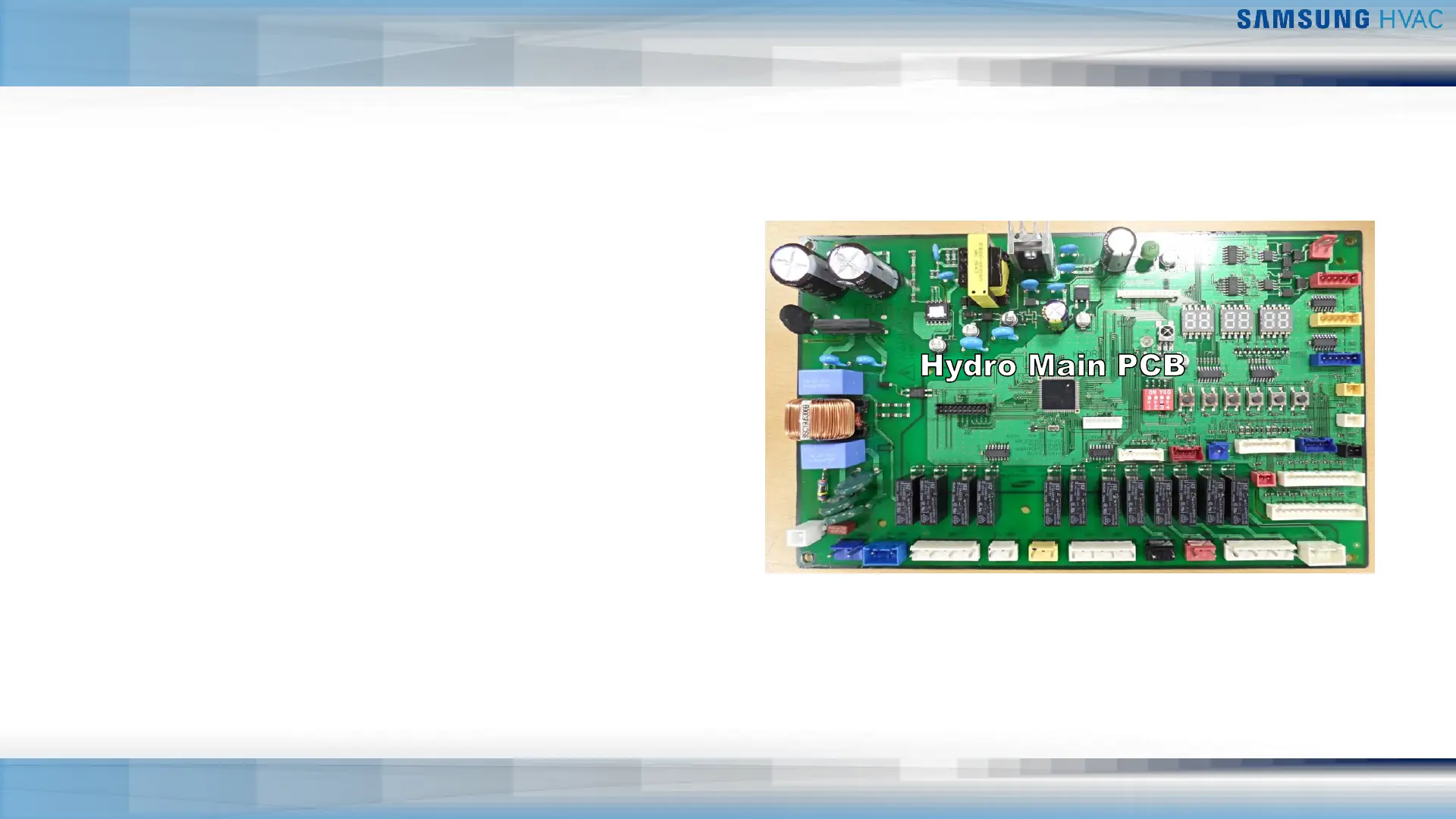
Hydro Control – View Mode & Option Settings Mode
▪ View Mode Display – System operating data
▪ Chiller powered up
▪ Press & hold K3 K4 for 3 sec. to enter
▪ Press K3 to view mode selection from table
▪ Press K4 to reverse mode selection
▪ Press & hold K3 to leave view mode
▪ Refer to the chiller Installation Manual for complete
view mode listing
▪ Hydro Controller Option Settings – Select chiller
operation parameters
▪ Chiller powered up
▪ Press & hold K2 to enter option settings
▪ Press K1 to display the number for option setting
▪ Press K2 to display the number for set value of the option
▪ Press & hold K2 to save selected option setting
▪ Refer to chiller Installation Manual for option setting listing
K1 K2 K3 K4 K5 K6


 To Next Page