Need help?
Do you have a question about the Samsung DVM Chiller and is the answer not in the manual?
Software for designing DVM Chiller projects ensuring component compatibility and correct layout.
Details on the air-to-water heat pump's operating ranges and capacity models.
Key features of the DVM Chiller units, including components and control compatibility.
Explains the hierarchy of DVM Chiller units from single units to modules and groups.
Defines a group as 2 to 8 modules, totaling a maximum of 16 chiller units.
Describes the Standard Control pattern for high load applications, based on water outlet temperature.
Explains Rotation Control for low load applications, based on average water outlet temperature.
Details Efficiency Control for low load areas, prioritizing system capacity based on average leaving water temperature.
Discusses Water Law Control for resetting leaving water temperature based on ambient or room temperature.
Provides an example of Water Law control based on outside temperature in cool mode.
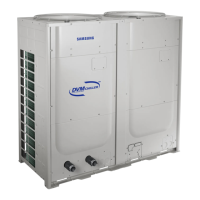
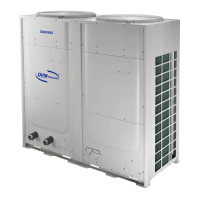
Identifies and labels the main components of the DVM Chiller unit.
Illustrates the refrigerant cycle with component labels and definitions.
Provides an overview of the VRF control system and its main components.
Details the Main Communication PCB in the VRF control box and its functions.
Identifies the Outdoor FAN PCB and Inverter PCBs within the VRF control box.
Shows the Hydro Main PCB and its control functions for the hydro side.
Explains the terminal blocks in the Hydro control box and their functions.
Introduces the MCM-A00N Module Controller and its data viewing capabilities.
Details the Module Controller PCB, highlighting connection points like F3/F4.
Lists functions associated with the MCM-A00N Module Controller display and button operations.
Illustrates how the Module Controller connects to DVM Chiller units.
Describes the FCU Kit for connecting 3rd party fan coil units to the chiller system.
Details the inputs and outputs of the MIM-F00N FCU Kit.
Explains the MIM-F10N FCU Interface Module for communication between FCU Kit and high-level controller.
Shows the wiring connections for the FCU Kit and Interface Module.
Illustrates the overall system diagram connecting controllers to FCUs via modules.
Covers field-supplied water side components like flow switch and inlet strainer.
Details the installation and sizing requirements for the expansion tank.
Guidelines for placing outdoor units in coastal areas to protect from sea breezes.
Requirements for supporting outdoor units above grade and above the normal snow line.
Specifies minimum installation clearances for outdoor units based on ambient temperature.
Describes water side connections for the Hydro unit, including couplings and vents.
Provides an overview of water side components and flow with numbered diagrams.
Covers water loop capacity, flow rate, and maximum water pressure.
Outlines general wiring requirements, including remote controllers and dedicated circuits.
Details output terminal designations for Hydro terminal block "A".
Explains input terminal designations for Hydro terminal block "B".
Lists input terminal designations for Hydro terminal block "C".
Instructions for viewing operating data and setting Hydro controller options.
Lists various Hydro unit options for input methods, demand, quiet function, and water law.
Covers trial operation steps including pressure sensor calibration and DIP switch settings.
Instructions for accessing and setting Inverter Controller service parameters.
Explains the module controller's tracking function and error code display.
Details how to control single units or groups using the On/Off and "All" buttons.
Instructions for changing water target set temperature and displaying current water outlet temperature.
Describes using buttons for Group/Module select, Mode, Monitor, and Pattern functions.
Explains the selection of Quiet, Demand, Forced Fan, and Water Law functions.
Details how to set and display weekly On/Off timers using the Module Controller.
Covers accessing advanced functions using ESC/OK keys and setting temperature units.
Explains how to perform a reset on the module controller and when it's required.
Details connecting SNET Pro 2 hardware to the chiller system via VRF control box.
Steps for launching SNET Pro 2 and selecting the outdoor unit model.
Overview of summary and cycle information displayed in SNET Pro 2.
Information related to installation details and hydro installation data within SNET Pro 2.
How to select the DVM Chiller's address within the SNET Pro 2 software.
Lists the settings for various parameters displayed in View Mode.
Continues the list of View Mode display settings for additional parameters.
Provides descriptions for Hydro Controller option settings related to operation and control.
Continues descriptions for Hydro Controller option settings, including water law and low-temperature function.
Lists Hydro Controller option items, default values, and definitions for operation and demand.
Lists Hydro Controller option items, default values, and definitions for quiet function, water law, and sensors.
Lists Hydro Controller option items for water law parameters and low-temperature function.
Lists service mode settings for VRF control, including refrigerant charging and trial operation.
Continues VRF control service mode settings, covering cooling modes and compressor checks.
Details the Initialize (Reset) operation for VRF control service mode.
Lists display settings for VRF control, showing parameters like capacity and frequency.
Continues VRF control view display settings for temperature, EEV steps, and unit addresses.

 To Next Page
 General