Basic System Commissioning
48
Mandatory Operation Settings
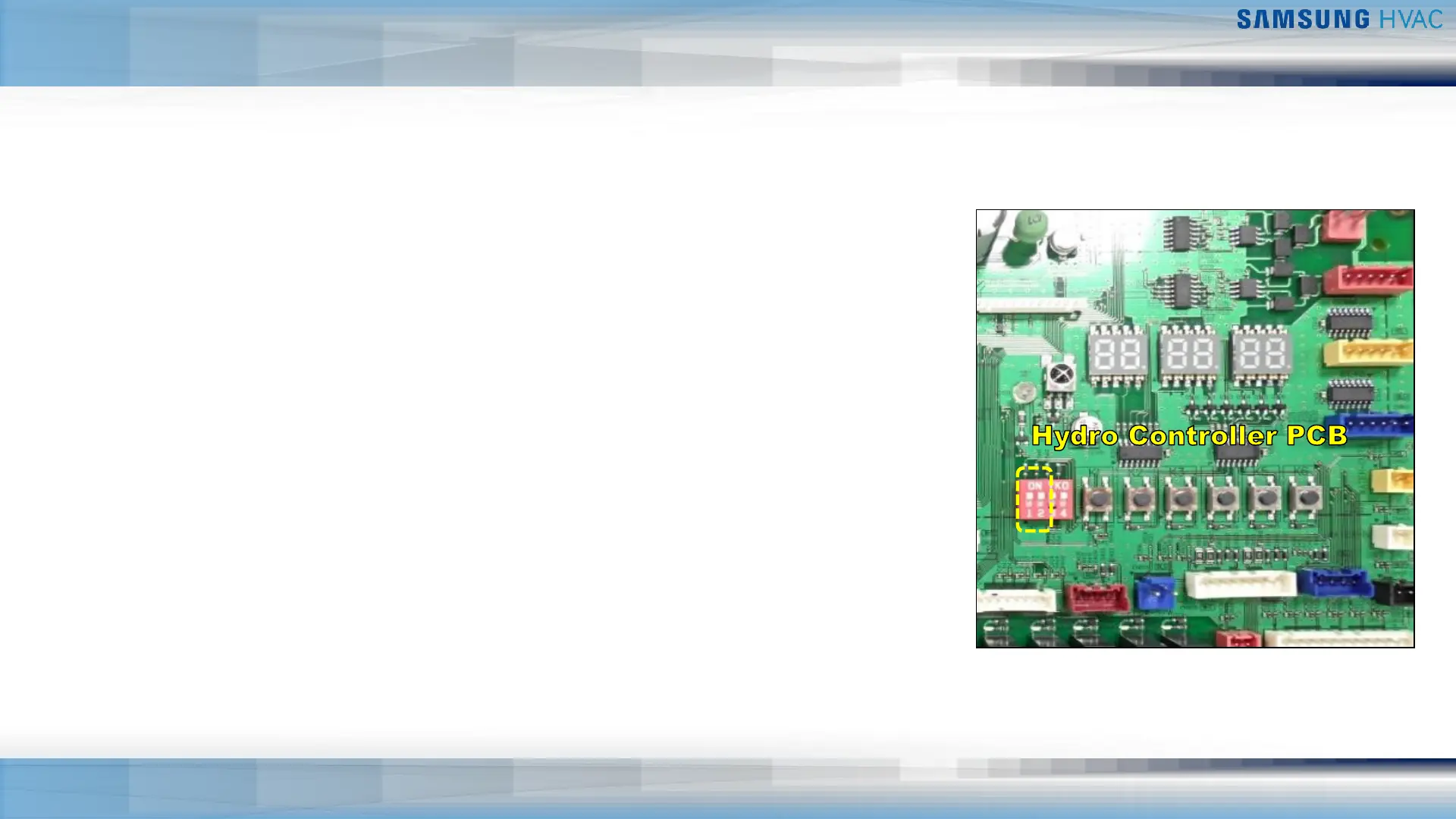
K1 K2 K3 K4 K5 K6
Trial Operation
▪ With system off including pump, perform water pressure sensor calibration
procedure
▪ Press & hold K4 and K6 for 3 seconds to start calibration
▪ Calibration will finish automatically within 30 seconds
▪ Verify water circulation and air purged
▪ Verify water flow rate
▪ Mode of operation function
▪ Complete all required Hydro Controller settings
▪ DIP Switch #1 is ON
▪ DIP Switch #2 ON – Cool OFF-Heat
▪ Operation control
▪ Press K1 for ON then press K2 for off
▪ Set DIP Switches #1&2 to OFF
▪ Press & hold K5 and K6 for 3 seconds to reset hydro controller


 To Next Page