EasyManua.ls Logo

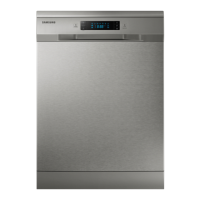
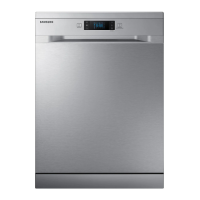
Samsung DW60H5050FS - User Manual

Samsung DW60H5050FS
52 pages
Print Icon
To Next Page IconTo Next Page
Loading...
DW60H3010FV
DW60H3010FW
DW60H5050FW
DW60H5050FS
DW60H6050FW
DW60H6050FS
Dishwasher
user manual
imagine the possibilities
Thank you for purchasing this Samsung product.
DW5000H_DD81-01651F-01_EN (UK)_150831.indd 1DW5000H_DD81-01651F-01_EN (UK)_150831.indd 1 2015-09-01  11:12:582015-09-01  11:12:58

Questions and Answers

  • K
    Katrina TorresSep 4, 2025
    Why are there black or gray marks on dishes from my Samsung DW60H5050FS?
    • V
      Valerie LopezSep 4, 2025
      If you see black or gray marks on dishes from your Samsung Dishwasher, it's likely that aluminum utensils have rubbed against them. Use a mild abrasive cleaner to remove the marks.
  • A
    Anthony StoneSep 18, 2025
    Why won’t the detergent cup lid latch on my Samsung Dishwasher?
    • B
      bob00Sep 18, 2025
      If the detergent cup lid on your Samsung Dishwasher won’t latch, make sure the dial is in the OFF position. Turn the dial to OFF and slide the door latch to the left.
  • J
    Jacob PerezSep 16, 2025
    Why is there steam coming from my Samsung Dishwasher?
    • M
      Michael SparksSep 16, 2025
      If you notice steam coming from your Samsung Dishwasher, it's a normal part of the drying and water draining process. Steam may vent through the vent near the door latch.
  • J
    james57Sep 14, 2025
    What to do if the drain pump doesn’t stop in my Samsung DW60H5050FS?
    • K
      Keith WadeSep 14, 2025
      If your Samsung Dishwasher's drain pump won't stop, it's likely because the system has detected an overflow. In this case, the dishwasher automatically shuts off the circulation pump and activates the drain pump.
  • S
    Susan MccormickSep 12, 2025
    Why are buttons not working on my Samsung DW60H5050FS?
    • C
      Christine RubioSep 12, 2025
      If the buttons on your Samsung Dishwasher aren't working when it's powered on, make sure the door is closed, as only the Power button works when the door is open. Also, check if the Child Lock function is activated. To unlock it, hold down both the Multi in 1 and Delay Start buttons for three seconds. Disconnecting and reconnecting the power cord will also release the Child Lock.
  • S
    Sharon GoodSep 12, 2025
    Why is my Samsung DW60H5050FS leaking?
    • S
      Steven HernandezSep 12, 2025
      If your Samsung Dishwasher is leaking, there are a couple of things to check. Make sure you're not overfilling the rinse aid dispenser, as spills can cause overflowing. Wipe up any spills immediately with a damp cloth. Also, ensure the dishwasher is level.
  • J
    Jennifer RoweSep 9, 2025
    What to do if there are suds in my Samsung DW60H5050FS?
    • J
      Joe CollinsSep 9, 2025
      If you see suds in your Samsung Dishwasher, it's likely due to using the wrong type of detergent or spilled rinse agent. Always use special dishwasher detergent to prevent suds. If suds appear, open the dishwasher to let them evaporate. Add a gallon of cold water, close and latch the dishwasher, and run a 'soak' wash cycle to drain the water. Repeat if needed. Also, immediately wipe up any rinse agent spills.
  • A
    austin41Sep 7, 2025
    Why is water standing in the bottom of the tub of my Samsung DW60H5050FS Dishwasher?
    • D
      David GonzalezSep 7, 2025
      A small amount of clean water around the outlet on the tub bottom of your Samsung Dishwasher is normal. It keeps the water seal lubricated.
  • S
    Stacie CampbellSep 5, 2025
    Why is there white film on the inside surface of my Samsung DW60H5050FS?
    • R
      ronniejonesSep 5, 2025
      If there's a white film on the inside surface of your Samsung Dishwasher, it's likely due to hard water minerals. Clean the interior using a damp sponge with dishwasher detergent and wear rubber gloves. Never use any cleaner other than dishwasher detergent to avoid foaming or suds.
  • E
    Edward GardnerAug 20, 2025
    How to fix a Samsung Dishwasher that doesn't run?
    • M
      Meredith WilsonAug 21, 2025
      If your Samsung Dishwasher doesn't run, several factors could be at play. First, check the fuse or circuit breaker and replace or reset it, ensuring no other appliances share the same circuit. Verify that the dishwasher is powered on, the door is securely closed, and the power cord is correctly plugged into the wall socket. Lastly, confirm that the water supply is properly connected and turned on, as low water pressure can prevent the dishwasher from starting.

Summary

Safety Instructions

Important Safety Symbols and Precautions

Key symbols and warnings for safe operation and handling.

Electrical and Installation Safety

Guidelines for safe electrical connection, grounding, and installation procedures.

Parts and Features

Installing Your Dishwasher

Electrical Requirements and Grounding

Specifies electrical needs, connection safety, and grounding instructions.

Water Supply and Drain Setup

Guides on connecting water supply and drain hoses correctly for installation.

Using Detergent and Water Softener

Loading Detergent and Rinse Aid

Step-by-step guide for filling the salt and rinse aid dispensers correctly.

Loading the Dishwasher Racks

Washing Programmes

Starting and Managing Wash Cycles

Steps to start, change, or add dishes to a wash cycle.

Cleaning and Care

Troubleshooting

Before Calling for Service

Initial steps to resolve common problems before contacting support.

Common Issues and Solutions

Detailed guide to diagnosing and fixing problems like spots, cloudiness, or leaks.

Error Code Reference

Explains specific error codes displayed by the dishwasher and their meanings.

Samsung DW60H5050FS Specifications

General IconGeneral
TypeFreestanding
Built-in displayYes
AquaStop functionYes
Delayed start timerYes
Dimensions (H x W x D)845 x 598 x 600 mm
Control panel colourStainless steel
Washing programsAuto, Intensive, Eco
Drying systemCondensation drying

Related product manuals