EasyManua.ls Logo

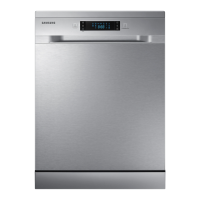
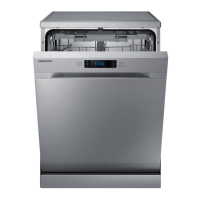
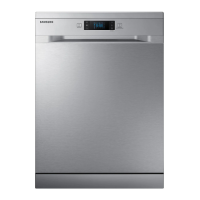
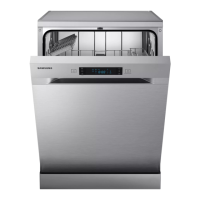
Samsung DW60M5070IB - User Manual

Samsung DW60M5070IB
144 pages
Go to English
Print Icon
To Next Page IconTo Next Page
Loading...
DW60M5070IB
Lavastoviglie
manuale dell'utente
immagina le possibilità
Grazie per avere acquistato un prodotto Samsung.
DW60M5070IB_ET_DD81-02615K-00_IT.indd 1DW60M5070IB_ET_DD81-02615K-00_IT.indd 1 9/24/2019 2:54:34 PM9/24/2019 2:54:34 PM
Questo manuale d’istruzione è fornito da trovaprezzi.it. Scopri tutte le offerte per Samsung
DW60M5070IB o cerca il tuo prodotto tra le migliori offerte di Lavastoviglie

Other manuals for Samsung DW60M5070IB

Questions and Answers

  • H
    Holly AdamsSep 5, 2025
    What causes cloudiness on glassware in Samsung DW60M5070IB Dishwasher?
    • A
      Amy WyattSep 6, 2025
      If your glassware appears cloudy after washing in your Samsung Dishwasher, it may be caused by a combination of soft water and too much detergent. Use less detergent if you have soft water and select a shorter cycle to wash the glassware.
  • T
    Timothy SilvaDec 1, 2025
    How to remove spots and filming on glasses and flatware in Samsung Dishwasher?
    • B
      Benjamin PenaDec 1, 2025
      If you observe spots and filming on glasses and flatware in your Samsung Dishwasher, it could be due to several reasons: * Extremely hard water. * Low inlet temperature. * Overloading the dishwasher. * Improper loading. * Old or damp powder detergent. * Empty rinse agent dispenser. * Incorrect dosage of detergent. To remove spots from glassware: 1. Take out all metal utensils out of the dishwasher. 2. Do not add detergent. 3. Choose the longest cycle. 4. Start the dishwasher and allow it to run for about 18 to 22 minutes, then it will be in the main wash. 5. Open the door to pour 2 cups of white vinegar into the bottom of the dishwasher. 6. Close the door and let the dishwasher complete the cycle. If the vinegar does not work: Repeat as above, except use 1/4 cup (60...
  • M
    Marie BurkeSep 18, 2025
    Is steam normal in Samsung DW60M5070IB Dishwasher?
    • R
      Ruth WatersSep 18, 2025
      Steam coming through the vent by the door latch during drying and water draining is a normal phenomenon in Samsung Dishwashers.
  • E
    egrahamSep 16, 2025
    How to fix Samsung Dishwasher detergent cup lid that won’t latch?
    • T
      Travis ChoiSep 16, 2025
      If the detergent cup lid won’t latch on your Samsung Dishwasher, make sure the dial is in the OFF position. Turn the dial to OFF and slide the door latch to the left.
  • E
    Eric MckenzieSep 14, 2025
    Why are there black or gray marks on dishes from my Samsung DW60M5070IB Dishwasher?
    • J
      Jerry WalkerSep 14, 2025
      If you notice black or gray marks on your dishes after using your Samsung Dishwasher, it's likely because aluminum utensils have rubbed against the dishes. Use a mild abrasive cleaner to remove these marks.
  • M
    marygreenSep 12, 2025
    Why is the tub interior of my Samsung Dishwasher stained?
    • J
      jefferyhendersonSep 13, 2025
      If the tub interior of your Samsung Dishwasher is stained, it might be because you used detergent with colorant. Ensure that the detergent you use is without colorant.
  • A
    astevensSep 12, 2025
    Why is detergent left in the dispenser of my Samsung DW60M5070IB Dishwasher?
    • J
      Jonathan BrooksSep 12, 2025
      If detergent is left in the dispenser of your Samsung Dishwasher after a cycle, it suggests that dishes are blocking the detergent dispenser. Try re-loading the dishes properly to avoid this issue.
  • V
    villanuevajasonSep 9, 2025
    Why are buttons not working on my Samsung DW60M5070IB Dishwasher?
    • J
      Jerome LamSep 9, 2025
      If the buttons on your Samsung Dishwasher are not working when it's powered on, it could be due to the following reasons: * The door is open: When the door is open, only the POWER button works. Close the door and press the desired button. * The control lock function is selected: When the control lock function is active, the buttons will not respond. To unlock it, hold down the control lock button for three seconds. Alternatively, disconnecting and reconnecting the power cord will release the control lock function.
  • J
    Jeffrey Hayes Jr.Sep 7, 2025
    Why is there white film on the inside surface of my Samsung Dishwasher?
    • H
      higginsseanSep 7, 2025
      If there's a white film on the inside surface of your Samsung Dishwasher, it's likely due to hard water minerals. To resolve this, clean the interior using a specialist dishwasher cleaner or a damp sponge with dishwasher detergent and wear rubber gloves. Avoid using any cleaner other than dishwasher detergent to prevent foaming or suds.
  • M
    michelle71Aug 21, 2025
    Why are dishes and flatware not clean in my Samsung DW60M5070IB?
    • V
      vmcintyreAug 21, 2025
      If your dishes and flatware aren't getting clean in your Samsung Dishwasher, it might be due to: * Using an improper program: Try selecting a more intensive wash program. * Improper rack loading: Ensure that large dishware isn't blocking the detergent dispenser or the spray arms' action.

Summary

Safety Instructions

General Safety Information

Covers essential safety guidelines, symbols, and precautions for appliance use.

Specific Safety Rules for Use, Installation, and Electrical;Water Connections

Details safe operating practices, child safety, installation, electrical, and water connection guidelines.

Parts and Features

Control Panel, Display, and Indicators Guide

Explains the functions of control panel buttons, display messages, and refill indicators.

Using the Detergent and Water Softener

Detergent and Rinse Aid Usage

Instructions for correctly using detergent, rinse aid, and the multi tab option.

Loading the Dishwasher Racks

Washing Programmes

Cleaning and Care

Setting up your dishwasher

Electrical, Water, and Drainage Setup

Covers safe electrical, water, and drainage connections, including grounding and positioning.

Installing your dishwasher

Troubleshooting

Common Problems, Solutions, and Information Codes

Offers solutions for common issues and explains error codes displayed by the appliance.

Samsung DW60M5070IB Specifications

General IconGeneral
Door colorNot applicable
Control typeButtons
Display typeLED
Product sizeFull size (60 cm)
Tub materialStainless steel
Built-in displayYes
Appliance placementFully built-in
Control panel colorBlack
Cutlery compartment typeBasket
Current8 A
Connected load1800 W
AC input voltage220 - 240 V
Drain pump power30 W
AC input frequency50 Hz
Circulation motor power98 W
Energy efficiency scaleA to G
Power consumption (off)0.45 W
Water consumption per cycle12 L
Energy consumption per cycle1.039 kWh
Cycle time195 min
Noise level48 dB
Drying systemCondensation
Dishwashing programsEco, Intensive, Normal, Quick
Number of place settings13 place settings
Number of washing programs5
Wi-Fi controlledNo
Package depth645 mm
Package width655 mm
Package height875 mm
Package weight45000 g
Weight and Dimensions IconWeight and Dimensions
Depth550 mm
Width598 mm
Height815 mm
Weight39000 g

Related product manuals