7
Using the product
Charging devices
Wired charging
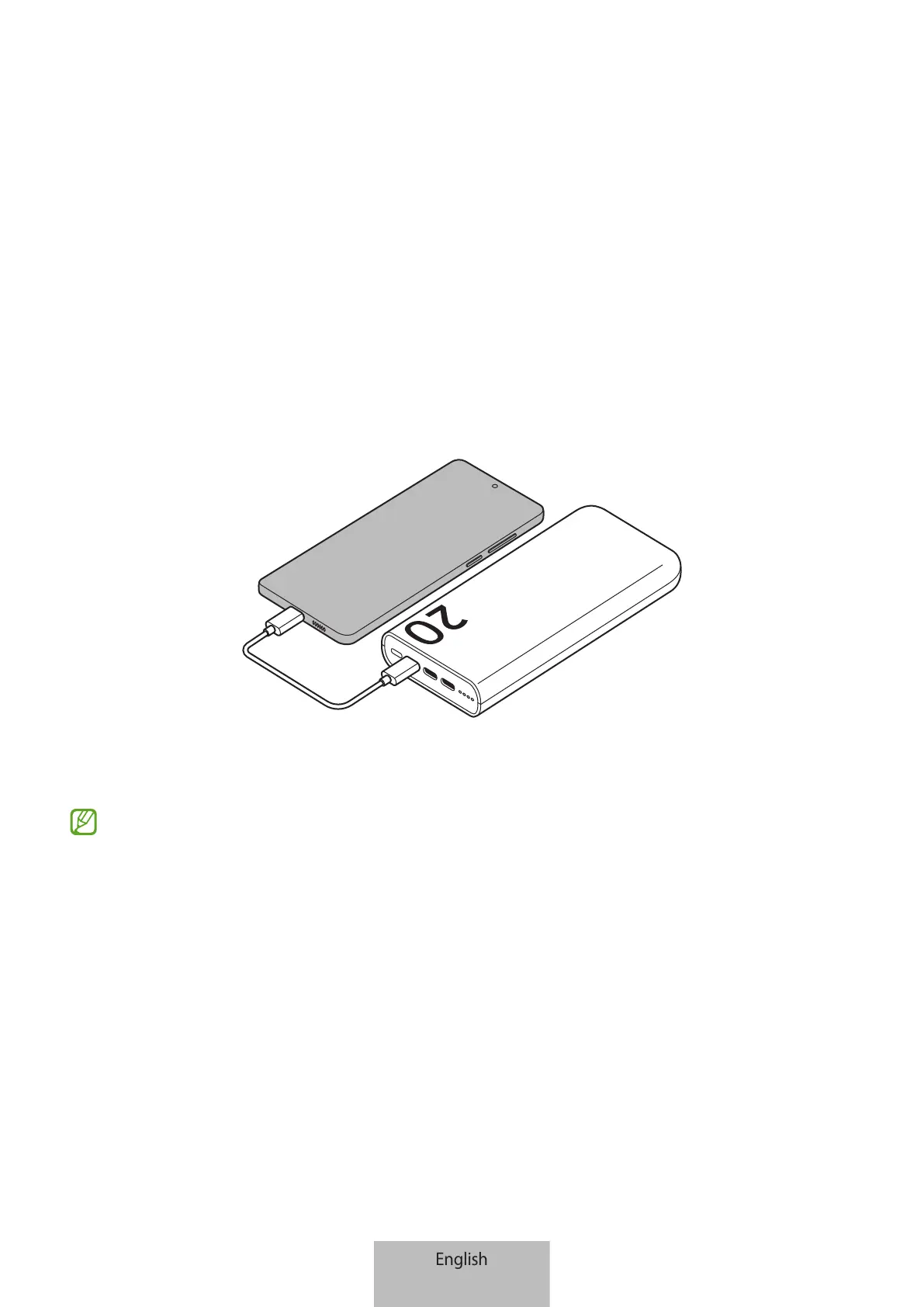
1 Connect one end of the USB cable to the product’s charger port. Then, plug the other
end of the USB cable into the mobile device’s multipurpose jack.
2 When the mobile device is fully charged, disconnect the USB cable from the product
and the mobile device.
•
If the multipurpose jack of the charger and the device you want to charge is the
micro USB type, use a USB connector that is sold separately.
•
Charging time may vary depending on the charging conditions.
•
To begin fast charging, connect a device that supports fast charging to the
product.
•
If the device connected to the product is not charging, disconnect the USB from
the product and reconnect it.
•
The product is an auxiliary external battery. It may not fully charge some
devices.
•
If the product is exposed to extremely hot or cold temperatures or a problem
occurs, the battery indicator lights will blink. Disconnect the device from the
product and reconnect it.



 To Next Page