Need help?
Do you have a question about the Samsung EI-T5600 and is the answer not in the manual?
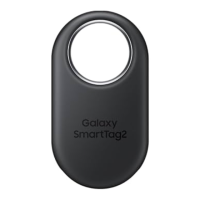
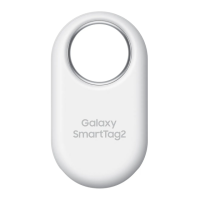
Learn about the Galaxy SmartTag2's purpose and features.
Identify the different parts of the Galaxy SmartTag2 device.
Step-by-step guide on how to replace the product's battery.
Instructions for downloading and installing the required mobile app.
Guide on how to connect the product to your mobile device.
How to remotely check the product's current location via the app.
Find your product by making it emit a notification sound.
Get directions to the product's location using navigation apps.
Receive alerts when the product's location information is updated.
Secure your product, including lost mode and contact information.
Use the product to locate your connected mobile device.
Set up and use automated actions with the product's button.
Configure alerts for unknown tags tracking your movement.
Create a shortcut for the product on your mobile device's home screen.
Access and modify various product settings and information.
Customize settings related to the SmartThings Find service.
Important safety guidelines and warnings for safe product operation.
Tips to preserve the product's water-resistant capabilities.
Solutions for common problems and issues with the product.
Steps to take if the product fails to power on.
Procedure to reset the product when it is unresponsive.
Troubleshoot issues when another Bluetooth device cannot find the product.
 General
| Model | EI-T5600 |
|---|---|
| Battery Life | Up to 300 days |
| Dimensions | 40.9 x 40.9 x 9.9 mm |
| Weight | 13.6 g |
| Connectivity | Bluetooth |
| Water Resistance | IP67 |
| Compatibility | Android, iOS |

 To Next Page