
 Need help?
Do you have a question about the Samsung Galaxy SmartTag and is the answer not in the manual?
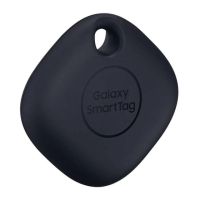
Introduces the Galaxy SmartTag's purpose and connection via SmartThings.
Essential warnings and precautions for safe and proper device usage.
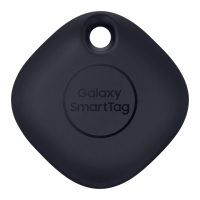
Details physical components, instructional icons, and what's included.
Explains the functions of the single button on the SmartTag.
Step-by-step guide for safely replacing the device's battery.
Instructions for installing the app and connecting the SmartTag.
Alternative method to connect the SmartTag using its QR code.
How to find the SmartTag's location by triggering a notification sound.
How to launch automation features by pressing the SmartTag button.
Steps to edit or delete custom automation actions.
Create a shortcut for quick access on your mobile device's home screen.
Adjust volume, ringtone, and other device settings.
Change the SmartTag's name and options for deleting the device.
View software details and install the latest version for optimal performance.
Solutions for problems like the SmartTag not turning on or freezing.
Procedures to restart or force a reset when the SmartTag is unresponsive.
Resolving problems with Bluetooth connection and finding the SmartTag's location.
 General
| Purpose | Item |
|---|---|
| Product type | Finder |
| Product color | White |
| Alarm function | Yes |
| Maximum operating distance | 150 m |
| Bluetooth version | 5.0 |
| Quantity per pack | 1 pc(s) |
| Battery type | CR2032 |
| Battery life (max) | 7200 h |
| Rechargeable battery | No |
| Number of batteries supported | 1 |
| Mobile operating systems supported | Android 10, Android 8.0, Android 9.0 |
 Weight and Dimensions
| Width | 39.1 mm |
|---|---|
| Height | 10.4 mm |
| Weight | 13 g |





 To Next Page