Need help?
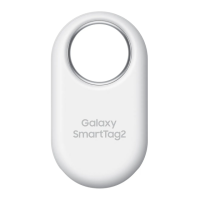
Do you have a question about the Samsung Galaxy SmartTag2 and is the answer not in the manual?
Step-by-step guide for replacing the product's battery.
Steps to pair the SmartTag2 with a mobile device.
Alternative method to connect the SmartTag2 using a QR code.
How to view the SmartTag2's location using the SmartThings app.
Using the app to ring the tag to find it.
Using signal strength indicators to find the SmartTag2.
Using Augmented Reality features to locate the SmartTag2.
Securing the SmartTag2 and displaying emergency contact info.
Using the SmartTag2 to locate a lost mobile device.
Activating custom automation routines with the SmartTag2 button.
Important safety guidelines and warnings for device usage.
Solutions for product not turning on, freezing, or connection problems.
 General
| Connectivity | Bluetooth 5.3 |
|---|---|
| Water Resistance | IP67 |
| Battery Type | CR2032 |
| Compass | No |
| Speaker | Yes |
| Range | Up to 120 meters |
| Compatibility | Android 8.0 or higher |
| Tracking Technology | Bluetooth LE, UWB |
| Battery Life | Up to 500 days (Normal Mode), Up to 700 days (Power Saving Mode) |

 To Next Page