15
Instructions on how to use the memory card
The camera can use SD/SDHC Memory Cards and MMC (Multi
Media Cards).
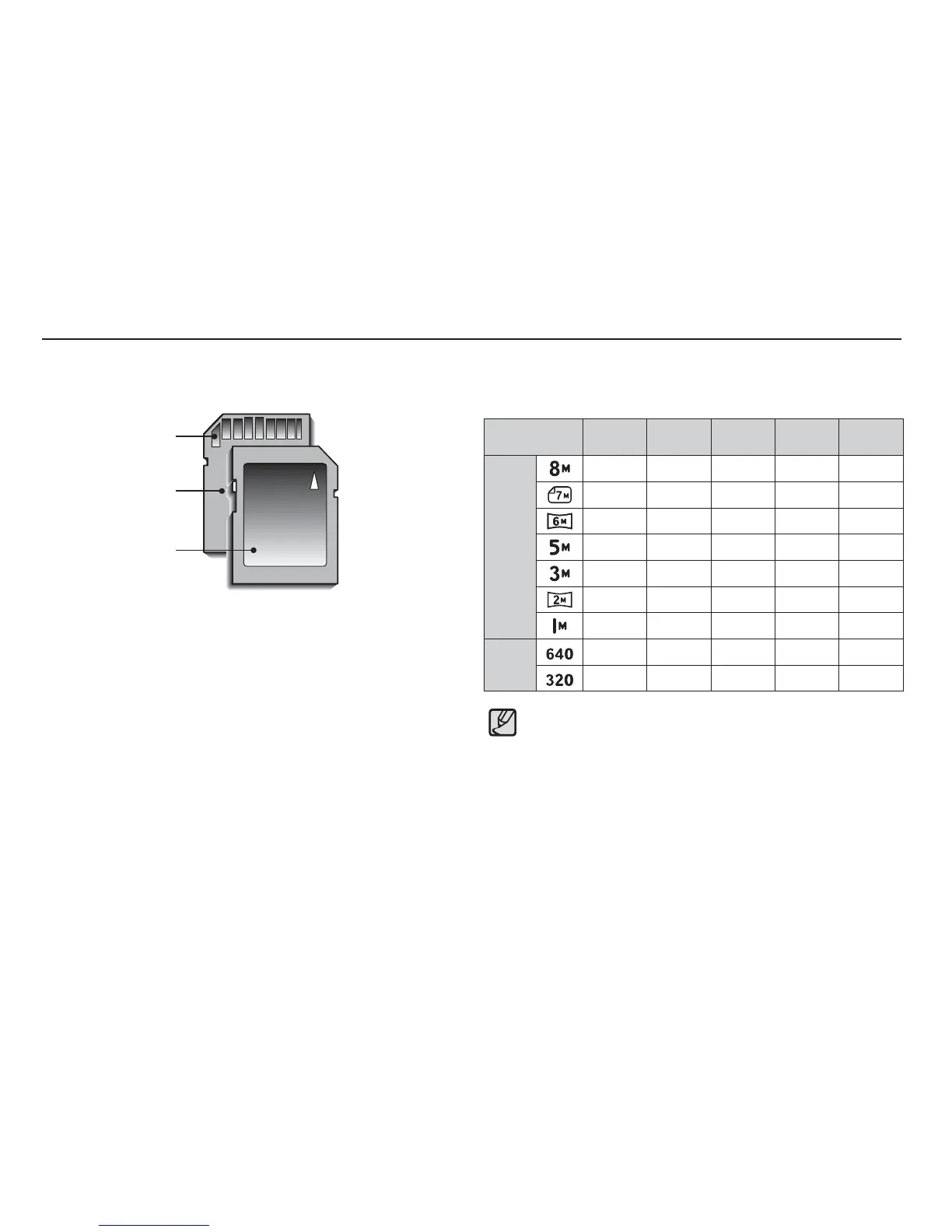
The SD/SDHC memory card has a write protect switch that
prevents image fi les from being deleted or formatted. By sliding
the switch to the bottom of the SD/SDHC memory card, the data
will be protected. By sliding the switch to the top of the SD/SDHC
memory card, the data protection will be cancelled.
Slide the switch to the top of the SD/SDHC memory card before
taking a picture.
When using a 1GB SD memory, the specifi ed shooting capacity will be
as follows. These fi gures are approximate as image capacities can be
affected by variables such as subject matter and memory card type.
Recorded image
size
Super
Fine
Fine
Normal
30 FPS 15 FPS
Still
image
About 337 About 466 About 688 - -
About 349 About 516 About 743 - -
About 416 About 590 About 848 - -
About 539 About 685 About 966 - -
About 825 About 998
About 1331
--
About 1175
About 1392 About 1832
--
About 2365 About 2409 About 2826
--
*Movie
clip
---
About 7'5"
About 13'54"
---
About 26'22" About 49'22"
Card pins
Write protect switch
Label
[SD (Secure Digital) memory card]
The zoom button doesn’t function during the movie recording.
The recording times can be changed by the zoom operation.
You can record videos of up to 4GB or 2hours each.


 To Next Page