27
Macro
( )
/ Down button
While the menu is showing, press the DOWN button to move from
the main menu to a sub menu, or to move down the sub menu.
When the menu is not showing, you can use the MACRO ( ) /
DOWN button to take macro pictures.
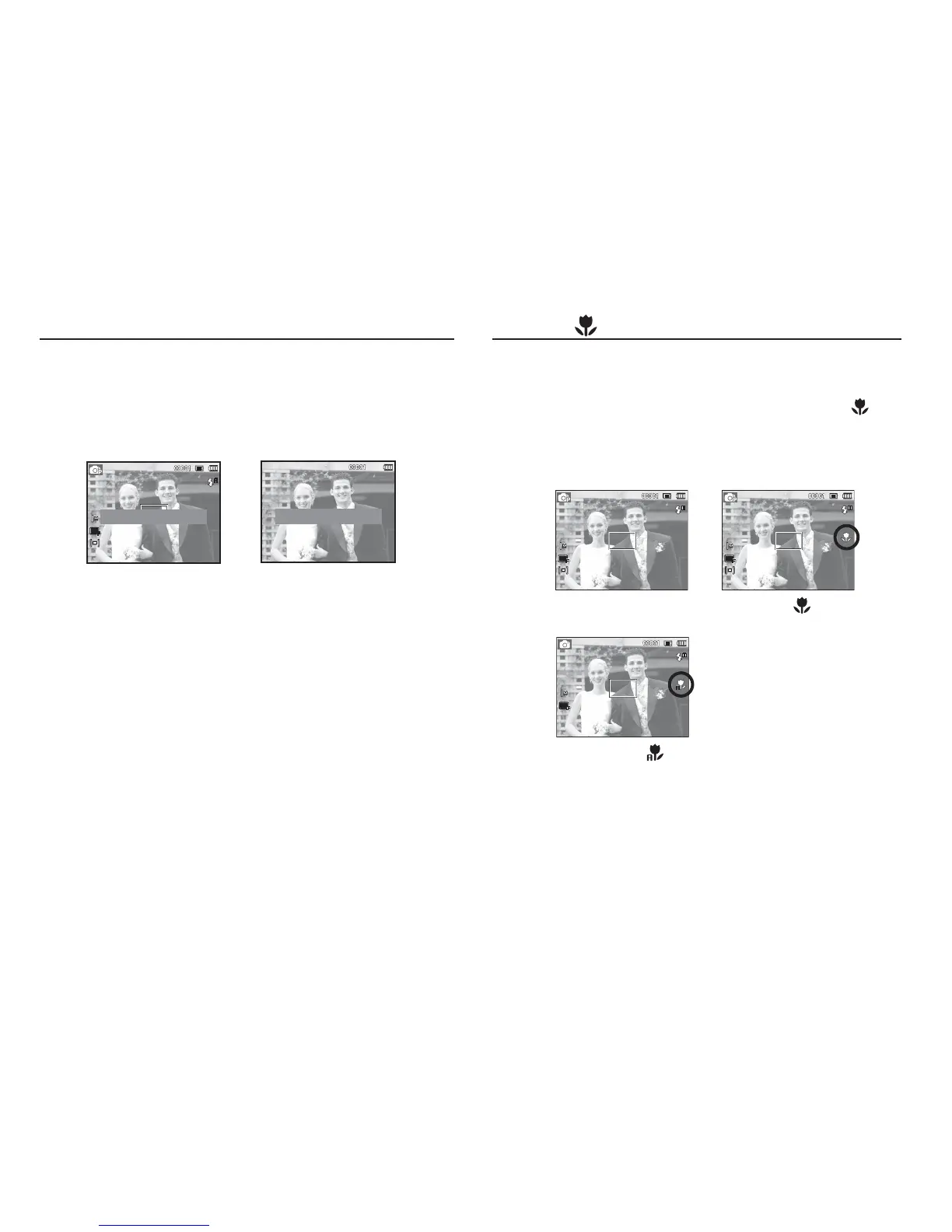
The distance ranges are shown below. Press the Macro button until
the desired macro mode indicator appears on the LCD monitor.
[Auto Focus]
[Macro ( )]
Info (DISP) / Up button
While the menu is showing, the Up button operates as a direction button.
In the recording modes or playback mode, pressing this button will
display the image information.
[Information screen][Filming screen]
Show the description of each function.
Show only basic information.
[Auto Macro ( )]


 To Next Page