E-18
Setting the Sleep Timer
The Sleep Timer can be used when you need to switch the air
conditioner off automatically after a period of six hours.
NN
NN
oo
oo
tt
tt
ee
ee If you wish to switch the unit off at a specific time, refer to
page 17.
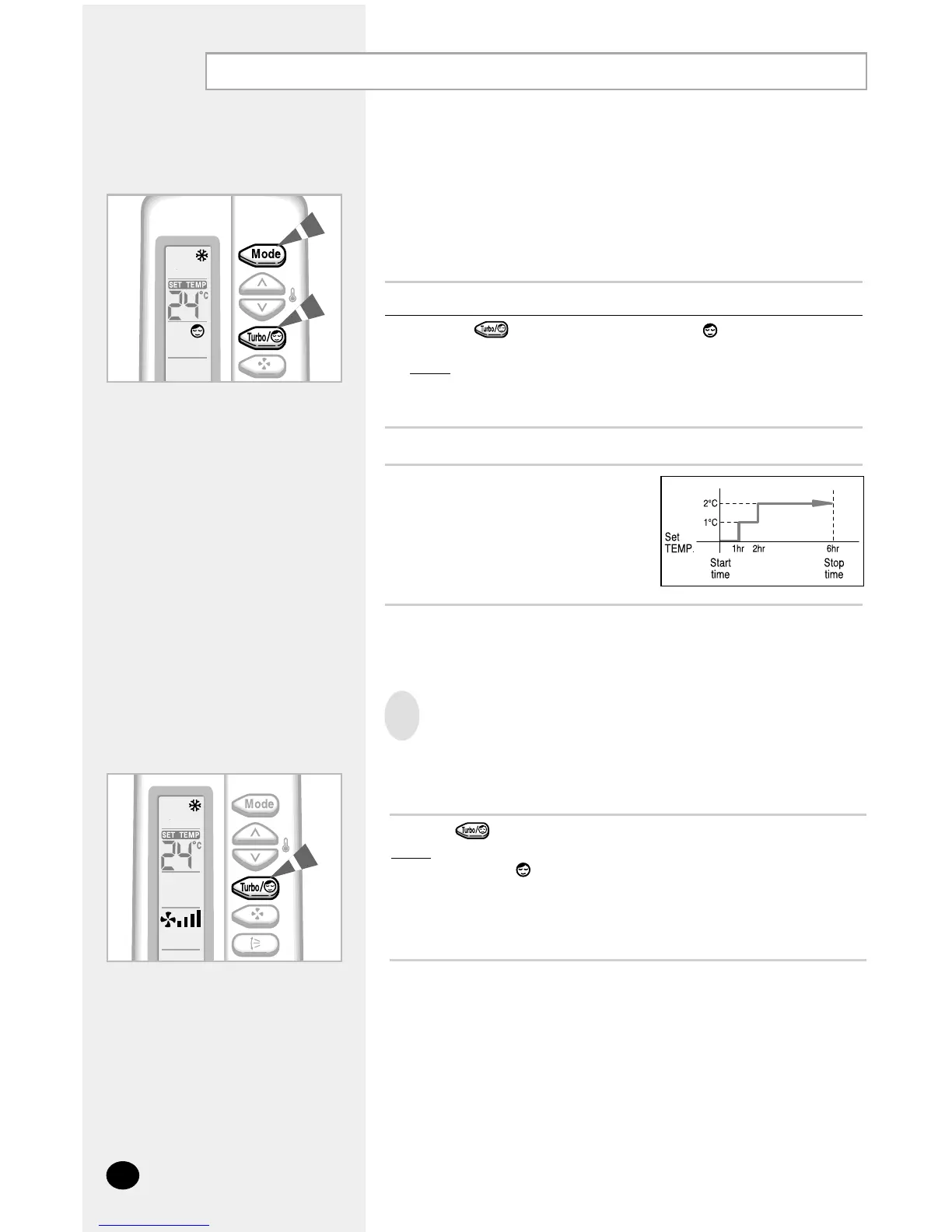
1 Make sure that you have selected COOL mode.
2 Press the button one or more times until appears on the remote
control.
Result
: ◆ The indoor unit beeps.
◆ The air conditioner will be controlled as indicated in the
figure below.
Cooling The temperature is increased
by 1°C every hour.
When it has been increased
by 2°C (after two hours), the
temperature is maintained for
four hours.
To Cancel the Sleep Timer
If you no longer wish to use the Sleep Timer that you have set, you
can cancel it at any time.
Press the button.
Result
: ◆ The indoor unit beeps.
◆ The is no longer displayed.
◆ The air conditioner operates normally.



 To Next Page