EasyManua.ls Logo

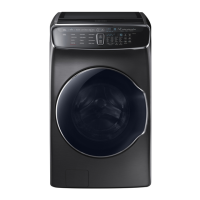
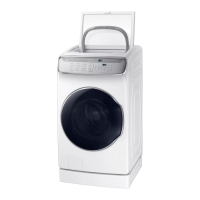
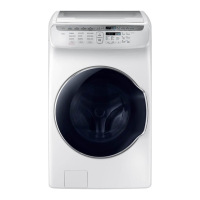
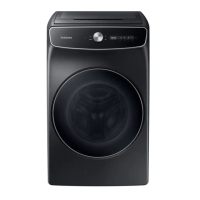
Samsung FlexWash WV60A9900A Series - User Manual

Samsung FlexWash WV60A9900A Series
88 pages
Print Icon
To Next Page IconTo Next Page
Loading...
FlexWash
User manual
WV60A9900A*
Untitled-5 1 2021-06-07  11:22:02

Questions and Answers

  • A
    Allison BakerAug 6, 2025
    Why is my Samsung Washer making excessive vibrations or noise?
    • N
      Nicole RobertsAug 6, 2025
      If your Samsung Washer is vibrating excessively or making unusual noises, ensure it's installed on a level, solid, and non-slippery floor. Adjust the leveling feet if needed. Confirm that the shipping bolts have been removed and that the washer isn't touching anything else. Also, ensure the laundry load is balanced. Remember that the motor can cause noise during normal operation. Metal objects such as coins can also cause noise, so remove them from the drum, tub, or filter case after washing.
  • E
    Eric HolderAug 13, 2025
    What to do if my Samsung FlexWash WV60A9900A does not start?
    • S
      Seth RobertsonAug 13, 2025
      If your Samsung Washer isn't starting, make sure the door is properly closed and the taps are open. Tap and hold the start button to begin the cycle. Ensure that Child Lock is not activated. Also, before the washer fills, it will make clicking noises to check the door lock and perform a quick drain. Check the fuse or reset the circuit breaker. Finally, check if the upper or lower washer displays an information code on the status bar.
  • S
    Shaun MartinezAug 21, 2025
    Why does detergent remain in the drawer after a Samsung FlexWash WV60A9900A cycle?
    • S
      Stephanie BrownAug 21, 2025
      If detergent remains in the detergent drawer after a cycle in your Samsung Washer, ensure the washer is running with sufficient water pressure. If using powdered detergent, use only the recommended amount. If using liquid detergent, do not overfill the compartment. You may also need to remove the liquid detergent and softener containers and clean the detergent drawer.
  • A
    Ana BrownAug 29, 2025
    What to do if there is insufficient water supply in my Samsung FlexWash WV60A9900A Washer?
    • M
      Matthew MurphyAug 29, 2025
      If your Samsung Washer has insufficient water supply or no water is supplied, fully open the tap. Make sure the door is properly closed. Ensure the water supply hose is not frozen, kinked, or clogged. Also, check that there is sufficient water pressure.

Summary

Safety Information

Important Safety Precautions

Essential safety guidelines to reduce risks of fire, electric shock, or injury during appliance use.

Installation Safety Warnings

Critical warnings regarding safe installation, grounding, and placement of the washing machine.

Usage and Cleaning Safety

Precautions for safe operation, handling potential hazards during use, and cleaning procedures.

Installation Guide

Unpacking and Whats Included

Instructions for unpacking the washer and verifying all included parts for proper setup.

Installation Requirements

Details on electrical, water supply, drain, and flooring requirements for washer installation.

Step-by-Step Installation Procedures

Detailed instructions for installing the washer, including removing shipping bolts and leveling.

Getting Started

Initial Setup and Language Selection

Guide to the initial setup process, including language selection and tutorial.

Laundry Sorting and Preparation

Guidelines for sorting laundry, checking pockets, and using a delicates bag for washing.

Using Detergents and Cleaning Agents

Instructions on selecting and adding the correct detergent and cleaning agents for both washers.

Operations

Control Panel Functions

Explanation of the control panel buttons, display, and icons for operating the washer.

Operating a Wash Cycle

Step-by-step guide on how to select and start a wash cycle on the washer.

Cycle Overview and Descriptions

Details on available wash cycles for the upper and lower washers and their purposes.

Advanced Options and Features

Guide to using additional options like Super Speed, Extra Rinse, My Cycles, and Child Lock.

SmartThings Connectivity

Instructions for connecting the washer to the SmartThings app for remote control and monitoring.

Maintenance and Care

General Washer Cleaning

Guidance on cleaning the exterior and interior surfaces of the washer to maintain performance.

Filter and Compartment Cleaning

Procedures for cleaning the mesh filter and detergent/softener compartments.

Self-Clean Cycle Guide

Instructions for performing the Self Clean and Self Clean+ cycles to keep the tub fresh.

Troubleshooting

Troubleshooting Common Issues

A guide to diagnosing and resolving common problems encountered with the washer.

Understanding Error Codes

Explanation of information codes displayed on the screen and their corresponding actions.

Specifications

Fabric Care Chart Symbols

Explanation of garment care symbols for washing, drying, and ironing instructions.

Technical Specification Sheet

Detailed technical specifications including dimensions, water pressure, and energy consumption.

Samsung FlexWash WV60A9900A Series Specifications

General IconGeneral
TypeFront Load Washer
Capacity6.0 cu. ft.
Additional Washer Capacity1.0 cu. ft.
Energy Star CertifiedYes
Wi-Fi ConnectivityYes
Steam WashYes
ColorFingerprint Resistant Black Stainless Steel
Vibration Reduction Technology (VRT)Yes
Wash Cycles12
Spin Speed1300 RPM
Smart ConnectivityYes
AddWash DoorYes
Weight220 lbs

Related product manuals