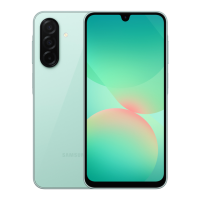
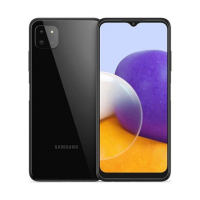
This document is a user manual for the Samsung Galaxy A22 and Galaxy A22 5G smartphones, covering various aspects from basic operation to advanced features and troubleshooting.
Function Description:
The Samsung Galaxy A22 and Galaxy A22 5G are smartphones designed for communication, entertainment, and productivity. They allow users to make and receive calls, send messages, browse the internet, take photos and videos, manage contacts, organize schedules, and utilize a wide range of applications. The devices support both single and dual SIM card configurations, enabling users to manage two phone numbers or service providers on a single device. The user interface is customizable, offering options for home screen layout, themes, wallpapers, and navigation.
Important Technical Specifications:
The manual specifies several model numbers: SM-A225F/N, SM-A225F/DS, SM-A225F/DSN for the Galaxy A22, and SM-A226B, SM-A226B/DS, SM-A226B/DSN for the Galaxy A22 5G. The devices use nano-SIM cards and support microSD cards for expandable memory. The display features include adjustable brightness, adaptive brightness, motion smoothness (up to 90 Hz for high refresh rate on Galaxy A22), Eye comfort shield, and various screen modes (Vivid and Natural on Galaxy A22). The touchscreen supports tapping, tapping and holding, dragging, double-tapping, swiping, spreading, and pinching gestures. Connectivity options include Wi-Fi, Bluetooth, NFC (on NFC-enabled models), and mobile data (GPRS, EDGE, UMTS, HSDPA, HSPA+, LTE, 5G). The multipurpose jack is a USB Type-C. The devices feature a Side key with a built-in fingerprint recognition sensor, volume keys, front and rear cameras with flash, a microphone, speaker, and GPS antenna. The Galaxy A22 5G also includes a Proximity/Light sensor.
Usage Features:
- Power Management: Devices can be turned on/off using the Side key. A forced restart is possible by holding the Side key and Volume Down key simultaneously. Emergency mode reduces battery consumption by restricting apps and functions. Battery saving options include optimizing the device, closing unnecessary apps, deactivating Bluetooth/auto-syncing, and decreasing screen brightness. Quick charging is supported with compatible chargers.
- SIM and Memory Card: Instructions are provided for installing nano-SIM cards and microSD cards. Dual SIM models allow for two active SIMs with customizable settings. Memory cards can be unmounted and formatted.
- Screen Interaction: The navigation bar can be customized or hidden using swipe gestures. The Home screen and Apps screen are distinct, with options to switch between them, organize apps into folders, and add widgets. The Edge panel provides quick access to favorite apps and features.
- Camera: The Camera app offers various shooting modes, including Photo, Video, Portrait, Pro, Panorama, Food, Night, Slow motion, Hyperlapse, and Deco Pic. Features include zoom, AF/AE lock, flash, timer, aspect ratio/resolution settings, frame rate, filter/beauty effects, scene optimizer, QR code scanning, HEIF pictures, video stabilization, and watermark. Selfies can be taken with the front camera, including a wide-angle option.
- Gallery: Users can view, manage, and edit images and videos, organize them into albums, and create stories. A recycle bin feature temporarily stores deleted files.
- Multi Window: Supports split screen view and pop-up view for multitasking with multiple applications. App pairs can be created for quick launch.
- Samsung Notes: Allows creation of notes with text, handwriting, drawings, images, and voice recordings.
- Calendar & Reminder: Manage schedules, create events, and set reminders with location-based options.
- Voice Recorder: Record and play voice recordings, with options to pause and bookmark.
- My Files: Access and manage files, analyze storage, and search for files/folders.
- Clock & Calculator: Standard clock functions (alarms, world clock, timer, stopwatch) and a calculator with history, unit conversion, and scientific mode.
- Game Launcher: Gathers games for easy access and optimizes device performance for gaming.
- Sharing Content: Quick Share allows sharing with nearby devices via Wi-Fi Direct or Bluetooth, with options to control who can find the device.
- Google Apps: Includes Chrome, Gmail, Maps, YT Music, Play Movies & TV, Drive, YouTube, Photos, Google, and Duo.
- Advanced Features: Includes "Continue apps on other devices," Android Auto, Quick Share, Side key customization, Motions and gestures (double tap to turn on/off screen, turn over to mute, finger sensor gestures), One-handed mode, Screenshots, and "Show contacts when sharing content."
- Dual Messenger: Install a second instance of messenger apps to use two separate accounts.
- Digital Wellbeing and Parental Controls: Monitor screen time, set app timers, activate focus mode, and bedtime mode.
Maintenance Features:
- Software Updates: Firmware over-the-air (FOTA) updates can be downloaded and installed manually or automatically over Wi-Fi. Security updates are also provided.
- Device Care: Optimizes device performance by closing background apps, managing abnormal battery usage, and scanning for malware. Auto optimization can be scheduled.
- Security: Biometrics (face recognition, fingerprint recognition), Google Play Protect, Find My Mobile, Secure Wi-Fi (Galaxy A22), Private Share, and options to encrypt SD card.
- General Management: Language settings, text-to-speech output, date and time, Samsung Keyboard settings, physical keyboard, mouse and trackpad, autofill service, and device reset options.
- Accessibility: Various settings to improve accessibility for users with visual, hearing, or dexterity impairments, including TalkBack and visibility/hearing enhancements.
- Troubleshooting: Provides solutions for common issues like device not turning on, network/service errors, slow touchscreen response, device freezes, call connection problems, poor audio quality, battery charging issues, rapid battery depletion, camera errors, and multimedia file playback issues. It also advises contacting a Samsung Service Centre for unresolved problems.
- Battery Removal: Instructions for battery removal are provided, emphasizing that it should be done by an authorized service center for safety.

 Need help?
 General






 To Next Page