
 Need help?
Do you have a question about the Samsung Galaxy Express 2 and is the answer not in the manual?
This document is a user manual for the Samsung SM-G3815, a mobile communication and entertainment device.
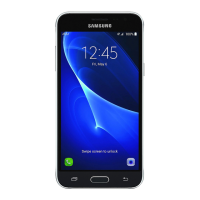
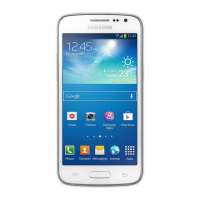
The device features a touch screen, earpiece, proximity sensor, front camera, power button, home button, menu button, back button, microphone, and a multipurpose jack on the front. On the rear, it has a flash, rear camera, GPS antenna, headset jack, speaker, and main antenna. The power button is used to turn the device on or off, reset it in case of errors, and lock/unlock the screen. The menu button opens a list of options for the current screen and launches Google search when held. The home button returns to the Home screen and opens recent applications when held. The back button returns to the previous screen. The volume button adjusts device volume.
The device uses microSIM cards and a battery. Only Samsung-approved chargers, batteries, and cables should be used to avoid damage. When the battery is low, the battery icon appears empty. If completely discharged, the device needs a few minutes of charging before it can be turned on. The device can be used while charging, but it may take longer to fully charge. If the device heats up excessively, the charger may stop charging. To save energy, the charger should be unplugged when not in use. The device accepts memory cards up to 64 GB, but compatibility may vary. Formatting a memory card on a computer may not be compatible with the device; it should be formatted on the device itself. Before formatting, all important data should be backed up.
The touch screen should only be used with fingers, avoiding sharp objects or excessive pressure. Electrostatic discharges can cause malfunctions. Leaving the screen idle for extended periods can result in afterimages. Finger gestures include tapping, dragging, double-tapping, flicking, and pinching. Control motions, such as rotating the screen, are supported, but excessive shaking or impact should be avoided. Palm motions, like covering the screen, can pause media playback. Turning over the device can mute ringtones or pause media playback.
Notification icons appear on the status bar for missed calls, new messages, calendar events, and device status. A quick setting panel provides access to Wi-Fi, GPS, sound, screen rotation, Bluetooth, mobile data, blocking mode, power saving, screen mirroring, Wi-Fi hotspot, S Beam, NFC, and hands-free mode. The Home screen displays icons, widgets, and shortcuts, and can have multiple panels. Items can be rearranged, and new panels can be added. Wallpaper can be set from the gallery, live wallpapers, or default wallpapers. Widgets provide convenient functions and information.
The locked screen prevents unwanted operation and can display widgets. Widgets cannot be used in easy mode or when security features are active. Applications can be opened from the Home screen or Applications screen, and recently-used applications can be accessed by holding the Home button. Applications can be closed via the task manager. The Applications screen displays all installed applications, which can be rearranged or organised into folders. Applications can be installed from Play Store or Samsung Apps, and uninstalled. Default applications cannot be uninstalled. Applications can also be shared via email, Bluetooth, or other methods. Help information is available for device usage and settings.
Text input is supported via the Samsung Chinese IME keyboard, Samsung keyboard, or voice input. Keyboard type and layout can be changed. Handwriting and stroke modes are available for Chinese input. The Samsung keyboard offers predictive text, auto-replacement, auto-capitalisation, auto-spacing, and auto-punctuation. Voice input allows speaking into the microphone for text entry. Text can be copied and pasted.
The device can connect to Wi-Fi networks for internet access and file sharing. Wi-Fi can be turned on or off, and networks can be joined or forgotten. Accounts, including Google and Samsung accounts, can be set up and removed. Files can be transferred between the device and a computer using Samsung Kies or Windows Media Player. The device can also connect as a media device (MTP) or camera (PTP).
Security features include face unlock, face and voice unlock, pattern lock, PIN, and password. The device can be upgraded via firmware over-the-air (FOTA) or Samsung Kies. During upgrades, the device should not be turned off or disconnected from the USB cable.
Communication features include Phone, Contacts, Messages, Email, Google Mail, Hangouts, Google+, G+ Photos, and ChatON. The Phone application allows making and answering calls, speed dialling, and number prediction. During a call, options like equaliser, hold, volume adjustment, adding calls, keypad, speakerphone, mute, headset switch, swap, merge, contacts, memo, message, transfer, and manage conference call are available. Calls can be rejected, and messages can be sent when rejecting a call. Automatic call rejection can be configured. Missed calls are indicated by an icon. Call waiting and call forwarding can be enabled. Video calls are supported with options like switching cameras, mute, hide me, outgoing image, keypad, switch to headset, speaker off, animated emotions, theme view, and cartoon view. Images can be captured and videos recorded during video calls. Images can be swapped during video calls.
Contacts can be managed by creating, editing, deleting, and setting speed dial numbers. Contacts can be searched, displayed, moved to Google or Samsung accounts, imported, exported, and shared. Favourite contacts and contact groups can be managed. Messages (SMS/MMS) can be sent, including scheduled messages and translated messages. Incoming messages are grouped by contact. Voice messages can be listened to.
Email allows sending and viewing messages. Email accounts can be set up, and messages can be sent, including scheduled emails. Messages can be read, and attachments can be opened and saved. Google Mail uses labels instead of folders. Messages can be refreshed, viewed by label, and labels can be added to messages. Hangouts allows chatting with others. Google+ allows staying connected with people via a social network. G+ Photos allows sharing images and videos. ChatON allows chatting with any device that has a mobile phone number.
Web & network features include Internet, Chrome, Bluetooth, Screen Mirroring, Samsung Link, Group Play, NFC, and S Beam. The Internet application allows browsing webpages, viewing history, saved pages, and links. Webpages can be shared. Chrome allows searching and browsing webpages, viewing history, and syncing with other devices. Bluetooth allows direct wireless connection for data exchange. Screen Mirroring connects the device to a large screen. Samsung Link plays content saved on remotely-located devices or web storage services. Group Play shares screens with multiple devices for music, images, documents, and games. NFC reads tags and enables payments. S Beam sends data like videos, images, and documents.
Media features include Music, Camera, Gallery, Story Album, Video, YouTube, and Radio. Music plays audio files, with options for shuffle, repeat, volume, and setting songs as ringtones. Playlists can be created, and music can be played by mood. Camera takes photos and videos, with various shooting modes like Auto, Best photo, Continuous shot, Sound & shot, Panorama, Sports, and Night. Camera settings include photo/video size, focus mode, metering, ISO, GPS tag, volume key function, timer, white balance, exposure value, guidelines, flash, voice control, contextual filename, save as flipped, and storage. Shortcuts can be reorganised. Gallery views images and videos, with zooming, trimming videos, editing images (favourite, slideshow, photo frame, photo note, copy to clipboard, rename, buddy photo share, rotate, crop, colour, effect, portrait, sticker, drawing, frame), deleting, sharing, setting as wallpaper, and tagging faces. Story Album creates digital albums. Video plays video files, with options for screen ratio, volume, floating screen mode, and skipping. YouTube watches videos, with options for playlist, search, and sharing. Radio listens to FM radio, with options for scanning stations, adding to favourites, and recording songs.
Utilities include S Memo, S Planner, Dropbox, Cloud, Clock, Calculator, S Translator, Voice Recorder, S Voice, Google, Voice Search, My Files, Downloads, and TripAdvisor. S Memo creates memos with images and voice recordings, with options for pen type, line thickness, pen colour, eraser, background, tags, multimedia files, and voice recordings. Memos can be browsed, searched, deleted, sorted, viewed, imported, exported, and organised into folders. S Planner manages events and tasks, with options for adding events, tasks, and memos. Events can include location and images. S Planner can sync with Google Calendar. Calendar type can be changed. Dropbox saves and shares files via cloud storage. Cloud syncs files and backs up settings with Samsung account or Dropbox. Clock sets alarms, world clock, stopwatch, and timer. Calculator performs simple or complex calculations. S Translator translates text and enables conversations. Voice Recorder records and plays voice memos. S Voice commands the device by voice. Google searches the internet and device content. Voice Search searches webpages by speaking. My Files accesses all files on the device. Downloads views downloaded files. TripAdvisor provides travel information.
Settings include Connections, My device, Accounts, and More. Connections include Wi-Fi (advanced settings, WPS, help), Wi-Fi Direct, Bluetooth (visibility timeout, received files, help), Data usage (mobile data, confirm mobile data connection, set mobile data limit, data usage cycle, data roaming, restrict background data, auto sync data, show Wi-Fi usage, mobile hotspots), More networks (flight mode, mobile networks, tethering and portable hotspot, VPN, NFC, S Beam, nearby devices, screen mirroring, Kies via Wi-Fi). My device includes Lock screen (screen lock, multiple widgets, lock screen widgets, shortcuts, unlock effect, help text, wake up in lock screen, set wake-up command), Display (wallpaper, notification panel, brightness, auto-rotate screen, screen timeout, daydream, font style, font size, touch key light duration, display battery percentage, edit after screen capture), Sound (volume, ringtones, vibrations, default notification sound, vibrate when ringing, dialling keypad tone, touch sounds, screen lock sound, adapt sound), Home screen mode, Call (call rejection, set up call reject messages, answering/ending calls, turn off screen during calls, call alerts, call connect tone, minute minder, call end tone, alerts during calls, call accessories, additional settings, ringtones and keypad tones, personalise call sound, video call image, use call fail options, voicemail service, voicemail settings, sound, vibrate, accounts, use Internet calling), Blocking mode, Driving mode, Safety assistance, Power saving mode, Accessibility (auto-rotate screen, screen timeout, speak passwords, answering/ending calls, show shortcut, manage accessibility, TalkBack, font size, magnification gestures, negative colours, colour adjustment, accessibility shortcut, text-to-speech options, enhance web accessibility, sound balance, mono audio, turn off all sounds, flash notification, assistant menu, tap and hold delay, interaction control), Language and input (language, default, Google voice typing, Samsung Chinese IME, Samsung keyboard, voice recogniser, voice search, text-to-speech options, pointer speed, motions and gestures), Smart screen (smart stay), Voice control, Accounts (add account, cloud), Backup and reset (back up my data, backup account, automatic restore, factory data reset), Storage, Date and time, About device, and Google Settings.
Troubleshooting covers issues like entering codes, network/service errors, device not turning on, slow/improper touch screen response, device freezes/fatal errors, calls not connected, others not hearing on a call, sound echoes, disconnected network/poor audio quality, empty battery icon, battery not charging properly, faster battery depletion, device hot to the touch, camera launch errors, poor photo quality, opening multimedia file errors, Bluetooth device not located, connection not established with computer, and device not finding current location. A small gap around the device case is a manufacturing feature.
 General
| Brand | Samsung |
|---|---|
| Model | Galaxy Express 2 |
| Category | Cell Phone |
| Language | English |









 To Next Page