38
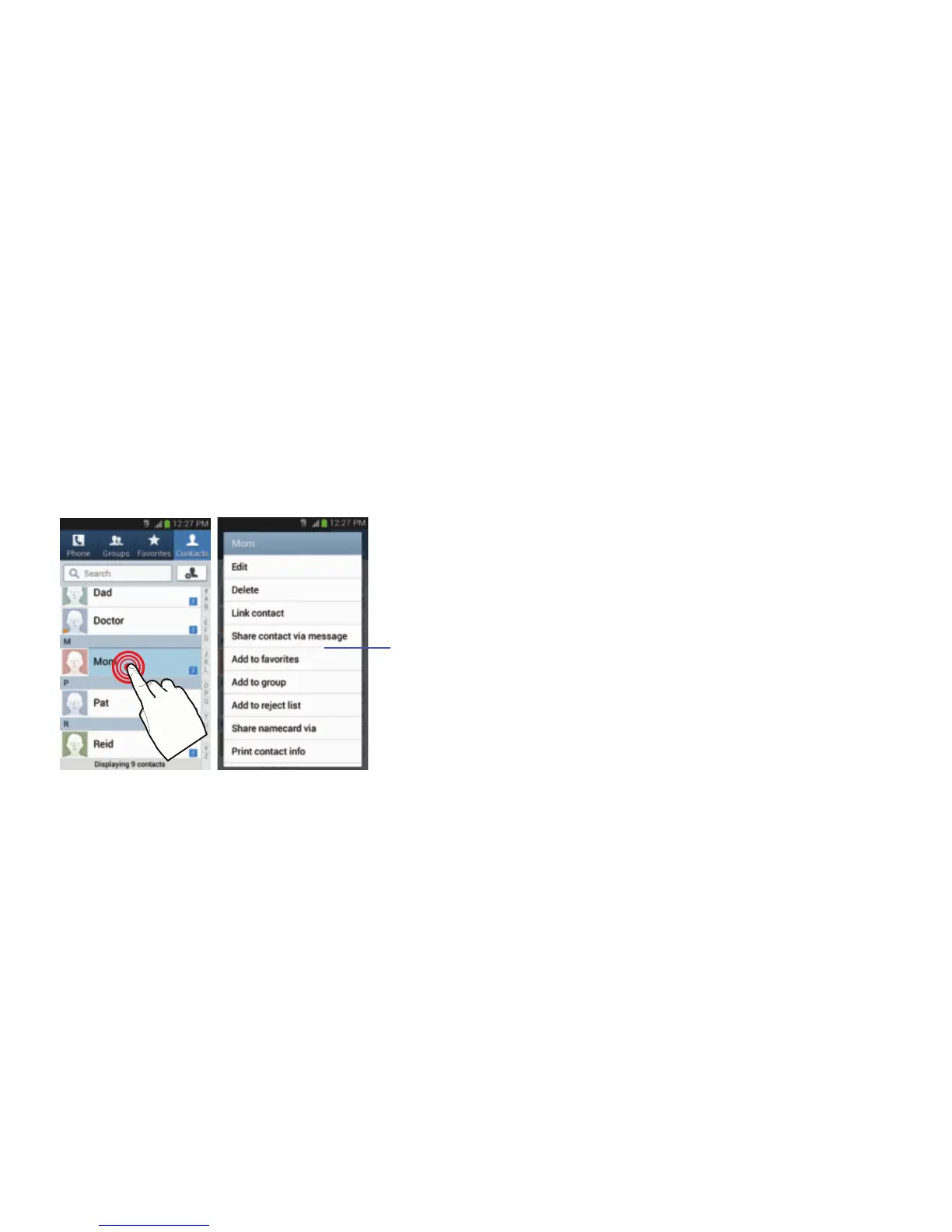
Using Context Menus
Context menus (also called pop-up menus) contain options
that apply to a specific item on the screen. They function
similarly to menu options that appear when you right click
your mouse on your desktop computer.
Touch and hold an item on-screen to open its context
menu.
Customizing the Screens
You can customize the Home screens (panels) to display the
Widgets, Shortcuts, Folders, or Wallpapers. For example, one
screen could contain the Music Player shortcut and other
forms of media, while another screen might contain
communication apps such as Gmail.
You can customize your Home screen by doing the following:
•
Adding, Deleting, and Rearranging screens
•
Assigning a New Home screen
•
Adding and Removing Primary Shortcuts
•
Sharing Application Information
•
Managing Shortcuts
•
Adding and Removing Widgets
•
Changing the Background (Wallpapers)






 To Next Page