
 Need help?
Do you have a question about the Samsung Galaxy Xcover Pro and is the answer not in the manual?
Important safety and usage information before operating the device.
Identifies situations causing device heat-up and provides solutions.
Instructions for installing, removing, charging, and managing battery usage.
Explains how to interact with the device's touchscreen and navigation bar.
Guides on launching, taking photos, and recording videos with the camera.
Instructions for making and receiving calls, and managing contacts.
Covers sending, viewing, and blocking messages.
How to browse webpages and use secret mode in the internet app.
Viewing and managing photos and videos stored on the device.
Managing wellness and fitness goals, tracking steps, and health metrics.
Configuring Wi-Fi, Bluetooth, mobile data, and other network settings.
Adjusting brightness, dark mode, screensavers, and home screen layout.
Setting screen lock, face, and fingerprint recognition for device security.
Managing Samsung and Google accounts, and backing up device data.
Overview of device status, battery, storage, memory, and system optimization.
Customizing system settings, language, date, time, and resetting the device.
Solutions for device errors, connectivity problems, and display issues.
Important safety information regarding device usage, battery, and environment.
 General
| Display Size | 6.3 inches |
|---|---|
| Resolution | 1080 x 2340 pixels |
| Processor | Exynos 9611 |
| RAM | 4GB |
| Storage | 64GB |
| Battery Capacity | 4050 mAh |
| Battery Type | Li-Po |
| Weight | 218 g (7.69 oz) |
| Dimensions | 159.9 x 76.7 x 9.9 mm (6.30 x 3.02 x 0.39 in) |
| Water Resistance | IP68 dust/water resistant (up to 1.5m for 35 mins) |
| MIL-STD-810G Compliant | Yes |
| SIM | Single SIM (Nano-SIM) or Dual SIM (Nano-SIM, dual stand-by) |
| 3.5mm Jack | Yes |
| Fingerprint Sensor | Yes, side-mounted |
| NFC | Yes |
| USB | USB Type-C 2.0 |
| Technology | GSM / HSPA / LTE |
| 2G bands | GSM 850 / 900 / 1800 / 1900 - SIM 1 & SIM 2 (dual-SIM model only) |
| 3G bands | HSDPA 850 / 900 / 1700(AWS) / 1900 / 2100 |
| Speed | HSPA 42.2/5.76 Mbps, LTE-A |
| Build | Glass front, plastic back, aluminum frame |
| Protection | Corning Gorilla Glass 5 |
| Chipset | Exynos 9611 (10nm) |
| CPU | Octa-core (4x2.3 GHz Cortex-A73 & 4x1.7 GHz Cortex-A53) |
| GPU | Mali-G72 MP3 |
| Card slot | microSDXC (dedicated slot) |
| Main Camera Features | LED flash, panorama, HDR |
| Main Camera Video | 1080p@30fps |
| Selfie Camera Features | HDR |
| Selfie Camera Video | 1080p@30fps |
| Loudspeaker | Yes |
| WLAN | Wi-Fi 802.11 a/b/g/n/ac, dual-band, Wi-Fi Direct, hotspot |
| Bluetooth | 5.0, A2DP, LE |
| GPS | Yes, with A-GPS, GLONASS, GALILEO, BDS |
| Radio | FM radio |
| Sensors | Fingerprint (side-mounted), accelerometer, gyro, proximity, compass |
| Charging | Fast charging 15W |
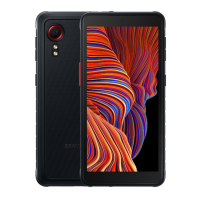
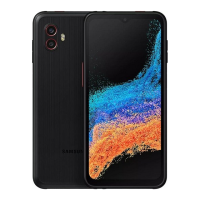
| Colors | Black |
| Expandable Storage | microSDXC |
| Rear Camera | 25 MP + 8 MP |
| Front Camera | 13 MP, f/2.0 |
| Operating System | Android 10 |
| Announced | January 2020 |
| Status | Available. Released January 2020 |
| 4G bands | LTE |
| Models | SM-G715FN |





 To Next Page