EasyManua.ls Logo

Samsung Galaxy Y - User Manual

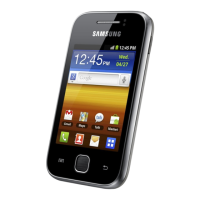
Samsung Galaxy Y
134 pages
Print Icon
To Next Page IconTo Next Page
Loading...
GT-S5360
user manual

Table of Contents

Other manuals for Samsung Galaxy Y

Questions and Answers

  • D
    Dana JensenAug 20, 2025
    What to do if my Samsung Galaxy Y Cell Phone freezes?
    • M
      Mrs. Jean ChristianAug 20, 2025
      If your device is frozen and not responding, press and hold the power button for 8-10 seconds, then release it. The device should reboot automatically. If that doesn't work, you can perform a factory data reset. Go to Settings, then Privacy, then Factory data reset, then Reset phone, and finally Erase everything.
  • J
    Jeffrey Jones MDAug 22, 2025
    What to do if my Samsung Cell Phone is hot?
    • R
      rachel65Aug 22, 2025
      It's normal for the device to get hot to the touch sometimes, and it shouldn't affect its lifespan or performance.
  • Z
    zsmithAug 25, 2025
    Why is my Samsung Cell Phone asking for a password?
    • C
      Cynthia GuzmanAug 25, 2025
      If the device lock feature is enabled, you'll need to enter the password you set for the device.
  • F
    Felicia MezaAug 26, 2025
    Why are my incoming calls not connecting on my Samsung Galaxy Y?
    • D
      Derrick HunterAug 26, 2025
      Make sure your device is turned on and that you have accessed the right cellular network. Also, ensure that you have not set call barring for the incoming phone number.
  • D
    dkingAug 27, 2025
    What to do if my Samsung Galaxy Y displays network error messages?
    • T
      tclementsAug 28, 2025
      Move to another area and try again. If the issue persists, contact your service provider for assistance.
  • B
    Brian WoodsAug 30, 2025
    Why can't people hear me when I'm on a call with my Samsung Galaxy Y?
    • T
      Teresa BallardAug 30, 2025
      Make sure you're not covering the built-in microphone and that the microphone is close to your mouth. If you're using a headset, ensure it's properly connected.
  • K
    Kathleen VasquezAug 31, 2025
    Why is my Samsung Galaxy Y Cell Phone not connecting when dialing from contacts?
    • A
      April HullSep 1, 2025
      Ensure that the correct number is stored in the contact list. If necessary, re-enter and save the number. Also, make sure you haven't set call barring for the contact’s phone number.
  • A
    Ashley RichardsonSep 2, 2025
    Why are my outgoing calls failing on my Samsung Galaxy Y Cell Phone?
    • S
      stephenvelasquezSep 2, 2025
      First, make sure you've pressed the Dial key. Also, ensure that you're connected to the correct cellular network and that you haven't set call barring for the number you're trying to dial.
  • R
    Rhonda StevensonSep 4, 2025
    How to fix poor audio quality on Samsung Galaxy Y?
    • J
      Joseph WilliamsSep 4, 2025
      Ensure that you are not blocking the device’s internal antenna. Try moving to another area, as the problem may be related to signal strength.
  • S
    sierra68Sep 6, 2025
    How to fix error messages when launching the camera on Samsung Galaxy Y?
    • J
      John GarciaSep 6, 2025
      Try charging the battery or replacing it with a fully charged one. You can also free up memory by transferring files to a PC or deleting files from your device. Restarting the device may also help.

Samsung Galaxy Y Specifications

General IconGeneral
RAM290 MB
Internal Storage180 MB
Expandable StoragemicroSD, up to 32 GB
Primary Camera2 MP
BatteryLi-Ion 1200 mAh, removable
Operating SystemAndroid 2.3.5 (Gingerbread), upgradable to 2.3.6
Dimensions104 x 58 x 11.5 mm
Weight97.5 g
Announced2011, August
StatusDiscontinued
SIMMini-SIM
LoudspeakerYes
3.5mm jackYes
WLANWi-Fi 802.11 b/g/n, hotspot
GPSYes, with A-GPS
USBmicroUSB 2.0
Display3.0 inches, TFT
Processor832 MHz
Video320x240@15fps
Bluetoothv3.0, A2DP
RadioStereo FM radio, RDS
SensorsAccelerometer
Talk timeUp to 6 h 20 min (3G)
ColorsBlack, White

Videos

How To Fix Samsung Galaxy Y Battery Slow Charging Problem Solved

Related product manuals