11
Formatting the memory card on a PC may cause •
incompatibility with your phone. Format the
memory card only on the phone.
Frequent writing and erasing will shorten the life •
span of memory cards.
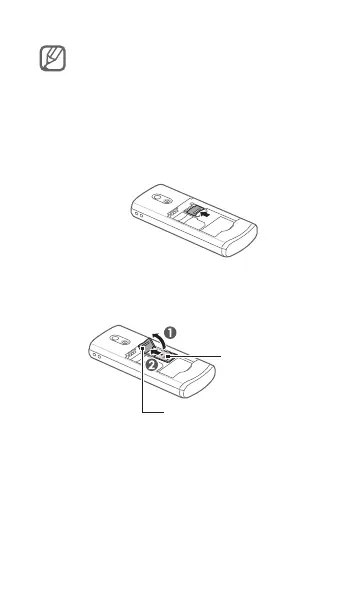
1. Remove the back cover and battery.
2. Unlock the memory card cover.
3. Lift the memory card cover and insert a
memory card with the label side facing up.
4. Close and lock the memory card cover.
5. Replace the battery and back cover.
Memory card cover
Memory card



 To Next Page