10
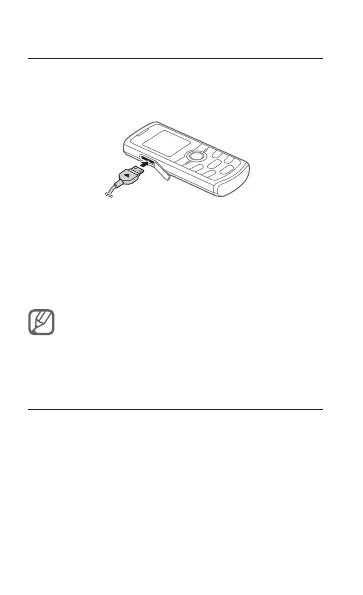
Charge the battery
1. Plug the small end of the supplied travel
adapter into the multifunction jack.
2. Plug the large end of the travel adapter into a
power outlet.
3. When charging is nished, unplug the travel
adapter.
Do not remove the battery from the phone before
unplugging the travel adapter rst. Otherwise, the
phone may be damaged.
Insert a memory card (optional)
Your phone accepts microSD™ or microSDHC™
memory cards up to 2 GB (depending on memory
card manufacturer and type).



 To Next Page