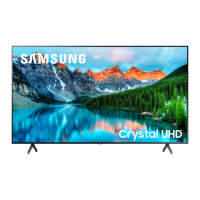
This document is a user manual for a Samsung Crystal UHD 8 Series TV. It provides comprehensive information on the TV's functions, installation, troubleshooting, and specifications.
Function Description
The Samsung Crystal UHD 8 Series TV is a smart television designed for home entertainment. It offers a high-resolution display and integrates with Samsung's Smart Hub for online services and software updates. The TV can be controlled using the included Samsung Smart Remote or a TV Controller button located on the device. It supports both wireless and wired network connections, allowing access to various video apps and streaming services. The TV also features an Eco Sensor to automatically adjust screen brightness for optimal viewing and reduced power consumption.
Important Technical Specifications
The manual provides detailed specifications for various models within the Crystal UHD 8 Series, including:
Display Resolution: 3840 x 2160 for all listed models.
Screen Size and Measured Diagonally:
- 43 inches (108 cm)
- 50 inches (125 cm)
- 55 inches (138 cm)
- 65 inches (163 cm)
- 75 inches (189 cm)
- 82 inches (207 cm)
Sound Output: 20 W for all listed models.
Dimensions (W x H x D):
- UE43TU8070 / UE43TU8079 / GU43TU8079:
- Body: 963.9 x 558.9 x 59.6 mm
- With Stand: 963.9 x 627.8 x 192.5 mm
- UE50TU8070 / UE50TU8079 / GU50TU8079:
- Body: 1116.8 x 644.2 x 59.9 mm
- With Stand: 1116.8 x 719.1 x 250.2 mm
- UE55TU8070 / UE55TU8079 / GU55TU8079:
- Body: 1230.5 x 707.2 x 59.9 mm
- With Stand: 1230.5 x 783.3 x 250.2 mm
- UE65MU8070 / UE65TU8079 / GU65TU8079:
- Body: 1449.4 x 830.3 x 59.9 mm
- With Stand: 1449.4 x 906.6 x 282.1 mm
- UE75TU8070 / UE75TU8079 / GU75TU8079:
- Body: 1673.2 x 958.2 x 59.9 mm
- With Stand: 1673.2 x 1047.9 x 341.1 mm
- UE82TU8070 / UE82TU8079 / GU82TU8079:
- Body: 1829.9 x 1045.0 x 59.9 mm
- With Stand: 1829.9 x 1148.2 x 392.2 mm
Weight:
- UE43TU8070 / UE43TU8079 / GU43TU8079:
- Without Stand: 8.1 kg
- With Stand: 8.3 kg
- UE50TU8070 / UE50TU8079 / GU50TU8079:
- Without Stand: 11.4 kg
- With Stand: 11.6 kg
- UE55TU8070 / UE55TU8079 / GU55TU8079:
- Without Stand: 13.9 kg
- With Stand: 14.2 kg
- UE65MU8070 / UE65TU8070 / GU65TU8079:
- Without Stand: 20.6 kg
- With Stand: 20.9 kg
- UE75TU8070 / UE75TU8079 / GU75TU8079:
- Without Stand: 30.4 kg
- With Stand: 30.8 kg
- UE82TU8070 / UE82TU8079 / GU82TU8079:
- Without Stand: 37.7 kg
- With Stand: 38.9 kg
VESA Screw Hole Specifications (A * B) in millimeters and C (mm) for screw length:
- 43-55 inches: 200 x 200 (20-22 mm)
- 65 inches: 400 x 300 (20-22 mm)
- 75 inches: 400 x 400 (39-41 mm)
- 82 inches: 600 x 400 (39-41 mm)
Standard Screw: M8 for all VESA mounts.
Environmental Considerations:
- Operating Temperature: 10°C to 40°C (50°F to 104°F)
- Operating Humidity: 10% to 80%, non-condensing
- Storage Temperature: -20°C to 45°C (-4°F to 113°F)
- Storage Humidity: 5% to 95%, non-condensing
Wireless Communication:
- BT max transmitter power: 100mW at 2.4GHz – 2.4835GHz
- Wi-Fi max transmitter power: 100mW at 2.4GHz-2.4835GHz, 200mW at 5.15GHz-5.25GHz, 100mW 5.25GHz-5.35GHz & 5.47GHz - 5.725GHz
Usage Features
- Initial Setup: The TV guides users through an initial setup process to configure basic settings like broadcast reception, channel search, and network connection. This can be done via the TV's menu or the SmartThings app on a mobile device.
- Samsung Smart Remote: The TV comes with a Samsung Smart Remote that pairs automatically. It features buttons for power, Bixby voice assistant, Ambient Mode, directional control, volume, channel, playback, and Smart Hub access. The remote uses two AA 1.5V alkaline batteries.
- e-Manual: An embedded e-Manual provides detailed information about the TV's features. It includes search, index, site map, and recently viewed topics functions. "Try Now" and "Link" buttons within the e-Manual allow direct access to menu items and related topics.
- Network Connectivity: Supports both wireless (via a wireless access point or modem) and wired (via a LAN cable, Cat7 STP type recommended) connections for internet access, Smart Hub services, and software updates.
- Eco Sensor: Automatically adjusts screen brightness based on ambient light to optimize viewing and reduce power consumption. This feature can be enabled or disabled in the settings.
- Remote Support: Samsung offers a remote support service where a technician can diagnose, adjust settings, perform factory resets, and install firmware updates on the TV remotely.
Maintenance Features
- Software Updates: Users are advised to regularly update the TV's software to the latest version for optimum performance, using the "Update Now" or "Auto update" functions in the TV's settings.
- Cleaning:
- Remove any sticker debris from the screen before use.
- Clean the TV exterior and screen carefully with a soft cloth to prevent scratches.
- Avoid spraying water or any liquid directly onto the TV to prevent electrical shock or fire.
- For cleaning the screen, turn off the TV and gently wipe smudges and fingerprints with a micro-fiber cloth. For the body, use a micro-fiber cloth dampened with a small amount of water, then dry.
- Do not apply strong force to the screen surface.
- Avoid using flammable liquids (benzene, thinner, alcohol) or harsh cleaning agents. For stubborn smudges, a small amount of screen cleaner on a micro-fiber cloth can be used.
- Power Consumption: To reduce power consumption, unplug the power cord when the TV is not in use for extended periods.
- Troubleshooting: The manual provides a troubleshooting section for common issues such as the TV not turning on, no picture/sound, distorted picture/sound, "Weak or No Signal" message, channels not found, CI+ module issues, remote control not working, and lost TV settings. It also suggests performing a TV self-diagnosis.
- Battery Disposal: Batteries should be disposed of properly according to local environmental regulations, not with household waste.
- Product Disposal: The TV and its electronic accessories should not be disposed of with household waste at the end of their working life. They should be separated for responsible recycling to promote sustainable reuse of material resources.

 Need help?

 To Next Page
 General