EasyManua.ls Logo

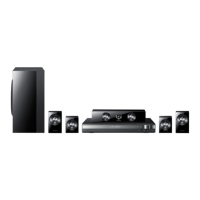
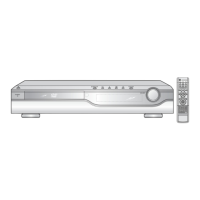
Samsung HT-D4500 - User Manual

Samsung HT-D4500
71 pages
Print Icon
To Next Page IconTo Next Page
Loading...
5.1CH Blu-ray™
Home Entertainment System
user manual
imagine the possibilities
Thank you for purchasing this Samsung product.
To receive more complete service,
please register your product at
www.samsung.com/register
HT-D4500
HT-D4500_XAA_0609.indd 1HT-D4500_XAA_0609.indd 1 2011-06-09  1:25:392011-06-09  1:25:39

Table of Contents

Other manuals for Samsung HT-D4500

Questions and Answers

  • M
    Molly RodriguezAug 10, 2025
    What to do if video is played intermittently on Samsung HT-D4500 Home Theater System?
    • P
      Patrick WallerAug 10, 2025
      If your Samsung Home Theater System is playing video intermittently, verify that your network is stable. Check that the network cable is properly connected and that the network isn't overloaded. If you're using a wireless connection between the server and the product, ensure that the connection is stable.
  • M
    Mr. Jeremy OsbornAug 21, 2025
    Why is the AllShare connection between my Samsung HT-D4500 and PC unstable?
    • M
      Misty HaleAug 21, 2025
      To resolve an unstable AllShare connection between your Samsung Home Theater System and PC, first ensure each IP address on the subnetwork is unique to prevent IP collision. After that, check if a firewall is enabled and, if it is, disable it.
  • A
    Aaron MontgomeryAug 31, 2025
    Why can I see folders but not files in PC Share Manager on my Samsung HT-D4500 Home Theater System?
    • J
      Joshua TrujilloAug 31, 2025
      The Samsung Home Theater System shows only files corresponding to the Image, Music, and Movie categories. Files that do not correspond to these categories may not be displayed.

Summary

Connections

Speaker Connection Guide

Details on connecting speakers, placement, and components.

Connecting to Your TV: Video Output

Explains HDMI, Component, and Composite video connections.

Setup

Initial Setup and Menu Navigation

Guides for first-time setup and accessing settings.

Audio Settings

Configures speaker levels, distance, EQ, HDMI audio, and digital output.

Network and Internet Settings

Guides for wired, wireless, WPS, and BD-LIVE connections.

Basic Functions

Disc Playback and Menu Navigation

Playing discs, using menus, and searching.

Network Services

Smart Hub Setup and Overview

Introduction to Smart Hub and its initial setup.

Other Information

Troubleshooting Common Issues

Guides for resolving playback, sound, and connection problems.

Troubleshooting Network and Repairs

Addresses network issues, BD-LIVE errors, and repair procedures.

Samsung HT-D4500 Specifications

General IconGeneral
TypeHome Theater System
Number of Channels5.1
Total Power Output1000 W
DVD PlaybackYes
Blu-ray PlaybackNo
Audio Formats SupportedDolby Digital, DTS
HDMI Outputs1
USB Ports1
BluetoothNo
Playable MediaDVD, CD, USB
Video Up-ScalingYes
Audio DecodingDolby Digital, DTS
Wi-FiNo
Video Formats SupportedDivX
Supported FormatsMP3, WMA, JPEG

Related product manuals