EasyManua.ls Logo

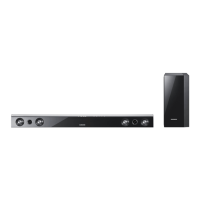
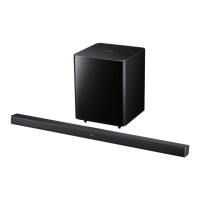
Samsung HW-C450 - User Manual

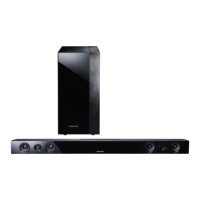
Samsung HW-C450
28 pages
Print Icon
To Next Page IconTo Next Page
Loading...
Crystal Surround Air Track
(Active Speaker System)
user manual
imagine the possibilities
Thank you for purchasing this Samsung product.
To receive more complete service,
please register your product at
www.samsung.com/register
HW-C450
HW-C451

Other manuals for Samsung HW-C450

Questions and Answers

  • T
    Tracy MillerJul 26, 2025
    Why is there no sound coming from my Samsung Speakers?
    • L
      Lisa GordonJul 26, 2025
      If your Samsung Speakers aren't producing any sound, there are several things to check: * Ensure the volume isn't set too low or muted on the Soundbar. * If an external device is connected (like an STB, Bluetooth device, or mobile device), adjust its volume. * Make sure the TV sound output is set to 'Soundbar'. * Try removing and reconnecting the cable to the Soundbar.
  • R
    Randy SmithJul 30, 2025
    Why does the sound keep cutting out on my Samsung Speakers when connected via Bluetooth?
    • A
      Ashley WilliamsJul 30, 2025
      If the sound drops out when your device is connected to the Samsung Speakers via Bluetooth, here are a few possible reasons and solutions: * Radio interference from nearby devices (like microwaves or wireless routers) can cause this issue. Try moving these devices away from the Soundbar. * The connected device might be too far from the Soundbar. Move the device closer. * Sound dropouts can occur if a part of your body is in contact with the Bluetooth transceiver or if the product is installed on metal furniture.
  • C
    Carrie HernandezAug 5, 2025
    Why is my Samsung Speakers subwoofer not working?
    • H
      hopkinsnatalieAug 5, 2025
      If the subwoofer for your Samsung Speakers isn't producing any sound: * Check if the LED on the rear of the subwoofer lights up blue. * If the blue LED is blinking or the red LED is lit, try reconnecting the subwoofer.
  • C
    Christopher MillerAug 10, 2025
    What to do if Samsung Speakers are working erratically?
    • S
      Sabrina TaylorAug 10, 2025
      If your Samsung Speakers are working erratically: * Unplug the power cord and then plug it back in. * Power the external device off and on, and then try again.
  • T
    tonilarsonAug 14, 2025
    What to do if the Samsung Speakers remote control does not work?
    • S
      Shane LesterAug 14, 2025
      If the remote control for your Samsung Speakers isn't working, try these steps: * Point the remote directly at the Soundbar. * Replace the batteries with new ones.
  • K
    Kimberly JohnsonAug 20, 2025
    How to fix Samsung Speakers that won't turn on automatically with the TV?
    • C
      Courtney PaceAug 20, 2025
      If your Samsung Speakers aren't automatically turning on with the TV: * If you turned off the Soundbar while watching TV, power synchronization with the TV is disabled. Turn off the TV first. * If there is no signal, the Soundbar automatically turns off after a certain period of time. Turn on the power.

Summary

Product Features

Core Features

Details about the active speaker system, remote control, sound modes, audio technology, and wireless subwoofer.

Included Accessories

Safety Guidelines

Safety Warnings and Instructions

Crucial warnings and instructions for safe operation and installation.

Operational Precautions

Installation and Environmental Guidelines

Precautions for installation, environment, and product care.

Front Panel Description

Rear Panel Description

Remote Control Operation

Remote Control Functions, Installation, and Range

Overview of remote buttons, battery installation, and operational range.

Connection Methods

Wall Mount Connection

Step-by-step guide for wall mounting the unit.

Wireless Subwoofer Connection

Instructions for wirelessly linking the subwoofer to the main unit.

Connection Methods

Product Functions

Troubleshooting Guide

Common Issues and Solutions

Guidance on resolving common problems with the unit and remote.

Appendix: Specifications

Installation and Setup Procedures

Samsung HW-C450 Specifications

General IconGeneral
EqualizerYes
Audio decodersDTS 2.0, DTS Virtual:X, Dolby Audio
Equalizer modesAdaptive, Bass Boost, Game, Standard, Surround Sound Expansion
RMS rated power280 W
Audio output channels2.1 channels
Weight7400 g
Audio systemDolby Digital, DTS
Dimensions (WxDxH)956 x 92 x 45 mm
Wi-FiNo
Audio (L/R) in1
Bluetooth codecSBC
Bluetooth version4.2
HDMI ports quantity0
USB 2.0 ports quantityUSB 2.0 ports have a data transmission speed of 480 Mbps, and are backwards compatible with USB 1.1 ports. You can connect all kinds of peripheral devices to them.
Connectivity technologyWired & Wireless
Digital audio optical in2
Soundbar power consumption25 W
Power consumption (standby)2 W
Power consumption (typical)65 W
Subwoofer power consumption40 W
Frequency range20 - 20000 Hz
Sustainability certificatesENERGY STAR
Package weight10440 g
Soundbar speaker RMS power80 W
Subwoofer connectivityWireless
Woofer diameter (subwoofer)6.5 \
Product colorBlack
Audio formats supportedAAC, AAC-LC, AIFF, LPCM, MP3, MP4, OGG, PCM, WAV, WMA
Operating temperature (T-T)5 - 35 °C
Operating relative humidity (H-H)10 - 75 %
Cables includedAC
Weight and Dimensions IconWeight and Dimensions
Depth75 mm
Width858.8 mm
Height59 mm
Soundbar weight1400 g
Subwoofer depth292 mm
Subwoofer width184 mm
Subwoofer height343 mm
Subwoofer weight4500 g
Subwoofer dimensions (WxDxH)175 x 350 x 295 mm

Videos

How To Connect Samsung Soundbar HW C450

How to Use an USB Drive With Your Samsung Soundbar HW-C450

How to Enhance Sound Quality on Samsung HW-C450 Home Cinema Set

Related product manuals