Need help?
Do you have a question about the Samsung HW-C770S and is the answer not in the manual?
Essential warnings to reduce electric shock and fire risks.
Critical safety guidelines and regulatory compliance notes including FCC.
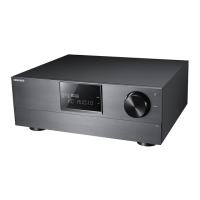
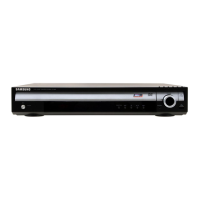
Core functionality as a digital AV receiver for signal processing.
Details Dolby and DTS surround sound processing features.
Highlights iPod compatibility and Anynet+ (HDMI-CEC) control.
Details the controls and indicators on the front of the AV receiver.
Identifies and explains the input and output terminals on the rear panel.
Explains the information shown on the receiver's display.
Instructions for battery installation and understanding the remote's operation range.
Guidelines for optimal speaker positioning and connecting wires.
Instructions for connecting TVs, DVD/Blu-ray players, and other sources via HDMI.
Guides for connecting an iPod and other auxiliary components like FM antenna.
Explains how to power the unit and select audio sources.
Details how to select digital and analog audio inputs for playback.
Overview of the setup menu structure and how to navigate it.
Adjusts speaker size, distance, level, and surround sound modes.
Manages AV Sync, enhancements, HDMI functions, and power saving.
Guides on selecting and using different sound modes like DPLIIx, NEO:6.
Instructions for tuning radio frequencies and saving favorite stations.
Instructions for playing music and videos from an iPod.
Explains sleep timer, mute function, and display adjustments.
Instructions for setting up the remote to control TV and DVD/BD players.
Lists of TV and player brands with corresponding remote control codes.
Addresses common problems like no power, no sound, or incorrect channel output.
Solves problems with sound modes and lists ASC error codes.
Lists detailed technical specifications of the AV receiver.
Outlines warranty terms and provides global customer support contacts.
 General
| Bluetooth | No |
|---|---|
| RMS rated power | 990 W |
| Audio output channels | 7.1 channels |
| Subwoofer type | Active subwoofer |
| Radio Data System (RDS) | Yes |
| Optical disc player type | Blu-Ray |
| Depth | 368 mm |
| Width | 430 mm |
| Height | 164 mm |
| Weight | 6000 g |
| Dimensions (WxDxH) | 430 x 368 x 164 mm |
| Rear speaker depth | 68.5 mm |
| Rear speaker height | 207.5 mm |
| Surround speaker weight | 5800 g |
| Surround speaker dimensions (WxHxD) | 90 x 141.5 x 68.5 mm |
| Audio (L/R) in | 6 |
| USB ports quantity | 0 |
| HDMI ports quantity | 5 |
| Digital audio coaxial in | 1 |
| Component video (YPbPr/YCbCr) in | 4 |
| Component video (YPbPr/YCbCr) out | 3 |
| Package depth | 465 mm |
| Package width | 981 mm |
| Package height | 404 mm |
| Package weight | 24000 g |
| Product color | Black |
| Frequency range | 20 - 20 Hz |
 Weight and Dimensions
| Subwoofer weight | 12900 g |
|---|---|
| Rear speaker weight | 6700 g |
| Center speaker weight | 5700 g |
| Subwoofer dimensions (WxDxH) | 387 x 428 x 310 mm |
| Front speaker dimensions (WxDxH) | 207.5 x 68.5 x 90 mm |
| Center speaker dimensions (WxDxH) | 74.5 x 68.5 x 360 mm |
| Dimensions rear speaker (W x D x H) | 90 x 68.5 x 207.5 mm |
| Satellite speaker dimensions (WxDxH) | 141.5 x 68.5 x 90 mm |


 To Next Page