ENG - 22
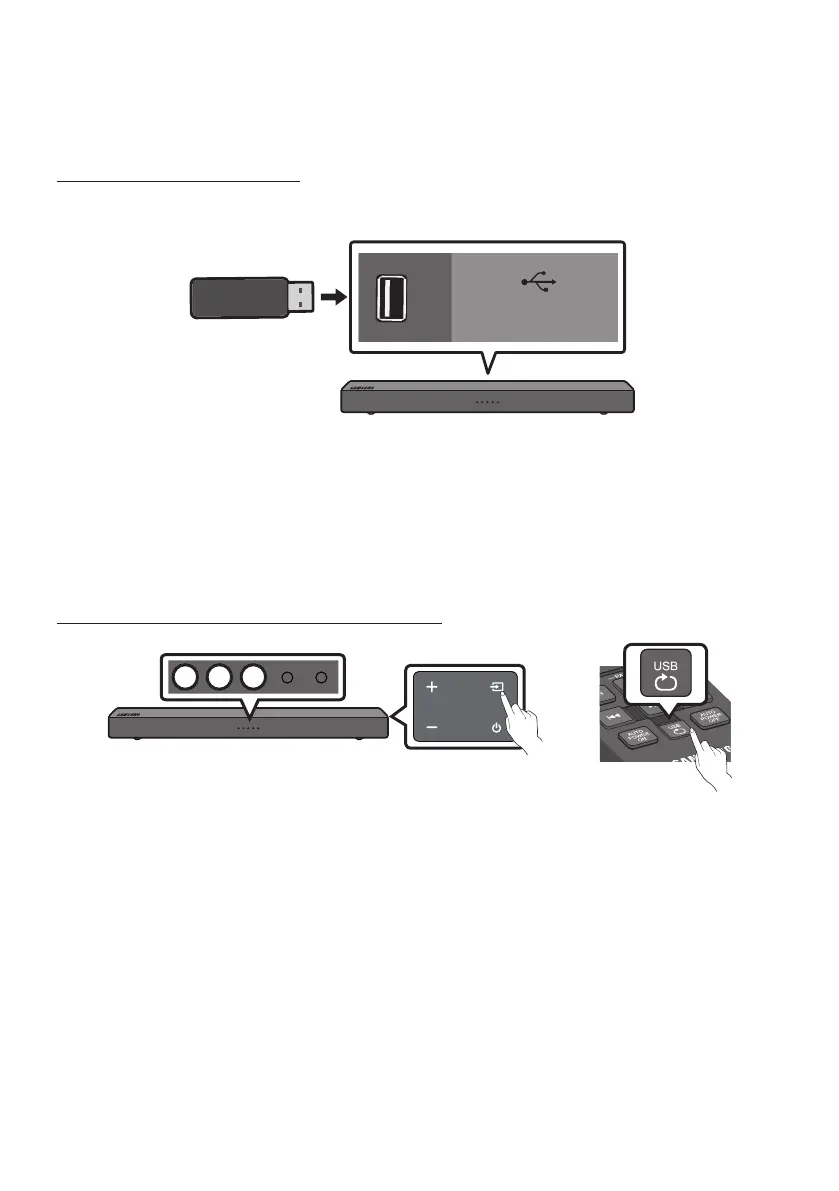
07 CONNECTING A USB STORAGE DEVICE
Step 1. Connect a USB Drive
USB (5V 0.5A)
Bottom of the Soundbar
NOTE
– The Soundbar automatically turns off (Auto Power Off) if you do not connect a USB device to the
Soundbar within 5 minutes.
Step 2. Change the Soundbar’s mode to USB
Right Side of the Soundbar
(OR)
W W W






 To Next Page