EasyManua.ls Logo

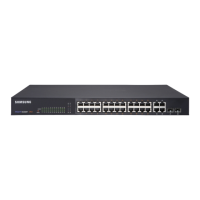
Samsung iES4028FP - User Manual

Samsung iES4028FP
712 pages
Print Icon
To Next Page IconTo Next Page
Loading...
iES4028F/4028FP/4024GP

Table of Contents

Other manuals for Samsung iES4028FP

Questions and Answers

  • N
    Nicholas TerrellAug 20, 2025
    What to do if I cannot connect to my Samsung Network Router using Secure Shell?
    • D
      Deborah CarterAug 20, 2025
      If you're having trouble connecting to your Samsung Network Router using Secure Shell (SSH), consider the following: * You may have exceeded the maximum number of concurrent Telnet/SSH sessions permitted. Try connecting again later. * Ensure the SSH server's control parameters are properly configured on the switch, and that the SSH client software is correctly configured on your management station. * Verify that you've generated both an RSA and DSA public key on the switch, exported this key to the SSH client, and enabled SSH service. * Confirm you've set up an account on the switch for each SSH user, including username, authentication level, and password. * If using public key authentication, be sure you've imported the client's public key to the switch.
  • R
    Robert GalvanNov 4, 2025
    Why can't I connect to my Samsung Network Router using Telnet, web browser, or SNMP software?
    • C
      campbelllaurenNov 4, 2025
      There could be several reasons why you're unable to connect to your Samsung Network Router using Telnet, a web browser, or SNMP software. Here are some things to check: * Ensure the switch is powered on. * Verify the network cabling between your management station and the switch. * Confirm you have a valid network connection to the switch and that the port you're using hasn't been disabled. * Make sure the VLAN interface through which the management station connects has a valid IP address, subnet mask, and default gateway. * Confirm the management station's IP address is in the same subnet as the switch's IP interface. * If connecting via the IP address for a tagged VLAN group, ensure your management station and the ports connecting intermediate switches are configured with th...

Samsung iES4028FP Specifications

General IconGeneral
BrandSamsung
ModeliES4028FP
CategoryNetwork Router
LanguageEnglish

Related product manuals