6
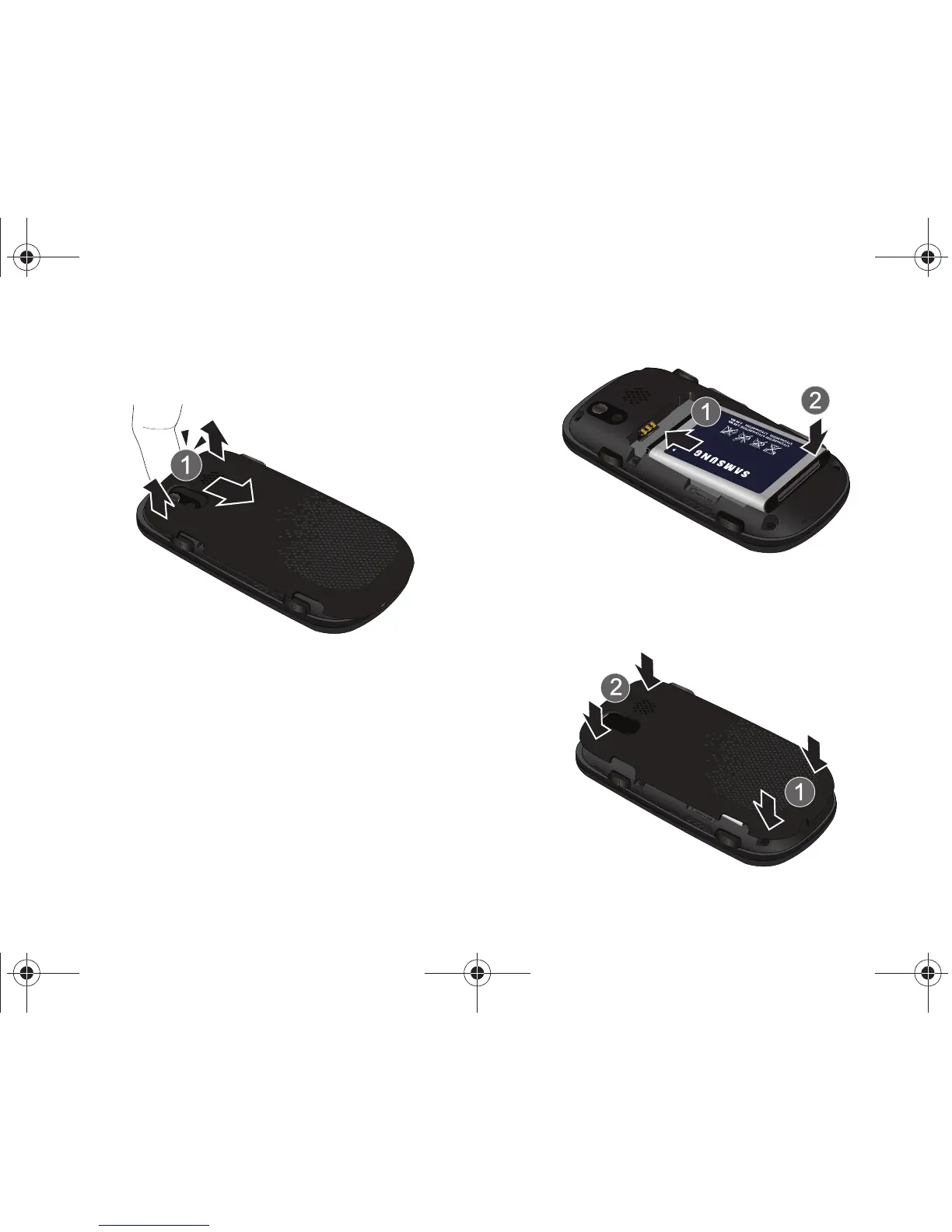
Installing the Battery
1. Lift the battery cover from the top end of the handset.
2. Insert the top end of the battery into the phone housing
using the directional arrow printed on the battery. The gold
contacts at the battery end must align with contacts on the
phone. Push bottom end of the battery down until it snaps
into place.
3. Align the battery cover with the handset and push down
until it snaps into place.
u450.book Page 6 Wednesday, August 19, 2009 6:03 PM












 To Next Page