38
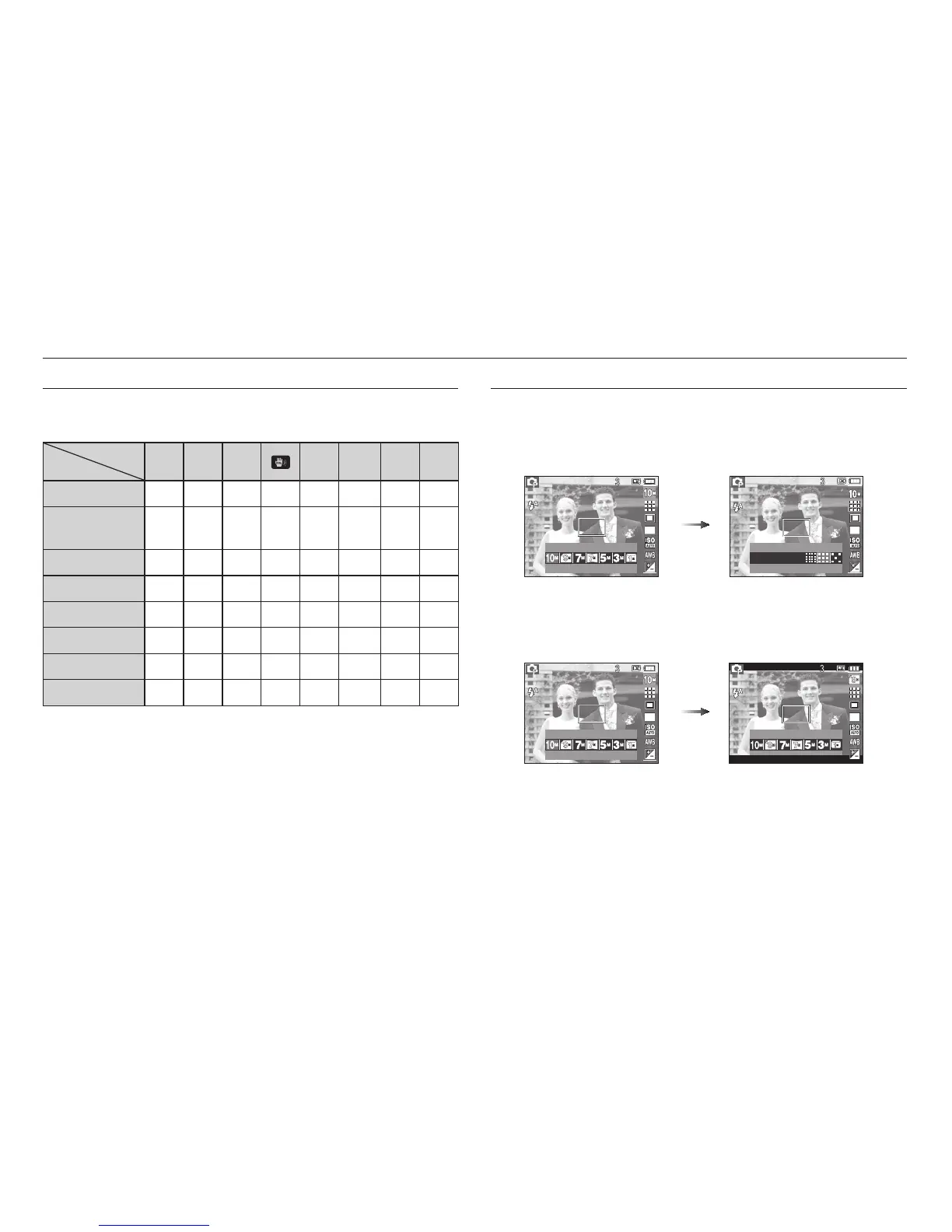
How to use the Fn menu
1. Press the Fn button in an available mode.
2. Select a desired menu by pressing the Up / Down button. And then a
sub menu will be displayed at the bottom left of the LCD monitor.
Up / Down
button
3. Select a desired menu by pressing the Left / Right button and then
press the OK button.
Left / Right
button
Fn button
You can use the Fn button to set the following menus.
( O : Selectable)
Page
Size
OOOOO O O
p.39
Quality
/Frame rate
OOOOO O O
p.39
Metering
OOO O
p.40
Drive
OO O
*1
p.40
ISO
OO
p.41
White Balance
OOO O
p.42
EV
OO O
p.43
Stabilisation
O
p.43
*1. This menu is only available in the Children scene mode (
).
Setting up the recording function using the camera buttons
3648X2736
3648X2432
3648X2736
SIZE QUALITY
Fine
SIZE
SIZE



 To Next Page