46
Setting up the recording function using the LCD monitor
RECORDING
Focus Area
Center AF
ACB
Multi AF
Voice Memo
Back Set
Voice Record
Self Portrait
Face Detection
[Center AF]
RECORDING
Focus Area
Center AF
ACB
Multi AF
Voice Memo
Back Set
Voice Record
Self Portrait
Face Detection
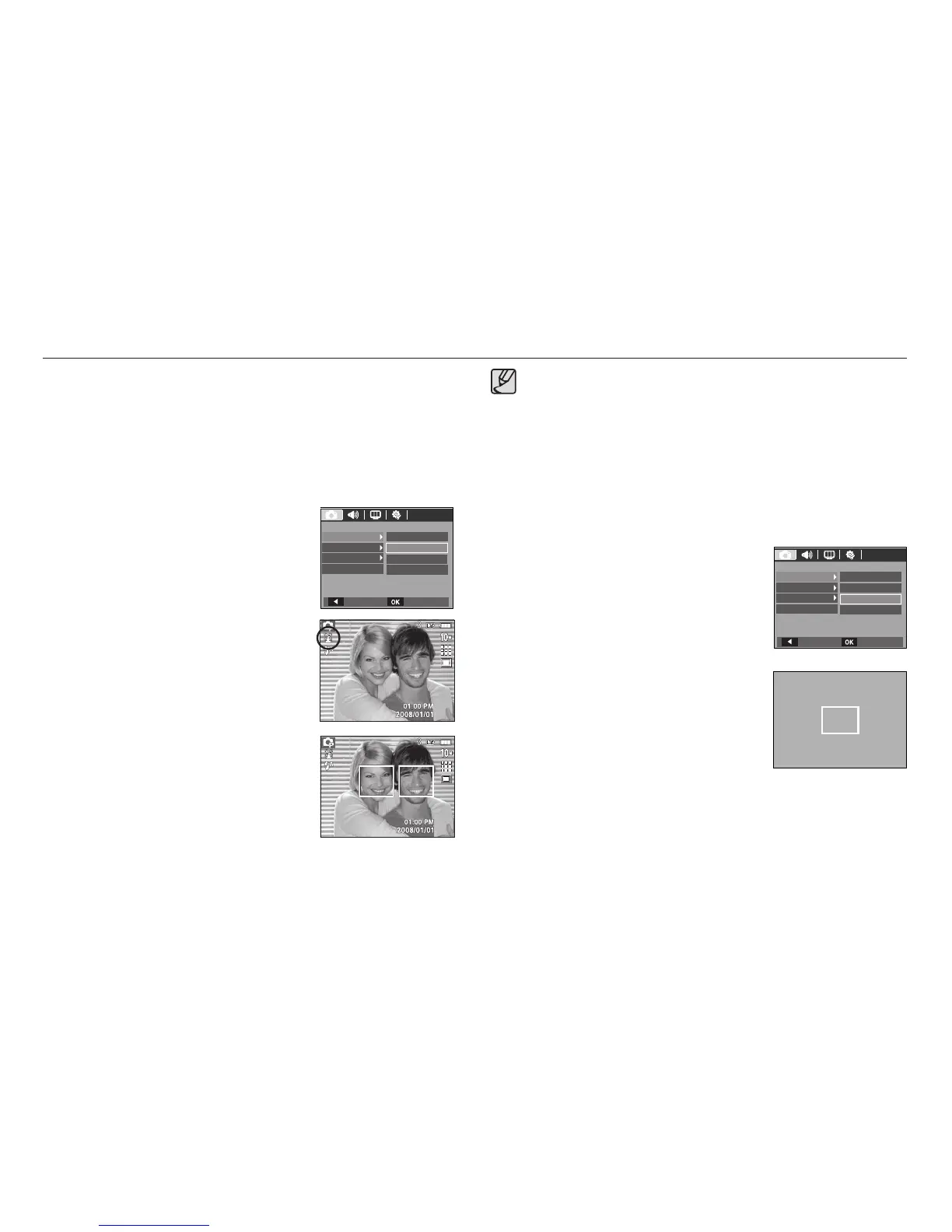
Self Portrait
When taking self-portraits, it automatically detects the subject`s face
resulting in faster and more convenient self-portraits.
䮝# Selectable modes : Auto, Program, Manual, DUAL IS, Photo Help
Guide, Portrait, Beach & Snow
1. Select the [Self Portrait] submenu by
pressing the Up/Down button.
2. Press the OK button. The Self Portrait icon
will be displayed on the left side of the LCD
monitor.
3. For self-portraits, point the camera
lens towards the face of the subject. It
automatically detects the subject`s face,
and will make a sound to confi rm this.
4. Start shooting by pressing the shutter
button.
When locating the face in the center of the screen, it repeatedly
emits a faster sound unlike the sounds that are emitted when the
face is not in the center.
The guiding sound can be set using the sound setting menu.(See
p.71)
If [Self Portrait] is set, it is fi xed to Macro focus.
If [Self Portrait] is set, [Motion Timer] cannot be selected.
Center AF
1. Select the [Center AF] submenu by
pressing the Up/Down button.
2. Press the OK button. The rectangular
area in the center of the LCD monitor
will be focused.
x
x
x
x



 To Next Page