<<
56
>>
Setup menu 2
( )
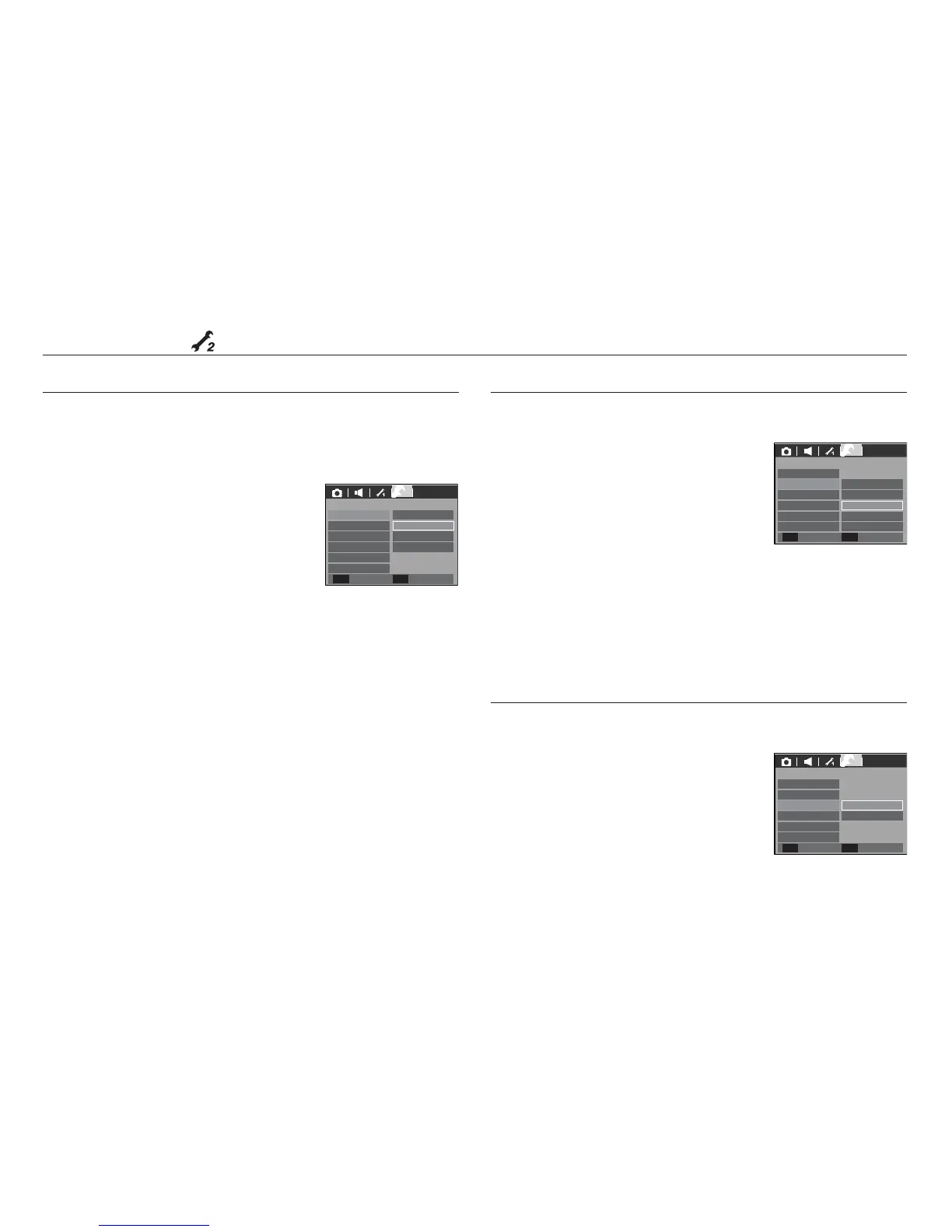
If you enable Quick View before capturing an image, you can view the image
you just captured on the LCD monitor for the duration set in the [Quick View]
setup. Quick view is possible only with still images.
- Sub menus
[Off] : The quick view function
can’t be activated.
[0.5, 1, 3 sec] : The captured image is
briefly displayed during the
selected time.
Quick view
If you set the [LCD save] to On and the camera isn't operated during the
specified time, the LCD monitor will be turned off automatically.
- Sub menus
[Off] : The LCD monitor will not be turned off.
[On] : If the camera isn't operated during the
specified time (about 30 SEC.), the
camera power will be idle (Camera
status lamp:Blinking) automatically.
- You can’t set the [LCD save] menu of Playback Mode.
LCD save
This function switches the camera off after a set amount of time in order to
prevent unnecessary battery drainage.
- Sub menus
[Off] : The power off function will
not operate.
[1, 3, 5, 10 min] : The power will turn off
automatically if not used for
the period of time specified.
- After replacing the battery, the power off
setting will be preserved.
- Note that the automatic power off function will not operate if the
camera is in the PC / Printer mode, slide show, playing back a voice
recording and playing back a movie clip.
Auto power off
SETUP 2
Off
1 sec
3 sec
0.5 sec
Quick View
Power Off
LCD Save
Video Out
Format
Reset
Back Set
OK
2
SETUP 2
5 min
10 min
3 min
1 min
Quick View
Power Off
LCD Save
Video Out
Format
Reset
Back
Set
OK
2
SETUP 2
On
Off
Quick View
LCD Save
Power Off
Video Out
Format
Reset
Back Set
OK
2
Off










 To Next Page