EasyManua.ls Logo

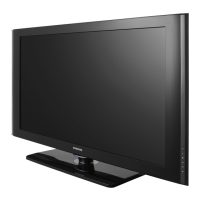
Samsung LA46C530F1R - User Manual

Samsung LA46C530F1R
98 pages
Print Icon
To Next Page IconTo Next Page
Loading...
SERVICE
Manual
TFT-LCD TV Contents
Refer to the service manual in the GSPN (see the rear cover) for the more information.
1. Precautions
2. Product specications
3. Disassembly and Reassembly
4. Troubleshooting
5. Exploded View & Part List
6. Wiring Diagram
LCD-TV
LA32C550J1F/LA37C550J1F
LA40C550J1F/LA46C550J1F
LA32C530F1R/LA37C530F1R
LA40C530F1R/LA46C530F1R
Chassis : N82A
Model : LA32C550J1F
LA37C550J1F
LA40C550J1F
LA46C550J1F
LA32C530F1R
LA37C530F1R
LA40C530F1R
LA46C530F1R

Table of Contents

Questions and Answers

  • J
    Jon WigginsAug 19, 2025
    What to do if my Samsung LA46C530F1R LCD TV has no power?
    • O
      oscar37Aug 19, 2025
      If your Samsung LCD TV isn't turning on, the issue might be due to improperly connected cables or a malfunctioning Main Board or SMPS. Start by checking the internal cable connections inside the unit. Also check the fuses of each part and the output voltage of SMPS. If those steps don't resolve the issue, the Main Board may need to be replaced.
  • I
    iwintersAug 21, 2025
    What to do if my Samsung LA46C530F1R has no video via HDMI?
    • J
      Jacob GregoryAug 21, 2025
      If your Samsung LCD TV shows no video when using an HDMI connection, it might be due to a disconnected LVDS cable between the Main Board and the Panel. Verify the HDMI source. If the problem persists, the Main Assy may need to be changed.
  • N
    Natasha ChanAug 23, 2025
    Why does my Samsung LA46C530F1R LCD TV have no power?
    • M
      Mary ReedAug 23, 2025
      If your Samsung LCD TV has no power, check the internal cable connection status inside the unit. Also, check the fuses of each part and the output voltage of SMPS. If these steps don't resolve the issue, consider replacing the Main Board.
  • X
    xguerraAug 26, 2025
    What to do if my Samsung LA46C530F1R has no video (HDMI - Digital Signal)?
    • S
      Samantha RamirezAug 26, 2025
      If your Samsung LCD TV shows no video via HDMI, first check the HDMI source and the connection of the HDMI cable. Then check the IC1102(SX1) and the HDMI switch. If the problem persists, consider replacing the main PCB assembly.
  • K
    kathy23Aug 28, 2025
    What to do if my Samsung LA46C530F1R LCD TV has no video (Analog PC signal)?
    • A
      Andrew SmithAug 28, 2025
      If your Samsung LCD TV displays no video from an analog PC signal, check the PC source. Also, check the IC1102(SX1) and the LVDS cable. Try changing the PC cable. If none of these steps work, consider replacing the main PCB assembly.
  • B
    Blake GillespieAug 30, 2025
    How to fix no video (Tuner_CVBS) on Samsung LA46C530F1R LCD TV?
    • K
      Kyle BryantAug 30, 2025
      To fix a 'No Video (Tuner_CVBS)' issue on your Samsung LCD TV, first connect the RF cable and check the RF signal. You may also need to check the LVDS cable. If the issue persists, consider replacing the main PCB assembly or the LCD panel.
  • K
    Krista ChenSep 1, 2025
    Why is there no sound on my Samsung LA46C530F1R?
    • L
      Linda ConwaySep 1, 2025
      If you're not getting any sound from your Samsung LCD TV, it could be due to disconnected or damaged speaker connectors, or a problem with the sound processing part of the Main Board. First, check the source and the connection of the sound cable. Also, check the sound data appearance. If these steps don't help, the Main Assy may need to be changed.
  • K
    Kathryn SaundersSep 4, 2025
    What to do if my Samsung LA46C530F1R LCD TV has no video via Tuner DTV?
    • G
      Glenn WatsonSep 4, 2025
      If your Samsung LCD TV displays no video when using the DTV tuner, it could be caused by a disconnected LVDS cable connecting the Main Board and the Panel. Check the DTV source. Also, check the connection of the RF cable and the LVDS cable.
  • M
    Michael ChoiSep 6, 2025
    What to do if my Samsung LCD TV has no video via Analog PC signal?
    • R
      Roger AndersonSep 6, 2025
      If your Samsung LCD TV isn't showing video from an analog PC signal, the LVDS cable connecting the Main Board and the Panel might be disconnected. Check the PC source and the connection of D-SUB. If the issue continues, change the Main Assy.
  • K
    Kelly HawkinsSep 8, 2025
    What to do if my Samsung LA46C530F1R has no video via Tuner_CVBS?
    • B
      bheathSep 9, 2025
      If your Samsung LCD TV shows no video when using the Tuner CVBS, it could be due to a disconnected LVDS cable connecting the Main Board and the Panel. Check the Tuner CVBS source. If the problem persists, change the Main Assy.

Summary

Precautions

Safety Precautions

Safety, servicing, and ESD precautions to prevent damage and electrical shock.

Servicing Precautions

Precautions to take before and during servicing the unit to prevent damage or hazards.

Electrostatically Sensitive Devices (ESD) Precautions

Techniques to prevent component damage from static electricity during handling.

Installation Precautions

Safety measures for installing and handling the product to prevent fire or shock.

Product specifications

Feature & Specifications

Overview of the product's features and detailed technical specifications.

New Features explanation

Explanation of Anynet+ feature and connection methods for AV devices.

Specification Comparison to Old Models

Comparison of current model specifications against older models.

Accessories

List of included accessories with their part numbers and remarks.

Disassembly and Reassembly

Disassembly and Reassembly (LC550)

Step-by-step instructions for disassembling and reassembling the LC550 model.

Disassembly and Reassembly (LC530)

Step-by-step instructions for disassembling and reassembling the LC530 model.

Troubleshooting

Previous check

General troubleshooting steps and previous checks for common issues.

No Power

Troubleshooting flowchart and checks for units that do not power on.

No Video (Analog PC signal)

Troubleshooting steps for cases with no picture from analog PC input.

No video (HDMI Digital Signals)

Troubleshooting steps for no picture from HDMI digital inputs.

No Video (Tuner Signals)

Troubleshooting steps for no picture from tuner inputs (CVBS and DTV).

No Video (Component Signal)

Troubleshooting steps for no picture from component video input.

No Sound

Troubleshooting steps for cases with normal video but no audio.

Alignments and Adjustments

General instructions and guidelines for performing alignments and adjustments.

Factory Mode Adjustments

Procedures for entering and navigating the factory service mode menu.

White Balance Calibration

Steps for calibrating white balance, including adjustment procedures.

White Ratio (Balance) Adjustment

Details on adjusting white ratio for different input sources.

Servicing Information

Information on firmware upgrades via USB download method.

Software Upgrade Procedures

Procedure for upgrading sub-micom software using DDC Manager.

Mechanical Diagrams and Dimensions

Diagrams and dimensions for various TV models.

PCB Layout Diagrams

Layouts and top/bottom views of the main PCB.

Exploded View & Part List

LA32 C550 J1 F Exploded View

Exploded view diagram of the LA32C550J1F model.

LA32 C550 J1 F Parts List

Detailed parts list for the LA32C550J1F model.

LA40 C550 J1 F Exploded View

Exploded view diagram of the LA40C550J1F model.

LA40 C550 J1 F Parts List

Detailed parts list for the LA40C550J1F model.

LA46 C550 J1 F Exploded View

Exploded view diagram of the LA46C550J1F model.

LA46 C550 J1 F Parts List

Detailed parts list for the LA46C550J1F model.

Wiring Diagram

32; 37 Wiring Diagram

Wiring diagram for 32" and 37" TV models.

40; 46 Wiring Diagram

Wiring diagram for 40" and 46" TV models.

Connector Functions

Description of connector functions and pin assignments.

Cables

List of cables used with their part numbers.

Samsung LA46C530F1R Specifications

General IconGeneral
Screen Size46 inches
Display TypeLCD
Refresh Rate60 Hz
Viewing Angle178° (H) / 178° (V)
Audio Output10 W x 2
HDMI Ports3
USB Ports1
Component Input1
Composite Input1
PC Input (D-Sub)1
Digital Audio Output (Optical)1
RF Input (Terrestrial/Cable)1
Resolution1920 x 1080
Standby Power Consumption< 1W

Related product manuals