EasyManua.ls Logo

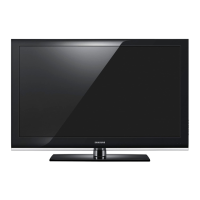
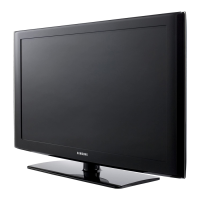
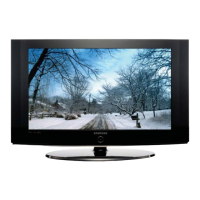
Samsung LCD Flat Panel TV LE32R53B - User Manual

Samsung LCD Flat Panel TV LE32R53B
68 pages
Print Icon
To Next Page IconTo Next Page
Loading...
LCD TV
LE26R51B
LE26R41B
LE32R51B
LE32R52B
LE32R53B
LE32R41B
LE40R51B
Owner’s Instructions
Before operating the unit,
please read this manual thoroughly,
and retain it for future reference.
-
AFTER SALES SERVICE
-
Do not hesitate to contact your retailer or service agent if a
change in the performance of your product indicates that a
faulty condition may be present.
BN68-00883J-00
ELECTRONICS
ON-SCREEN MENUS
PC DISPLAY
PICTURE IN PICTURE (PIP)
TELETEXT
This device is a Class B digital apparatus.
Register your product at
www.samsung.com/global/register
LCD TV
LE26R51B/LE26R41B/LE32R51B/LE32R52B/LE32R53B/LE32R41B/LE40R51B
BN68-00883J-00Cover.qxd 2/1/04 2:16 PM Page 1

Table of Contents

Question and Answer IconNeed help?

Do you have a question about the Samsung LCD Flat Panel TV LE32R53B and is the answer not in the manual?

Summary

After Sales Service

Viewing the Control Panel

Viewing the Connection Panel

Viewing the Remote Control (All Functions Except Teletext)

Viewing the Remote Control (Teletext Functions)

Installing Batteries in the Remote Control

Switching On and Off

Placing Your Television in Standby Mode

Becoming Familiar with the Remote Control

Plug and Play

Choosing Your Language

Storing Channels Automatically

Storing Channels Manually

Editing the Channels

Sorting the Stored Channels

Assigning Channels Names

Fine Tuning Channel Reception

Changing the Picture Standard

Adjusting the Custom Picture

Changing the Colour Tone

Resetting the Picture Settings to the Factory Defaults

Changing the Picture Size

Freezing the Current Picture

Using the Digital NR (Digital Noise Reduction) Feature

DNIe (Digital Natural Image engine)

My Colour Control

Dynamic Contrast

Brightness Sensor

Viewing the Picture In Picture (PIP)

Adjusting the Volume

Switching the Sound Off Temporarily

Selecting the Sound Mode

Changing the Sound Standard

Adjusting the Sound Settings

Setting the TruSurround XT (SRS TSXT)

Adjusting the Volume Automatically

Connecting Headphones

Selecting the Internal Mute

Listening to the Sound of the Sub Picture

Setting and Displaying the Current Time

Setting the Sleep Timer

Switching the Television On and Off Automatically

Activating the Child Lock

Setting the Blue Screen Mode

Selecting the Melody

Selecting a Device from External Sources

Viewing Pictures from External Sources

Setting up Your PC Software (Based on Windows XP)

Adjusting the PC Screen Automatically

Coarse and Fine Tuning of the Image

Changing the Image Position

Initializing the Image Settings

Teletext Decoder

Selecting a Specific Teletext Page

Using Fastext to Select a Teletext Page

Troubleshooting: Before Contacting Service Personnel

Installing the Wall Mount Kit (LE26 R51 B, LE26 R41 B)

Installing the Wall Mount Kit (LE32 R51 B, LE32 R52 B, LE32 R53 B, LE32 R41 B, LE40 R51 B)

Installing the Stand (LE26 R51 B, LE26 R41 B, LE32 R51 B, LE32 R52 B, LE32 R53 B, LE32 R41 B)

Using the Anti-Theft Kensington Lock

Technical and Environmental Specifications

Pin Configurations

Wiring the Mains Power Supply Plug (UK Only)

After Sales Service

Samsung LCD Flat Panel TV LE32R53B Specifications

General IconGeneral
Screen Size32 inches
Display TypeLCD
Resolution1366 x 768
Aspect Ratio16:9
Contrast Ratio3000:1
Brightness500 cd/m²
Response Time8 ms
HDMI Ports1
SCART Ports1
Component Video Input1
S-Video Input1
Composite Video Input1
Audio Output2 x 10W
Viewing Angle178°

Related product manuals