EasyManua.ls Logo

Samsung LNT3242HX/XAA - User Manual

Samsung LNT3242HX/XAA
2 pages
Print Icon
To Next Page IconTo Next Page
Loading...
TV/Video
HD-grade 1366(H) x 768(V)
pixel resolution
Widescreen aspect ratio
7000:1 dynamic contrast ratio
Built-in digital tuner (ATSC/Clear QAM)
Fast 8ms response time
Picture-in-Picture
Audio
Watts per channel: 10W x 2
SRS TruSurround XT™
Side speakers
Sound leveler
Connections
3 HDMI — High Definition Multimedia
Interface (2 rear/1 side)
2 Component video inputs
2 S-video inputs (1 side/1 rear)
Side and Rear A/V inputs
PC input
RF antenna inputs
Swivel stand
LN-T3242H
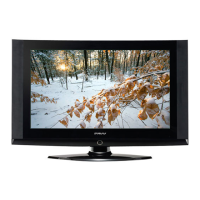
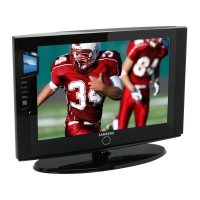
32" HDTV with Integrated ATSC Tuner
All features, specifications, and model numbers subject to change.
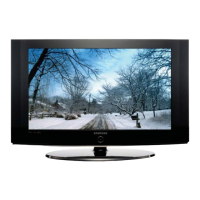
All on screen images are simulated pictures.
OFFICIAL HDTV OF THE NFL
It’s easy to see – and hear – why Samsung’s
LN-T3242H is an exceptional value. It offers
everything you want in a 32" wide-screen HDTV
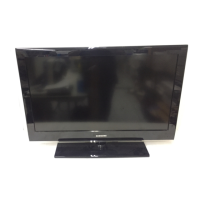
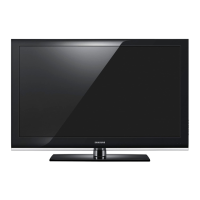
LCD, including a sleek, gloss-black frame to
enhance any décor.
The 720p resolution and a 7000:1 dynamic contrast
ratio combine in a remarkably crisp, high-quality
picture with deep blacks and brilliant color, while its
fast 8ms response time delivers smooth action
sequences.
SRS TruSurroundXT™ produces full, 3-D sound from
two side speakers. Full connectivity, including three
HDMI ports, lets you plug in everything from PCs to
video cameras and more.

Questions and Answers

  • D
    David MaysSep 23, 2025
    What to do if a still image is displayed for an extended period of time on Samsung LCD TV?
    • J
      Jason GibsonSep 23, 2025
      When you need to leave your Samsung LCD TV monitor unused for an extended period of time with a still image displayed, adjust the residual settings so that the monitor automatically goes into energy saving mode or activates the screen saver to display moving images.
  • J
    Jeremy BrownAug 23, 2025
    What to do if my Samsung LCD TV won’t turn on?
    • H
      hinesmoniqueAug 23, 2025
      If your Samsung LCD TV won’t turn on, make sure the wall outlet is working.
  • B
    Belinda WhitakerAug 25, 2025
    How to fix poor picture quality on Samsung LCD TV?
    • L
      Larry MillerAug 26, 2025
      If you are experiencing poor picture quality on your Samsung LCD TV, you can try the following: * Try another channel. * Adjust the antenna. * Check all wire connections.
  • C
    christopherreedAug 26, 2025
    Why is there no sound or sound is too low at maximum volume on my Samsung LCD TV?
    • M
      Michael ShepardAug 27, 2025
      If you're experiencing no sound or the sound is too low even at maximum volume on your Samsung LCD TV, first check the volume of any units connected to your TV, such as a digital broadcasting receiver, DVD player, cable broadcasting receiver, or VCR. Then, adjust the TV volume accordingly.
  • P
    Pamela NortonAug 27, 2025
    How to fix a Samsung LCD TV when the picture rolls vertically?
    • V
      Veronica JonesAug 27, 2025
      If the picture on your Samsung LCD TV rolls vertically, check all wire connections.
  • J
    Jeremy MckaySep 17, 2025
    Why is the screen black and the power indicator light blinking steadily on my Samsung LCD TV and how to fix it?
    • L
      Leslie MartinezSep 18, 2025
      If the screen is black and the power indicator light blinks steadily on your Samsung LCD TV, check the power and signal cable on your computer. The TV may be using its power management system. Try moving the computer's mouse or pressing any key on the keyboard.
  • B
    brownkathySep 14, 2025
    What to do if Closed Captioning is not working on Samsung LCD TV?
    • M
      Maria BakerSep 14, 2025
      If Closed Captioning is not working on your Samsung LCD TV and you are using a Cable/Satellite box, you must set Closed Captioning on the box, not your TV.
  • R
    Robert JacksonSep 15, 2025
    Why is the image not stable and vibrates when a computer is connected to the PC input on my Samsung LCD TV, and how can I fix it?
    • J
      Jessica RothSep 16, 2025
      If the image is not stable and may appear to vibrate when you have a computer connected to the PC input on your Samsung LCD TV, use your computer utility program to change the display settings if the current setting is not correct.
  • C
    Christopher MendozaSep 6, 2025
    Why does the picture on my Samsung LCD TV have a Red/Green or Pink tint and how to fix it?
    • C
      Charles WashingtonSep 6, 2025
      If the picture on your Samsung LCD TV has a Red/Green or Pink tint, make sure the Component cables are connected to the correct jacks.
  • B
    Brian JohnsonSep 3, 2025
    Why does my Samsung LCD TV screen have a snowy picture and how to fix it?
    • T
      Travis EspinozaSep 3, 2025
      If your Samsung LCD TV displays a snowy picture, your cable box may need a firmware upgrade. Please contact your Cable company.

Samsung LNT3242HX/XAA Specifications

General IconGeneral
BrandSamsung
ModelLNT3242HX/XAA
CategoryFlat Panel TV
LanguageEnglish

Related product manuals